


Toner cartridge PRINTE TH540BNC for HP CB540A compatible — black, 2200 pages
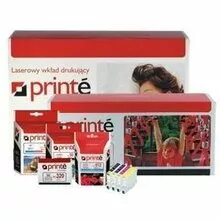
Short description

Cheapest delivery:
Unisend LV
Product information
Description
Compatible black toner cartridge PRINTE TH540BNC (replacement for HP CB540A) yields approximately 2200 pages and is designed to deliver black printing for text documents and monochrome graphics. It is compatible with HP Color LaserJet CP1215, CP1515, CP1518 and Color LaserJet CM1312mfp series and intended for users who need a straightforward replacement toner that keeps printing tasks uninterrupted in home offices and small businesses.
Advantages
The PRINTE TH540BNC cartridge provides predictable page yield of around 2200 pages and installs using the same procedure as the original cartridge, which simplifies replacement and service. It offers consistent black density suitable for text and basic graphics, and is produced to fit the listed HP Color LaserJet models, reducing the risk of compatibility errors. The cartridge is an economical option for environments where reliable monochrome output from a colour laser device is required.
Suitable for
- Black text printing for home office documents
- Monochrome invoices, receipts and forms
- Small business printing with moderate monthly volumes
- Replacement cartridge needs for specified HP Color LaserJet models
Key specifications
- Estimated page yield: approximately 2200 pages (based on standard coverage)
- Printing colour: Black
- Compatible printers: HP Color LaserJet CP1215, CP1515, CP1518, Color LaserJet CM1312mfp series
- Form factor: single black toner cartridge for colour laser devices
How to use
Turn off the printer and open the front access cover or toner compartment according to your printer's user guide. Remove the used cartridge by pulling it straight out, unpack the PRINTE TH540BNC cartridge and gently shake it side to side to distribute toner evenly before inserting. Slide the new cartridge into the slot until it clicks into place, close the cover and power the printer on. Allow the printer to initialize and, if necessary, perform a test print or alignment following on-screen prompts or the printer manual.
Usage recommendations
Store the cartridge in a cool, dry place away from direct sunlight and extreme temperatures; handle by the plastic components to avoid contact with the toner surface. For consistent print quality, perform routine printer maintenance such as cleaning the paper path and performing regular calibration according to the printer's maintenance instructions.
Features
- Brand compatibility:
- HP
- Printing colours:
- Black


