


Toner PRINTE TH542YNC yellow for HP Color LaserJet (compatible with CP1215, CP1515, CP1518, CM1312mfp) 1400 pp
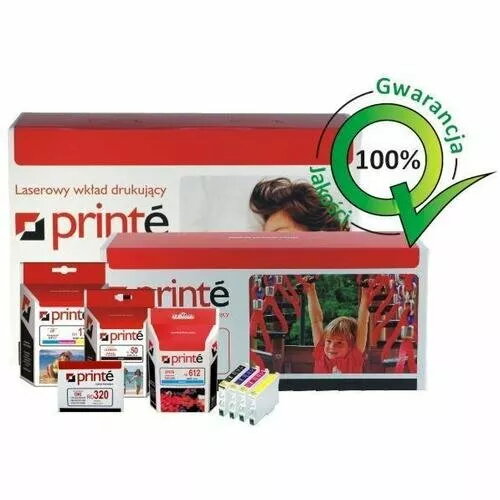
Short description

Cheapest delivery:
Unisend LV
Product information
Description
Compatible yellow toner cartridge PRINTE TH542YNC is intended as a replacement for the original HP yellow toner for selected Color LaserJet models. It fits HP Color LaserJet CP1215, CP1515, CP1518 and Color LaserJet CM1312mfp printers and yields approximately 1400 pages of yellow coverage under standard test conditions. The cartridge is designed for colour document and graphic printing in small office and home environments, offering straightforward installation and use as part of routine print maintenance.
Advantages
The PRINTE TH542YNC yellow cartridge provides a cost-effective alternative to the original manufacturer cartridge while maintaining compatible colour output and page yield. It delivers consistent yellow toner distribution for text and graphics, supports standard printing workflows, and is compatible with the specified HP Color LaserJet models. The cartridge is produced to match the physical and functional requirements of the printers listed, enabling direct replacement without additional adjustments.
Suitable for
- Printing colour documents and flyers in small offices
- Home office colour reports and school projects
- Basic graphic and marketing printouts with moderate monthly volume
Key specifications
- Colour: Yellow
- Approximate yield: 1400 pages (standard coverage)
- Compatibility: HP Color LaserJet CP1215, CP1515, CP1518, Color LaserJet CM1312mfp
- Cartridge type: Remanufactured/compatible toner cartridge for laser printers
How to use
Turn the printer off or place it in standby according to the printer manual before replacing the cartridge. Open the printer cover, remove the empty yellow toner cartridge by gently pulling it out, and unpackage the PRINTE TH542YNC cartridge. Insert the cartridge into the yellow slot until it seats firmly, close the cover, and allow the printer to initialize. Run a test print or print quality check and perform a colour calibration if required by the printer to ensure correct registration and colour balance.
Usage recommendations
Store the cartridge in a cool, dry place away from direct sunlight and strong heat sources; avoid touching the drum or the toner outlet. For best results, use the cartridge in printers with firmware compatible with third-party consumables and perform regular maintenance such as cleaning the printer path and performing colour calibration to maintain print quality.
Features
- Brand compatibility:
- HP
- Printing colours:
- Yellow


