


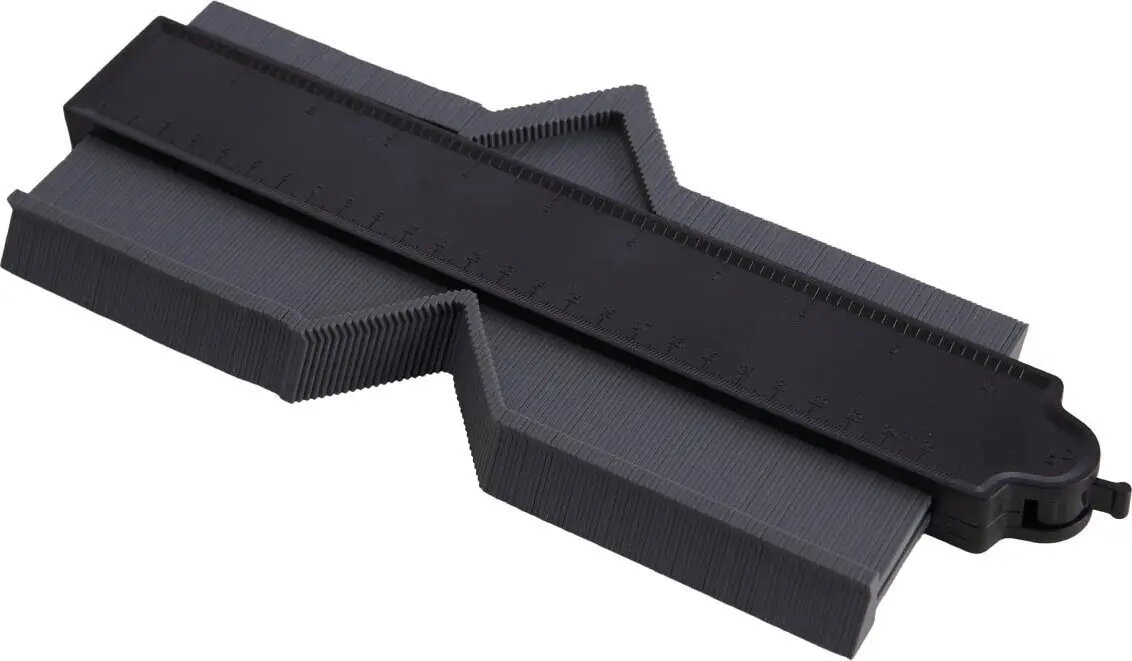
Contour Duplicator Probuilder 250 mm - Probuilder KONTURDUPLIKATOR 16433
Short description

Cheapest delivery:
Unisend LV
Product information
Description
The Probuilder Contour Duplicator 250 mm (model 16433) is a handheld profiling tool designed to copy and transfer complex shapes and profiles onto workpieces with a 250 mm working width. It is intended for tasks that require accurate tracing of skirtings, pipes, door and window frames, irregular edges and other contours so the traced pattern can be cut or fitted precisely. The tool’s mechanical stylus records the contour and reproduces it onto the target material, simplifying repetitive or non-standard shaping work in carpentry, flooring, tiling and renovation.
Advantages
The contour duplicator provides a reliable mechanical method to capture and reproduce irregular shapes without electricity or digital calibration, offering straightforward operation and low maintenance. Its 250 mm working width lets it handle larger curves and detailed profiles while remaining compact enough for use in confined spaces. Materials and build ensure consistent tracing accuracy and repeatable transfer of shapes for precise cutting and installation.
Suitable for
- Copying skirting board profiles for trimming and fitting
- Transferring pipe and conduit outlines to flooring or panels
- Tracing irregular edges around door and window frames
- Fitting tiles or floorboards around complex shapes
- Renovation and repair work requiring accurate profile matching
Key specifications
- Working width: 250 mm
- Type: manual contour duplicator (mechanical stylus)
- Primary use: profile copying and shape transfer for cutting or fitting
- Suitable materials: wood, composite panels, floorboards, tiles (for marking)
- Portability: handheld, compact for confined spaces
How to use
Place the duplicator’s stylus against the profile you wish to copy and hold the tool steady while moving it along the contour to record the shape. Once the contour is captured, position the duplicator against the target workpiece and trace the recorded profile to transfer the outline. Mark the transferred outline clearly on the workpiece and cut or file along the marked line using appropriate cutting tools. Regularly check the stylus movement and the transferred line for accuracy during use.
Usage recommendations
For best results, ensure both the template profile and the target surface are stable and clean. Move the tool smoothly and maintain consistent pressure on the stylus to avoid distortions. Use fine marking pencils or scribes for clear transfer lines and verify fit with dry assembly before final cutting or fixing.


