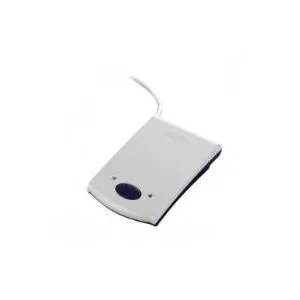
Promag PCR-300 is a compact USB RFID reader operating at 125 kHz and compatible with EM4102 low-frequency proximity tags. The reader connects to a host system through a USB slot interface with RS232 emulation, providing plug-and-play integration for PCs and embedded control systems. Its slim housing and simple connectivity make it suitable for access control points, time and attendance terminals, asset identification and other basic RFID reading applications where EM4102 tag compatibility is required.
Advantages
The device offers straightforward USB connectivity with RS232 emulation, allowing use with software that expects a serial interface without additional drivers in many systems. Its compact dimensions and low-frequency EM4102 support ensure reliable reading of standard proximity tags used in access and identification tasks. The design emphasizes ease of installation and minimal configuration for quick deployment in desktop or wall-mounted setups.
Suitable for
- Access control readers for doors and entry points
- Time and attendance terminals for employee identification
- Basic asset tracking and inventory checks using EM4102 tags
- Integration with PC-based control systems and legacy software that use serial emulation
When it may not be suitable
The PCR-300 is designed specifically for 125 kHz EM4102 proximity tags; it is not suitable for systems that require higher-frequency tags (e.g., 13.56 MHz) or more advanced tag protocols such as ISO14443 or ISO15693. It also lacks features found in industrial-grade readers such as extended read range, multi-protocol support, or heavy-duty environmental protection.
Key specifications
- Operating frequency: 125 kHz
- Tag compatibility: EM4102 (low-frequency proximity tags)
- Interface: USB slot with RS232 emulation
- Physical dimensions (approx.): 65 x 23 x 100 mm
- Form factor: Compact, slim housing suitable for desktop or panel mounting
How to use
Connect the PCR-300 to a PC or host controller via the USB slot interface; the reader will typically appear as a serial device when RS232 emulation is enabled. Install any required application or configure existing access control software to read input from the corresponding COM port. Present an EM4102-compatible tag within the reader’s effective read range and verify that the tag ID is received by the host system. For stable operation, mount the reader away from large metal surfaces or strong electromagnetic interference sources and ensure the host supplies standard USB power.
What to consider before purchase
- Ensure your tags use the EM4102 125 kHz standard for compatibility
- Confirm host software supports USB with RS232 emulation or can accept serial input
- Check required read range matches the reader’s typical proximity performance
- Verify mounting location is suitable for a compact, non-weatherproof enclosure
Usage recommendations
For reliable reading, place tags centrally over the reader face and avoid shielding materials between the tag and reader. Use the USB RS232 emulation mode when integrating with legacy applications that expect a serial port. In multi-reader installations, allow brief intervals between reads to prevent simultaneous tag collisions and monitor host software for proper COM port assignment.