


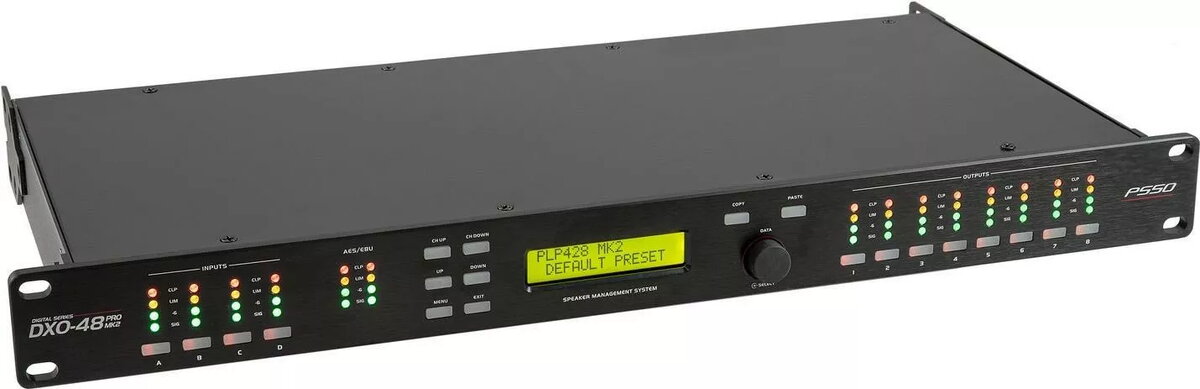
Digital Controller PSSO DXO-48 PRO MK2 — 48 channels, USB interface
Offer for a legal entity, non-cash payment.
Short description

Cheapest delivery:
Unisend LV
Product information
Description
PSSO DXO-48 PRO MK2 is a digital controller with 48 channels and a USB interface that connects to a host PC or compatible systems. It provides centralized management of multiple outputs for lighting, automation and stage applications, combining a compact form factor with high channel density. The unit is intended for integration into studios, event installations and control racks where reliable multi-channel control with computer integration is required.
Advantages
The controller offers 48 independent channels in a single compact device with a USB interface for direct connection to a computer. It supports centralized control workflows, reduces the need for multiple separate controllers and simplifies cabling and system layout. Its build is designed for rack or desktop mounting, and software integration enables automated scenes, presets and synchronized output changes. The device aims for stable communication and predictable timing across all outputs.
Suitable for
- Studio lighting and small to medium production setups
- Stage and theatre installations requiring multi-channel output control
- Event venues and exhibition booths with synchronized lighting or automation
- Automation systems where centralized digital output management is needed
Key specifications
- Channel count: 48 independent output channels
- Interface: USB for connection to host PC or compatible systems
- Form factor: compact unit suitable for desktop or rack integration
- Control: supports centralized control, scenes and presets via software
- Connectivity: single cable USB connection for data and control
- Application domains: lighting, stage automation, event control, studio use
How to use
Connect the PSSO DXO-48 PRO MK2 to a host computer using a USB cable and install any required drivers or control software provided by the system integrator or manufacturer. Use the control software to map channels, create scenes or load presets, and assign outputs according to the installation needs. For stage or event use, configure timing and transitions within the software and test channel responses before live operation. Ensure the device is mounted securely and placed where USB access and output cabling are practical.
Usage recommendations
For reliable operation, use a dedicated USB port or a powered USB hub and keep firmware and control software up to date. Test channel mappings and presets in a controlled environment before deployment. Organize output cabling and mark channels clearly to simplify troubleshooting during live use.


