
JBL speakers and headphones for pure and deep sound!
In cart {{totalProductsCount}} item(s)
Your cart is empty
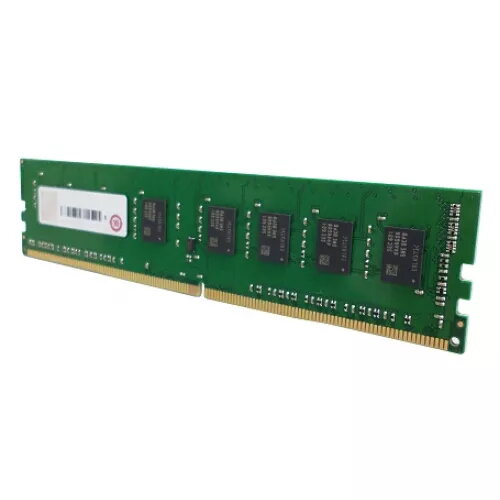
Memory module QNAP DDR4 8GB 3200MHz ECC
The QNAP 8GB DDR4 3200MHz ECC memory module is a high-performance upgrade designed to enhance the stability and speed of compatible QNAP NAS systems and servers. Engineered for demanding environments, this module provides 8 GB of capacity and operates at a frequency of 3200 MHz, ensuring efficient data processing and multitasking capabilities. The inclusion of Error Correction Code (ECC) technology allows the module to detect and fix common data corruption issues, which is essential for maintaining system uptime and data integrity in professional storage setups.
This memory module offers significant reliability benefits due to its ECC support, which actively monitors data to prevent errors that could otherwise lead to system crashes or file corruption. By utilizing the DDR4 standard, it provides improved power efficiency and higher bandwidth compared to older memory generations. The 288-pin DIMM form factor ensures a secure and stable connection within the motherboard, while the 3200 MHz clock speed facilitates rapid data transfer rates, helping to reduce latency during intensive read and write operations on your QNAP device.
This memory module is specifically designed for systems that support ECC UDIMM DDR4 memory. It is not compatible with standard desktop motherboards that do not support ECC functionality or with systems requiring different memory architectures such as DDR3 or DDR5.
To install the memory module, ensure your QNAP device is powered off and disconnected from the power source. Open the chassis according to the manufacturer's instructions to access the memory slots. Carefully align the notch on the module with the key in the DIMM slot and press down firmly until the side clips lock into place. Once installed, close the chassis and reconnect the power. The system will automatically detect the new memory during the next boot sequence.
Usage recommendations: For optimal performance and system stability, it is recommended to use identical memory modules when populating multiple slots. Always handle the module by its edges to avoid electrostatic discharge damage to the components.
{{highlightedFeature.featureTitle}}:
{{getProductFeatureValueById(product, highlightedFeature.featureId)}}
{{ productComparisonGenerationError }}
