
Hurry and order now – up to 50% off!
In cart {{totalProductsCount}} item(s)
Your cart is empty
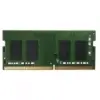
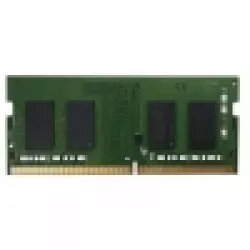
QNAP RAM-16GDR4ECT0-SO-2666 16GB DDR4 2666MHz ECC SO-DIMM Memory Module
The QNAP RAM-16GDR4ECT0-SO-2666 is a high-performance 16GB DDR4 memory module engineered to enhance the operational efficiency of compatible QNAP NAS systems. Operating at a frequency of 2666 MHz, this SO-DIMM module is specifically designed to meet the rigorous demands of server environments where data reliability and system uptime are critical. By integrating Error Correction Code (ECC) technology, the module actively detects and corrects internal data corruption, providing a stable foundation for intensive storage tasks and complex multitasking workflows.
This memory module offers significant benefits for users looking to optimize their network-attached storage performance. The inclusion of ECC technology is a primary advantage, as it minimizes the risk of system crashes and data errors that can occur during prolonged operation. Furthermore, the 16GB capacity allows for more concurrent processes, faster file indexing, and improved responsiveness when running multiple applications or virtual machines on your QNAP device. Its compact SO-DIMM form factor ensures compatibility with specific hardware designs, maintaining a streamlined internal layout for better airflow and cooling.
This memory module is not compatible with standard desktop computers or laptops that require non-ECC memory or different form factors. It is specifically designed for QNAP NAS systems that support ECC SO-DIMM modules, and attempting to install it in unsupported hardware may result in system failure or boot errors.
To install the memory module, first ensure that your QNAP NAS is powered off and disconnected from the power source. Open the chassis according to the manufacturer's instructions for your specific model. Locate the memory slots on the motherboard and gently remove any existing modules if necessary. Align the notch on the RAM-16GDR4ECT0-SO-2666 module with the key in the SO-DIMM slot and press down firmly until the side clips lock the module into place. Once installed, reassemble the device and power it on. The system should automatically detect the new memory capacity during the boot process.
Usage recommendations: For best results, avoid mixing memory modules of different capacities or speeds. It is recommended to use identical modules to ensure stable system performance and to fully utilize the benefits of ECC technology.
{{highlightedFeature.featureTitle}}:
{{getProductFeatureValueById(product, highlightedFeature.featureId)}}
