


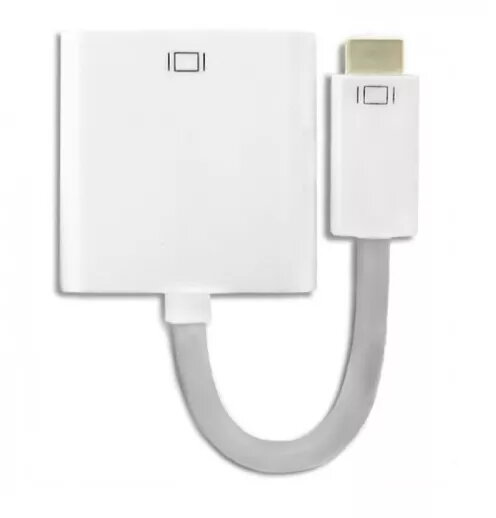
Cable QOLTEC Mini-DVI to DVI 0.17 m — white
Short description

Cheapest delivery:
Unisend LV
Product information
Description
QOLTEC Mini-DVI to DVI 0.17 m — white is a compact adapter cable designed to link devices with a Mini-DVI output to DVI displays, projectors or DVI-equipped adapters. With a 0.17 m length and a Mini-DVI connector on one end and a standard DVI connector on the other, this cable is intended for short-distance video connections in desktop setups, presentations or confined workspaces where a minimal cable footprint is preferred.
Advantages
The short 0.17 m length reduces cable clutter and signal loss over minimal distances while providing a direct digital video connection between Mini-DVI source devices and DVI displays. Its white finish blends with light-coloured equipment and desk environments. The direct one-piece cable eliminates the need for bulkier adapter assemblies and is suitable for tidy installations close to screens or docking stations.
Suitable for
- Connecting laptops or compact devices with Mini-DVI output to DVI monitors or projectors
- Short desktop connections where space behind the display is limited
- Presentations and meeting rooms that require a short, reliable video link
- Temporary setups or test benches where a short cable reduces tangling
Key specifications
- Connector 1: Mini-DVI
- Connector 2: DVI (full size)
- Cable length: 0.17 m
- Colour: White
- Function: Video signal transmission between Mini-DVI source and DVI display
How to use
Insert the Mini-DVI end into the source device's Mini-DVI port and the DVI end into the display's DVI input. Ensure both devices are powered off or outputs are muted while connecting to avoid hot-plug issues, then power on the devices and select the appropriate input on the display. For displays with multiple inputs, choose the DVI input in the monitor menu or on the connected device's display settings. Adjust resolution and refresh rate after connection if required.
Usage recommendations
Use this short cable for close-proximity connections only; for longer distances choose an appropriately rated cable or signal extender. Avoid sharp bends near the connectors and do not apply excessive force when inserting or removing the plugs. Keep contacts clean and store the cable coiled loosely to maintain connector and cable integrity.
Features
- Connector 2 gender:
- Female
- Connector 1 gender:
- Male
- Connector 2:
- DVI
- Connector 1:
- Mini-DVI
- Cable length:
- 0.17 m


