JBL speakers and headphones for pure and deep sound!
In cart {{totalProductsCount}} item(s)
Your cart is empty
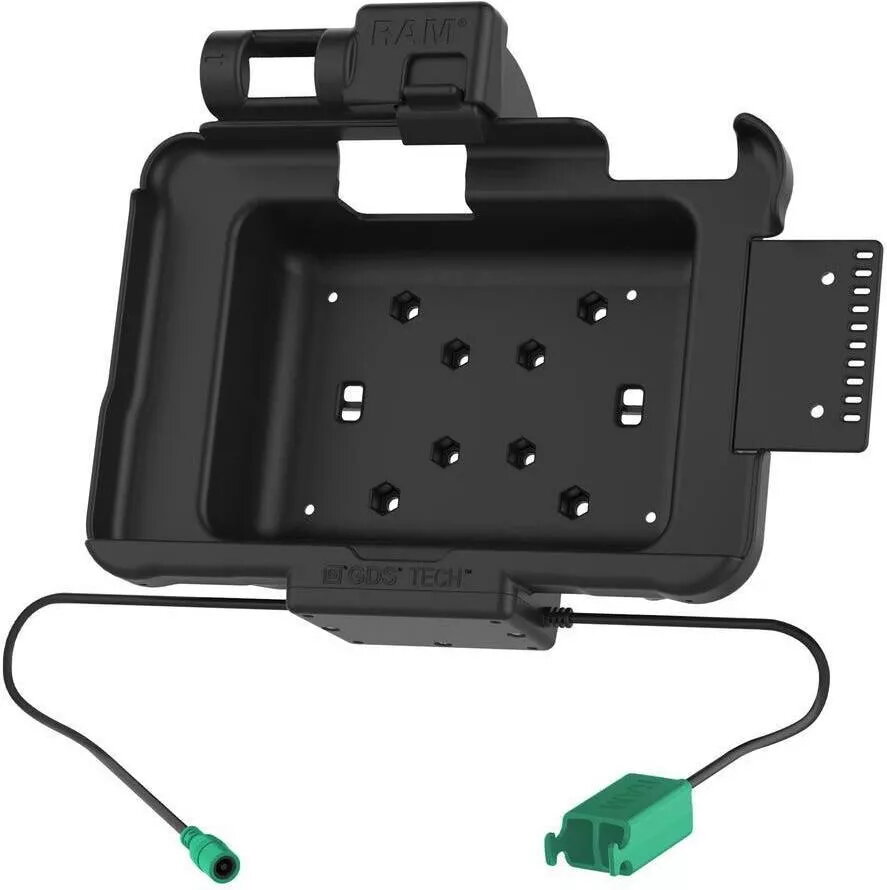
Tablet Dock Station RAM Mounts RAM-HOL-ZE10PD2U Black for Zebra ET5x
The RAM Mounts RAM-HOL-ZE10PD2U Vehicle Dock is a black docking station designed for Zebra ET5x 8.3" and 8.4" series tablets. It provides power and data/charging connectivity via GDS® Technology™ pogo-pin contacts while mounted. The dock supports two peripheral connections through a built-in dual USB Type-A cable and receives power through a 5.5 mm DC power jack. The design includes a rear cutout to preserve the tablet's scanning function and to accommodate accessories such as a scanner module, hand strap or PowerPack battery. The dock is compatible with multiple RAM® and VESA mounting patterns to integrate with vehicle mounts and additional device holders.
The vehicle dock supplies continuous charging and data pass-through when the tablet is inserted, enabling in-vehicle workflows without interrupting operations. Dual USB Type-A connectivity allows two peripherals to be attached simultaneously while the pogo-pin contacts maintain power and data communication. Compatibility with RAM® AMPS 4-hole and 75 × 75 mm VESA pattern bases, as well as a 2-hole RAM® diamond mounting plate, gives flexibility for mounting arms and additional devices. An optional accessory bracket with cable management is included to simplify installation and routing of cables.
Install the dock onto a compatible RAM® or VESA mounting base according to the chosen vehicle mounting arm instructions. Connect the dock's 5.5 mm DC power supply to provide power for charging. Route and connect peripheral devices to the dock's dual USB Type-A cables as required. Insert the Zebra ET5x tablet into the dock so the pogo-pin contacts align to enable charging and data. Ensure the tablet's scanner or add-on modules align with the rear cutout for unobstructed scanning and accessory access.
Use a compatible 5.5 mm DC power adapter rated for your vehicle's electrical system and follow vehicle installation best practices. Verify that mounted peripherals are supported by the Zebra ET5x tablet and secured to prevent strain on cables. For environments with vibration or heavy motion, ensure mounting hardware is tightened per RAM® specifications.
{{highlightedFeature.featureTitle}}:
{{getProductFeatureValueById(product, highlightedFeature.featureId)}}
{{ productComparisonGenerationError }}