Leave your address - as soon as the price of the product goes down, you'll know about it right away
Mouse Rapoo VT900 USB Type-A Optical Right-hand
In cart {{totalProductsCount}} item(s)
Your cart is empty
Mouse Rapoo VT900 USB Type-A Optical Right-hand
Leave your address - as soon as the price of the product goes down, you'll know about it right away
Mouse Rapoo VT900 USB Type-A Optical Right-hand
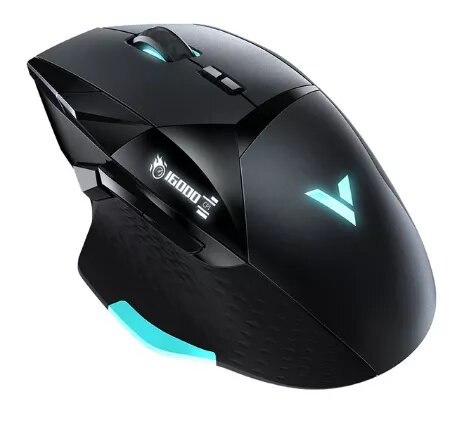
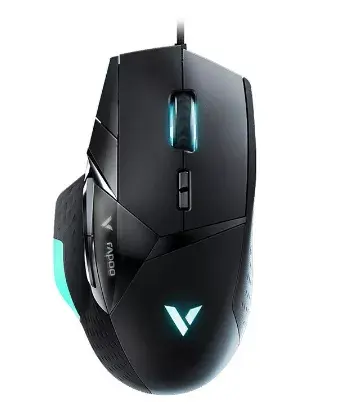
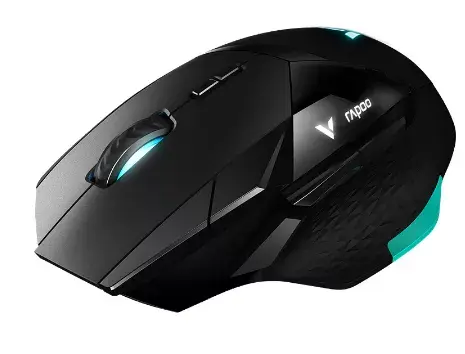
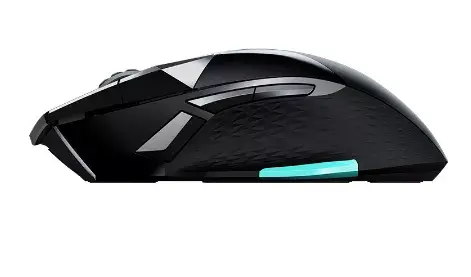
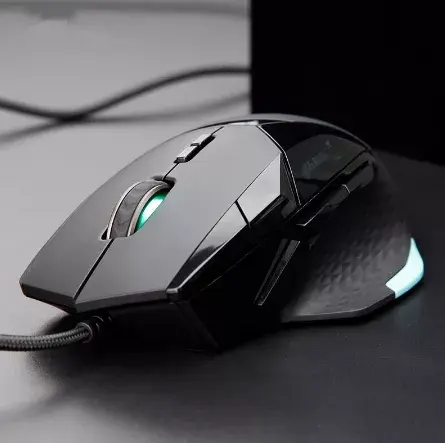
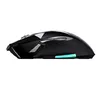
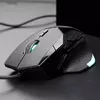
The Rapoo VT900 USB Type-A Optical Right-hand mouse is an ergonomic wired gaming mouse designed for right-handed users. It features an ergonomic shape to fit the palm, onboard memory for saving profiles, an adjustable DPI range up to 16000 DPI, a professional optical sensor with high tracking speed and acceleration, a customizable OLED display, breathing RGB lighting, and a removable weight system to balance the mouse to user preference.
The VT900 combines an ergonomic right-hand form factor with 12 programmable buttons that allow assignment of functions and macros. Onboard memory stores macro, DPI and lighting modes so settings travel with the mouse without extra software. The real-time DPI controls let you switch among seven DPI steps from 50 to 16000 DPI with 50‑DPI increments for fine tuning. A gaming-grade optical engine delivers up to 400 in/s tracking speed, 50G max acceleration and a 1000 Hz USB report rate for accurate cursor movement. The customizable OLED and 16-million-color breathing LEDs provide live feedback and personalized visuals, while six removable 3 g weights enable precise adjustment of balance and heft.
Connect the Rapoo VT900 to a computer using the USB Type-A cable. Use the DPI+ and DPI- buttons to cycle through or precisely adjust DPI levels between 50 and 16000 DPI in 50‑DPI increments. Program the mouse buttons and macros using the mouse’s onboard programming system; save profiles into onboard memory so they load automatically on other computers. Adjust lighting and OLED display content via the provided configuration options and insert or remove the 3 g weights to achieve the desired balance and weight.
For consistent tracking, use a low-friction mouse pad and ensure the sensor surface is clean. Start with a DPI that matches your screen resolution and in-game sensitivity preferences, then fine-tune using the 50‑DPI steps. Save commonly used profiles to onboard memory for use on different systems without additional software.
{{highlightedFeature.featureTitle}}:
{{getProductFeatureValueById(product, highlightedFeature.featureId)}}
| Warehouse | Stock | Delivery to the store | Store Price | |
| WH334 | 30 | 25.06.2026 Best delivery | 14.99 € Best price | |
| WH94 | 30 | 25.06.2026 Best delivery | 23.99 € | |
| WH354 | 30 | 02.07.2026 | 28.99 € |
| Warehouse | Stock | Delivery to the store | Store Price | |
| WH109 | 30 | 09.07.2026 | 27.49 € |
|
14.99 €
Stock:
30
Delivery Date:
25.06.2026
Best delivery
Warehouse: WH334
|
|
23.99 €
Stock:
30
Delivery Date:
25.06.2026
Best delivery
Warehouse: WH94
|
|
28.99 €
Stock:
30
Delivery Date:
02.07.2026
Warehouse: WH354
|
|
27.49 €
Stock:
30
Delivery Date:
09.07.2026
Warehouse: WH109
|