Save time and money with our discounts!
In cart {{totalProductsCount}} item(s)
Your cart is empty
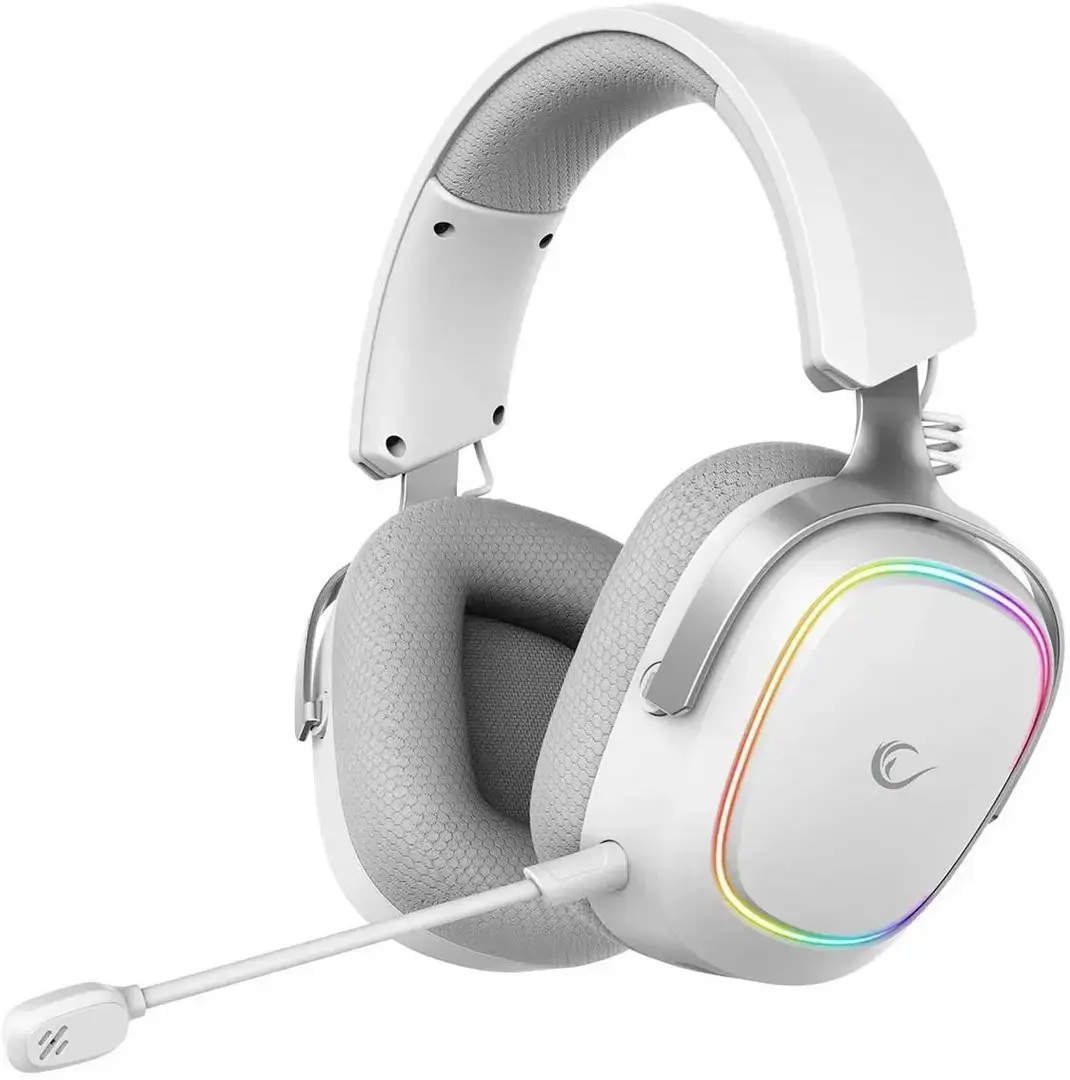
Rampage RETSU Wireless On-Ear Headphones with Bluetooth, 2.4G Connectivity and RGB Lighting, White
The Rampage RETSU Wireless On-Ear Headphones offer a flexible audio solution for gamers and multimedia enthusiasts who prioritize both performance and aesthetics. Featuring a clean white finish, these headphones integrate seamlessly into modern setups while providing reliable sound quality. With dual connectivity options, including Bluetooth and a dedicated 2.4G wireless connection, users can enjoy low-latency audio performance suitable for competitive gaming or casual media consumption. The integrated RGB lighting adds a distinct visual element, enhancing the overall gaming atmosphere.
The primary benefit of the Rampage RETSU is its versatile connectivity, allowing users to switch between devices effortlessly using either Bluetooth or the 2.4G wireless transmitter. The on-ear design is engineered for comfort during extended use, ensuring that the headset remains stable and pleasant to wear over long periods. Furthermore, the low-latency 2.4G connection minimizes audio delay, which is critical for fast-paced gaming environments. The inclusion of RGB lighting provides a customizable look that complements various gaming peripherals, while the lightweight construction reduces fatigue during marathon sessions.
These headphones may not be suitable for professional studio recording or mixing environments where high-fidelity, neutral sound reproduction is required. Additionally, users who prefer over-ear models for maximum noise isolation may find the on-ear design less effective at blocking out ambient environmental sounds.
To use the Rampage RETSU, first ensure the device is charged using the provided cable. For 2.4G wireless connectivity, plug the included transmitter into your computer or console's USB port and switch the headset to the corresponding mode. For Bluetooth connectivity, activate the pairing mode on the headset and select it from your device's Bluetooth settings menu. Once connected, you can adjust the volume and lighting settings directly through the headset controls or your connected device's software.
For optimal performance, keep the 2.4G transmitter in a clear line of sight to the headset and ensure the firmware is updated if prompted by your system. Regularly clean the ear cushions to maintain hygiene and comfort during prolonged use.
{{highlightedFeature.featureTitle}}:
{{getProductFeatureValueById(product, highlightedFeature.featureId)}}
{{ productComparisonGenerationError }}