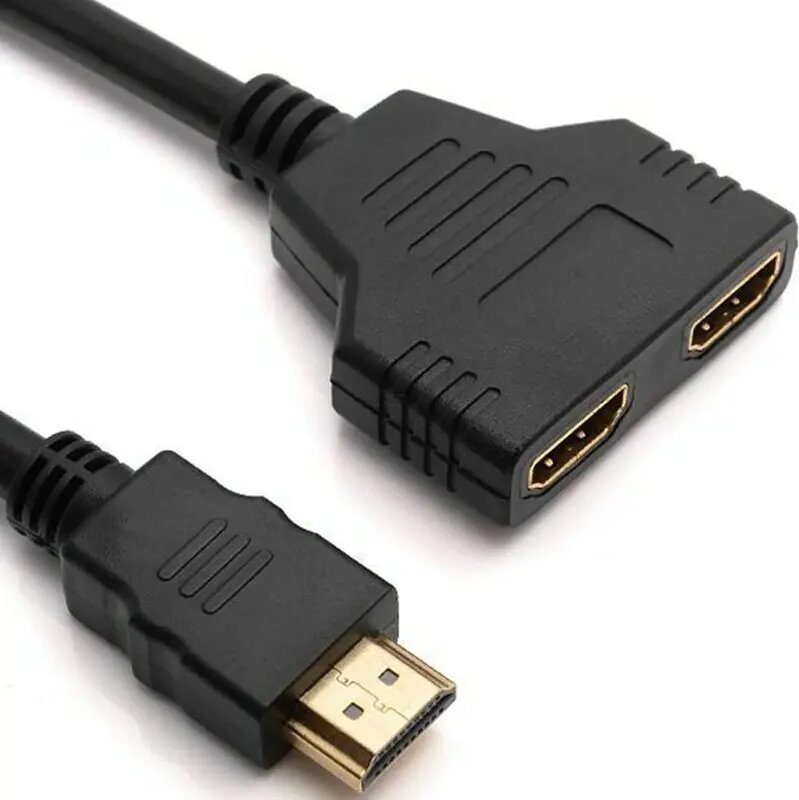
The Retoo ROZDZIELACZ 2-port HDMI splitter duplicates a single HDMI source to two independent HDMI outputs, allowing the same audio-video signal to be displayed on two screens or projectors at once. It is intended for straightforward signal distribution from devices such as set-top boxes, Blu-ray players and PCs to multiple displays without software configuration. The compact device supports simple wiring and immediate mirroring of the original HDMI output for presentations, retail signage and basic multi-room setups.
Advantages
This HDMI signal distributor provides a stable duplicate output for two displays from one source, eliminating the need to switch cables or alternate devices during viewing. Its plug-and-play operation requires no drivers or setup, and the physical design is compact for discreet placement near AV equipment. The splitter maintains a single-source audio-video feed for synchronized playback on both connected screens.
Suitable for
- Presentations where the same image is required on two screens
- Retail or exhibition displays showing identical content on multiple monitors
- Home setups that need the same source on a TV and a projector
- Small conference rooms or classrooms with two output displays
When it may not be suitable
This device duplicates the exact HDMI signal to both outputs and does not provide independent content or extended desktop functionality. It is not a switcher — it cannot route multiple sources to a single display or provide per-output scaling or processing beyond basic signal pass-through. Environments requiring advanced EDID management, embedded scaling, signal amplification for long cable runs, or HDCP conversion may need a more advanced AV distribution solution.
Key specifications
- Function: HDMI signal duplication from one input to two outputs
- Ports: one HDMI input and two HDMI outputs
- Operation: plug-and-play, no driver installation required
- Supported content: mirrored audio and video on both outputs
- Typical use cases: presentations, retail displays, multi-room mirroring
How to use
Connect an HDMI source (for example a media player, set-top box or computer) to the splitter's HDMI input. Use standard HDMI cables to connect each display or projector to the splitter's two HDMI outputs. Power the source devices and displays; the splitter operates transparently and begins duplicating the HDMI signal without additional configuration. For best results, use good-quality HDMI cables and keep cable lengths within recommended ranges for your resolution to avoid signal degradation.
What to consider before purchase
- Confirm that you need mirrored output rather than independent displays or extended desktop
- Check connected devices for HDCP requirements which may affect playback of protected content
- Ensure cable lengths and HDMI cable quality are appropriate for your installation
Usage recommendations
Place the splitter close to source equipment and use high-quality HDMI cables. If you plan to use long cable runs or require advanced signal management (EDID, scaling or amplification), evaluate a professional AV distribution amplifier or matrix instead.