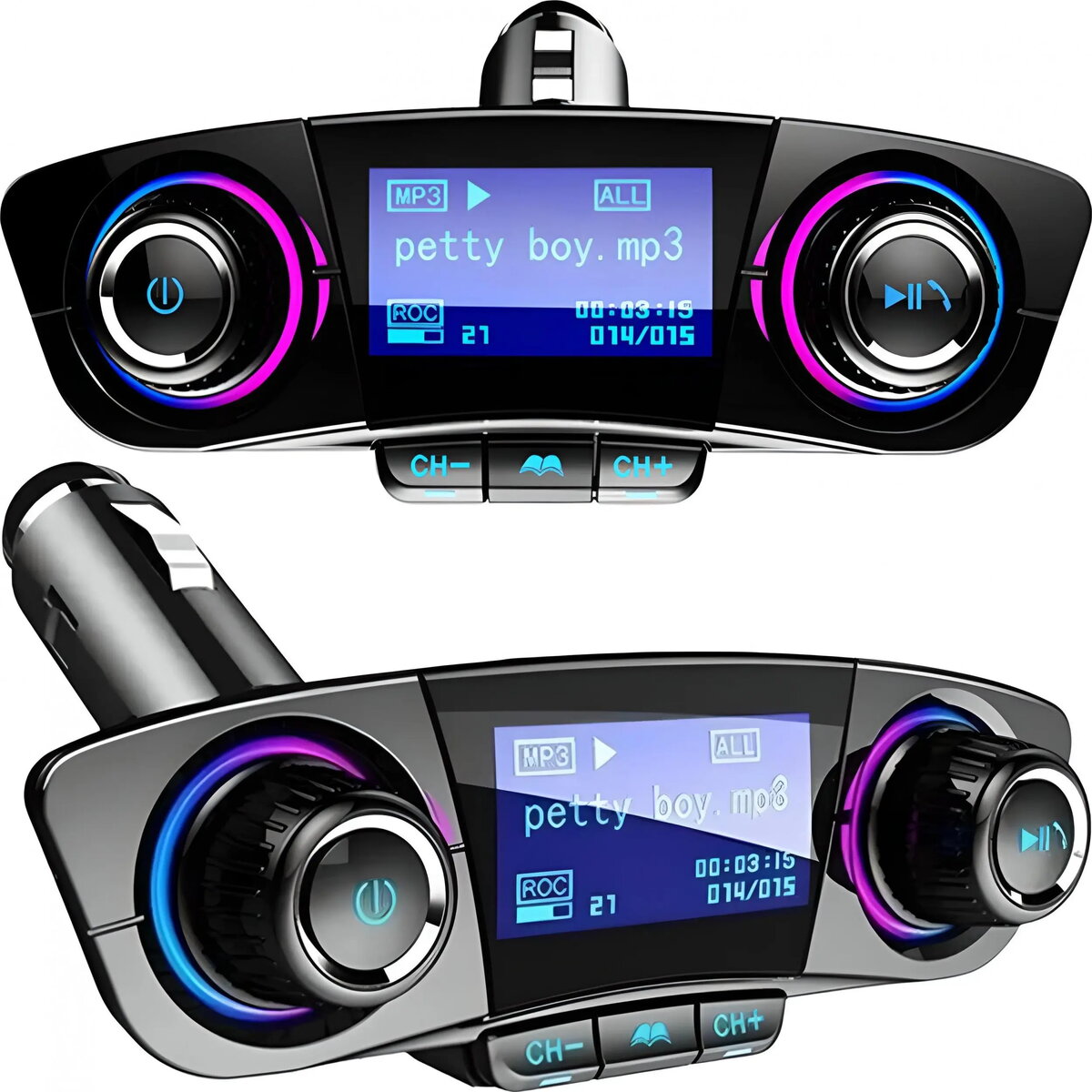
The Retoo Bluetooth 5.0 USB multifunction car adapter is an 8-in-1 FM transmitter designed to add wireless audio streaming, hands-free calling and USB charging to vehicles that lack modern infotainment systems. The device connects to a smartphone via Bluetooth 5.0 and rebroadcasts audio over an FM frequency so it can be heard through the car radio. It also provides at least one USB port for charging and media playback, a built-in microphone for phone calls, and various playback controls accessible on the adapter.
Advantages
This Retoo FM transmitter offers Bluetooth 5.0 connectivity for lower-latency and more stable audio streaming compared with older Bluetooth versions. It integrates FM broadcasting for compatibility with most car radios and includes USB power to charge mobile devices while driving. The built-in microphone and call-handling controls enable hands-free calls, and compact design allows installation in the vehicle without obstructing other controls.
Suitable for
- Vehicles without Bluetooth-enabled or modern infotainment systems
- Drivers who need hands-free calling using their smartphone
- Users who want to play music from a phone via Bluetooth through the car radio
- Charging mobile devices in the car using a USB port
When it may not be suitable
The transmitter relies on FM rebroadcasting, so audio quality and reception depend on local radio interference and the vehicle radio’s FM tuner sensitivity. In cars with modern Bluetooth or auxiliary/USB audio inputs, a direct wired or built-in Bluetooth connection may provide better audio fidelity and fewer connection issues. The device may also be unsuitable if you require advanced audio features such as digital media metadata display on the car screen or lossless audio transmission.
Key specifications
- Bluetooth version: Bluetooth 5.0 for wireless audio and call connectivity
- FM transmitter function: rebroadcasts audio to car FM radio
- USB connectivity: USB port(s) for charging and media playback
- Hands-free calling: built-in microphone and call controls
- Design: compact plug-in adapter for vehicle cigarette lighter or 12V socket
How to use
Plug the Retoo adapter into the vehicle’s 12V socket or cigarette lighter. Pair your smartphone with the adapter using Bluetooth 5.0 following the device’s pairing procedure. On the car radio, tune to an unused FM frequency and set the transmitter to the same frequency. Start audio playback or accept calls on the paired phone; audio will play through the car speakers via the FM band and calls will route through the adapter’s microphone. Use the adapter’s onboard buttons to control playback and answer or end calls. Connect a USB cable to charge a mobile device or play media from a USB storage device if supported.
What to consider before purchase
- Check that your car has a working FM radio and a 12V socket/cigarette lighter outlet
- Consider local FM band congestion which can affect transmission quality
- Verify whether USB charging and media playback ports meet your device power and format requirements
- Confirm that hands-free call functionality meets your expectations for microphone clarity
Usage recommendations
For best results, choose a clear FM frequency with minimal local radio stations, place the adapter securely to avoid movement while driving, and keep smartphone firmware and Bluetooth drivers up to date. When possible, use a high-quality USB cable for charging to ensure stable power delivery.