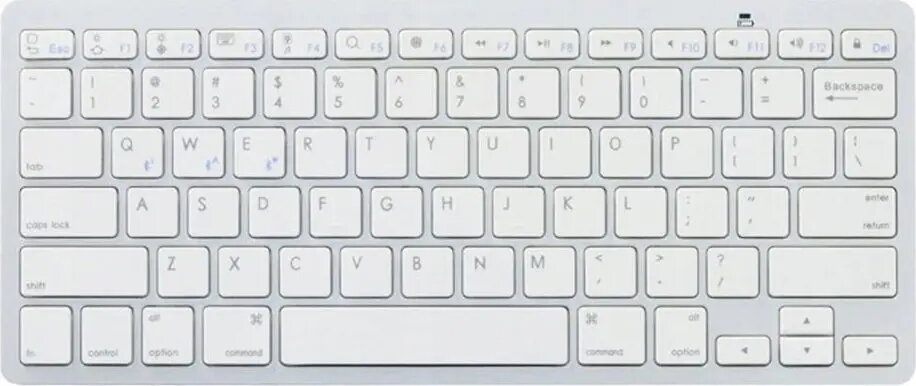
Retoo MB Pro model 82396308 is a general-purpose computer keyboard designed for everyday typing and productivity. The listing identifies the Retoo brand and MB Pro model but does not specify the connection type or key layout, so it is presented as a standard keyboard intended for office, home, or study use where a reliable, familiar typing surface is required.
Advantages
The Retoo MB Pro offers a straightforward design focused on basic typing needs and compatibility with a wide range of desktop systems. Its construction is intended to provide a familiar key arrangement for common productivity tasks, while the neutral styling fits typical work and home environments. Because the product is described without additional specialty features, it can be chosen when a simple, no-frills keyboard is preferred.
Suitable for
- Office work with standard typing and data entry
- Home computing for browsing, email, and document editing
- Study and school tasks that require a reliable keyboard
- Replacement of a generic or worn keyboard in desktop setups
When it may not be suitable
This keyboard may not be suitable if you require a specific connection type (wired USB, Bluetooth, or proprietary wireless) or a particular key layout (such as compact, tenkeyless, or non-standard regional layouts). It is also not the ideal choice when you need specialized features like mechanical switches, programmable keys, backlighting, or integrated pointing devices, as those are not specified in the available product information.
Key specifications
- Category: desktop computer keyboard designed for general typing and productivity
- Intended use: office, home, study environments
- Design focus: standard key arrangement and neutral appearance
- Compatibility: suitable for common desktop systems (connection type not specified—verify before purchase)
How to use
Connect the keyboard to your computer according to the connection type provided by the retailer or product package. If the keyboard is wired, connect to an available USB port and allow the operating system to install any necessary drivers automatically. If wireless, follow the included pairing instructions or insert batteries if required. Use the keyboard for typing, shortcuts, and navigation in standard productivity applications. Maintain the device by keeping it clean and avoiding liquid exposure.
What to consider before purchase
- Verify the connection type (wired USB, Bluetooth, or other wireless) with the seller or product listing
- Confirm the key layout and language variant to match your regional or personal preferences
- Check for additional features you may need (backlight, mechanical switches, macro keys) as they are not specified
- Ensure compatibility with your operating system and available ports
Usage recommendations
For an optimal experience, confirm connection and layout details before purchase; position the keyboard ergonomically to reduce strain and keep it on a stable surface. Regular cleaning of keycaps and gaps will prolong reliable operation.