
Hurry and order now – up to 50% off!
In cart {{totalProductsCount}} item(s)
Your cart is empty
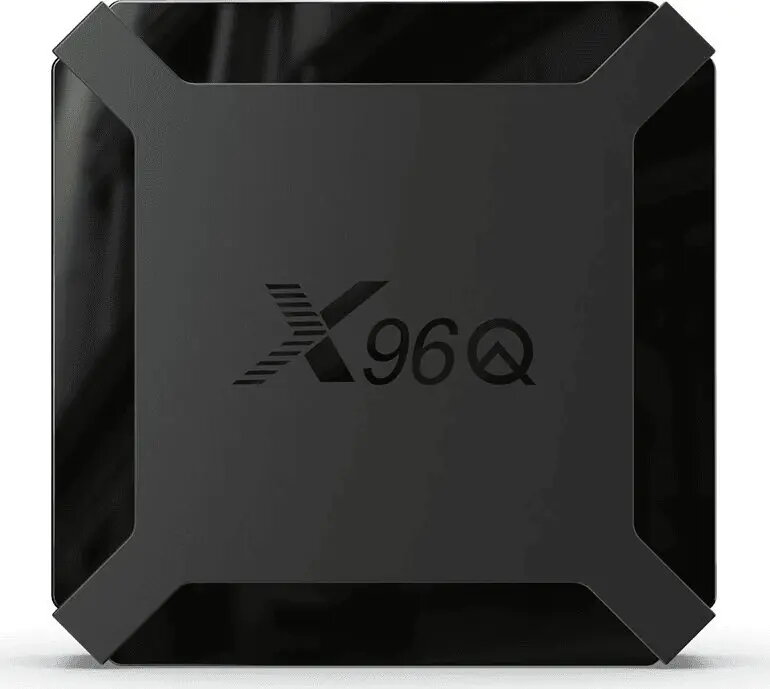
Retoo X96Q Media Player TV Box
The Retoo X96Q Media Player TV Box is a compact and efficient device designed to upgrade your home entertainment experience by transforming a standard television into a fully functional smart multimedia center. It provides a stable platform for streaming high-definition content, allowing users to access a wide range of digital media applications with ease. With its intuitive interface and reliable hardware, this media player ensures smooth navigation and consistent playback performance for both online streaming services and locally stored media files.
This media player offers a significant boost to your television's capabilities by providing access to modern streaming platforms and digital content libraries. Its compact design allows for discreet placement near your TV, while the optimized internal hardware ensures that high-definition video playback remains fluid and responsive. The device is engineered for ease of use, featuring a user-friendly interface that simplifies the process of launching applications and managing media files, making it an excellent choice for users seeking a straightforward upgrade to their existing home cinema setup.
This device may not be suitable for users requiring advanced gaming performance or those needing support for high-end professional video editing software. Additionally, it might not be the ideal choice for individuals who do not have a stable high-speed internet connection, as the streaming capabilities are heavily dependent on network quality.
To begin using the Retoo X96Q, connect the device to your television using a compatible video cable and plug it into a power source. Once powered on, follow the on-screen setup wizard to connect the device to your local Wi-Fi or wired network. After the initial configuration, you can navigate the main menu to install your preferred streaming applications or access media files from a connected USB drive. Use the included remote control to browse content and adjust settings according to your preferences.
For the best performance, ensure the device is placed in a well-ventilated area to prevent overheating during extended use. Regularly update the system software to maintain compatibility with the latest applications and security standards.
{{highlightedFeature.featureTitle}}:
{{getProductFeatureValueById(product, highlightedFeature.featureId)}}