Powerful EcoFlow stations for energy anywhere!
In cart {{totalProductsCount}} item(s)
Your cart is empty
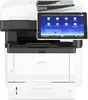
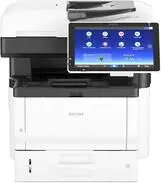
Multi-Function Device Ricoh IM 350FSE A4 Mono Laser MFP
The Ricoh IM 350FSE A4 Mono Laser MFP is a compact multifunction device designed to handle printing, scanning and copying tasks in small to medium-sized office environments. It produces monochrome output at speeds up to 35 pages per minute with a native resolution of 1200 x 1200 dpi for clear text and detailed graphics. The unit includes a touchscreen control panel, automatic duplex printing, and standard connectivity options such as USB and network interfaces to support shared workflows and straightforward integration into existing office networks.
This Ricoh multi-function device combines reliable mono laser print quality with a range of office features to streamline document handling. Fast first-page-out times and consistent print speed support efficient batch printing. The integrated automatic duplex function reduces paper consumption and helps control operating costs. A simple, responsive touchscreen makes routine tasks and configuration accessible to everyday users, while network connectivity enables centralized deployment and shared access across multiple workstations.
Place the device on a stable surface with adequate clearance for airflow and access to the paper trays and output area. Connect the MFP to the local network via Ethernet or directly to a workstation via USB according to the installation guide. Load paper into the input tray and configure default settings through the touchscreen, including duplex preferences and network setup. Use the supplied drivers or built-in network driver support on client machines to enable printing and scanning. For scanning, select the destination (email, network folder, or USB) from the device interface and adjust scan resolution and file format as needed.
To maintain reliable performance, use recommended weight paper and keep consumables such as the toner cartridge and imaging components in line with the maintenance schedule. Regularly update device firmware and drivers for security and compatibility improvements. For high-volume periods, monitor paper and toner levels and ensure proper ventilation around the unit to prevent overheating.
{{highlightedFeature.featureTitle}}:
{{getProductFeatureValueById(product, highlightedFeature.featureId)}}
{{ productComparisonGenerationError }}