Filters you can trust. Pure water every day.
In cart {{totalProductsCount}} item(s)
Your cart is empty
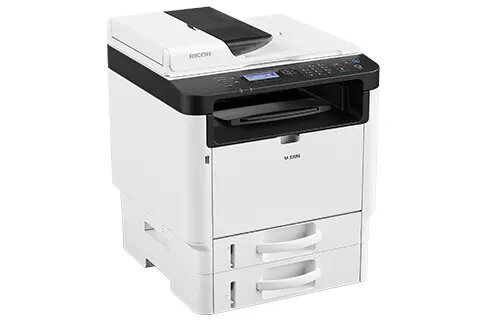
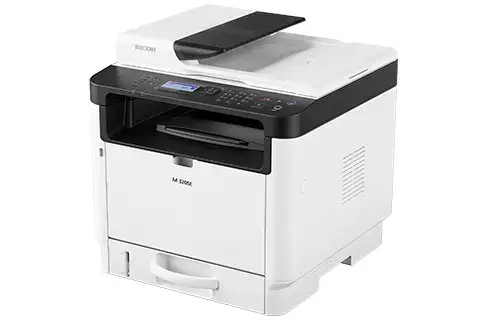
Ricoh M 320SE multifunction laser A4 monochrome printer 32 ppm 1200 x 1200 DPI, 600 x 600 DPI scan
The Ricoh M 320SE is a compact A4 monochrome multifunction laser device that provides printing, copying and scanning for small offices and workspaces. It delivers up to 32 pages per minute in black-and-white, a maximum print and copy resolution of 1200 x 1200 DPI and optical scanning at 600 x 600 DPI. The unit includes Ethernet LAN and a compact two-tone housing that fits on a desk or counter while offering reliable mono output and simple operation.
The M 320SE combines a small footprint with straightforward setup and low maintenance needs, making it suitable for limited spaces. It supports fast black-and-white output at 32 ppm, a 35-sheet automatic reversing document feeder for efficient scanning of single- and double-sided originals, and network connectivity via Ethernet for shared use. Built-in memory and standard copy/scan functions let you digitise documents and share them using Scan-to-Email, Scan-to-Folder and FTP options.
This device is monochrome only and does not support colour printing; it may not be suitable where colour documents are required. It is designed for compact desktop use and light-to-moderate workloads; very high-volume print environments or heavy-duty production printing would require a larger, more robust model.
Place the Ricoh M 320SE on a stable surface with access to a network or USB connection. Install drivers and follow the quick setup instructions to connect via Ethernet or USB. Load A4 paper in the main tray, use the control panel to select print, copy or scan functions, and place originals on the platen or in the 35-sheet automatic reversing document feeder for duplex scanning. Use Scan-to-Email, Scan-to-Folder or FTP settings to send digitised files to network destinations.
For reliable daily use, keep the device on a stable, well-ventilated surface, use recommended consumables, and configure network scanning options (Scan-to-Email/Folder/FTP) to streamline document workflows. Regularly check and install firmware and driver updates to maintain performance and compatibility.
{{highlightedFeature.featureTitle}}:
{{getProductFeatureValueById(product, highlightedFeature.featureId)}}