-
Special features:
-
NQ4 Gen3 AI Processor; AI 4K Pro Upscaling; OLED HDR+; Motion Smoother 165Hz; Dolby Atmos; Object Following Sound Lite; Q-Symphony; FreeSync Premium Pro; G-SYNC
-
Viewable size diagonal:
-
1651 mm
-
Wi-Fi standards:
-
Wi-Fi 6E (802.11ax)
-
Power consumption (typical):
Power consumption in switched-on state expressed in W.
-
85 W
-
Package weight:
-
28000 g
-
Display diagonal:
iagonal of the visible part of the screen expressed in centimeters and inches.
-
65 "
-
Bluetooth version:
-
5.3
-
Ethernet LAN:
-
Yes
-
Display resolution:
-
3840 x 2160
-
Product colour:
-
Black
-
Cables included:
-
AC
-
Audio decoders:
-
Dolby Atmos
-
RMS rated power:
-
40 W
-
Power consumption (standby):
-
0.5 W
-
Bluetooth:
-
Yes
-
Audio output channels:
-
2.1
-
Channels quantity:
-
2.1 channels
-
USB 2.0 ports quantity:
-
2
-
Ethernet LAN (RJ-45) ports:
-
1
-
Energy saving mode:
-
Yes
-
Tuner type:
-
Analog & Digital
-
Control type:
-
Remote
-
Teletext standards:
-
EPG
-
Built-in subwoofer:
-
Yes
-
Digital audio optical out:
-
1
-
On Screen Display (OSD):
-
Yes
-
Operating system installed:
-
Tizen
-
Wi-Fi:
-
Yes
-
Game mode:
-
Yes
-
Electronic Programme Guide (EPG):
-
Yes
-
AC (power) in:
-
Yes
-
RF ports quantity:
-
1
-
HDMI ports quantity:
-
4
-
Common interface (CI):
-
Yes
-
Frame:
-
Yes
-
Package depth:
-
160 mm
-
Package height:
-
950 mm
-
Package width:
-
1617 mm
-
Auto power off:
-
Yes
-
Panel mounting interface:
-
300 x 200
-
Stand width:
-
366 mm
-
Width (with stand):
-
1444.3 mm
-
Display diagonal (metric):
-
165.1 cm
-
Height (with stand):
-
896.7 mm
-
Depth (with stand):
-
265.2 mm
-
Stand colour:
-
Silver
-
Stand depth:
-
265.2 mm
-
Supported graphics resolutions:
-
3840 x 2160
-
Desktop stand:
-
Yes
-
Browsing:
-
Yes
-
Number of OSD languages:
-
27
-
Operating system version:
-
Tizen Smart TV
-
Common interface Plus (CI+):
-
Yes
-
Digital signal format system:
-
DVB-S2, DVB-T2, DVB-C
-
Supported TV bands:
-
DTV
-
Audio Return Channel (ARC):
-
Yes
-
AC input frequency:
-
50/60
-
AC input voltage:
-
220 - 240
-
Consumer Electronics Control (CEC):
-
Anynet+
-
Video upscaling:
-
Yes
-
Internet TV:
-
Yes
-
Motion interpolation technology:
-
Auto Motion Plus
-
Display technology:
-
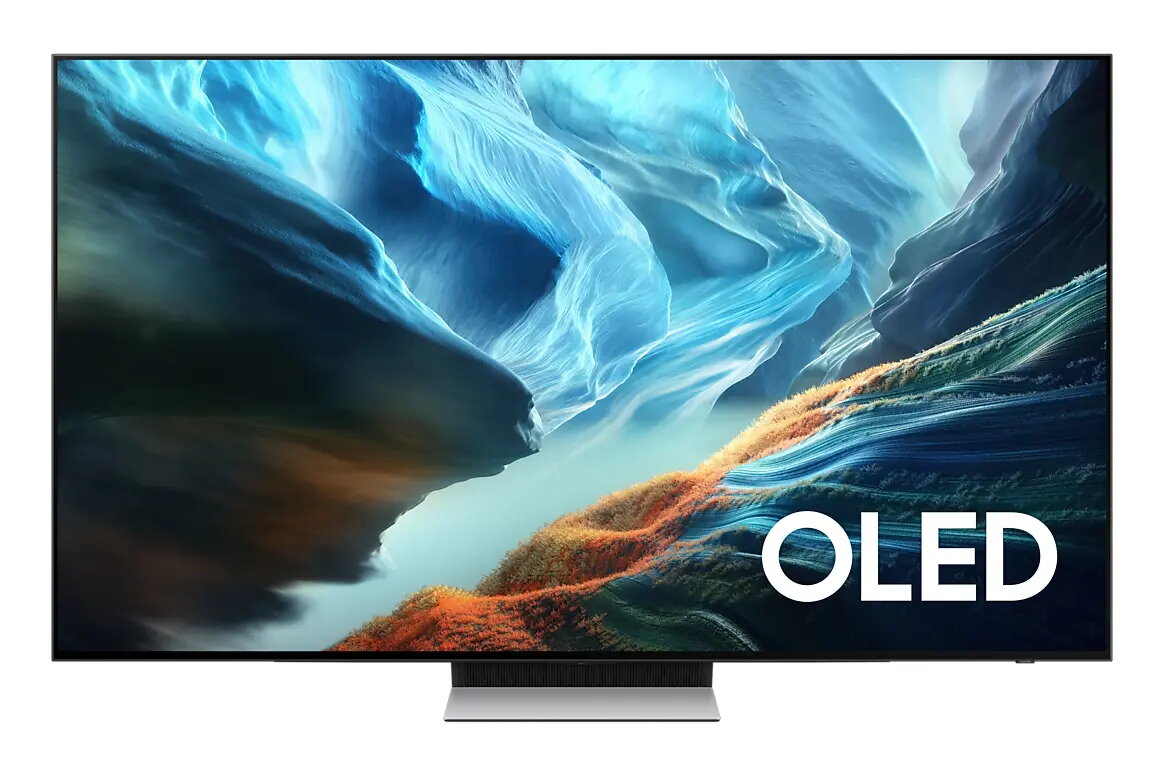
OLED
-
Smart TV:
-
Yes
-
Number of speakers:
-
2.1
-
Anti-glare screen:
-
Yes
-
Voice control:
-
Yes
-
Native aspect ratio:
-
16:9
-
HD type:
-
4K Ultra HD
-
Weight (without stand):
-
19100 g
-
Height (without stand):
-
831.7 mm
-
Width (without stand):
-
1444.3 mm
-
Depth (without stand):
-
39.9 mm
-
Hybrid Broadcast Broadband TV (HbbTV):
-
Yes
-
Screen mirroring:
-
Yes
-
4K Ultra HD upscaling:
-
Yes
-
VESA mounting:
-
Yes
-
Screen shape:
-
Flat
-
Colour name:
-
Graphite Black
-
Weight (with stand):
-
20400 g
-
NVIDIA G-SYNC:
-
Yes
-
Common interface Plus (CI+) version:
-
1.4
-
Display refresh rates supported:
-
165 Hz
-
Web browser:
-
Yes
-
AMD FreeSync:
-
Yes
-
Hybrid Broadcast Broadband TV (HbbTV) version:
-
2.0.4
-
Digital Clean View:
-
Yes
-
Multi-screen:
-
Yes
-
HDMI Quick Switch:
-
Yes
-
Voice guide:
-
Yes
-
Native refresh rate:
-
165 Hz
-
High Dynamic Range (HDR) supported:
-
Yes
-
Frameless design:
-
Yes
-
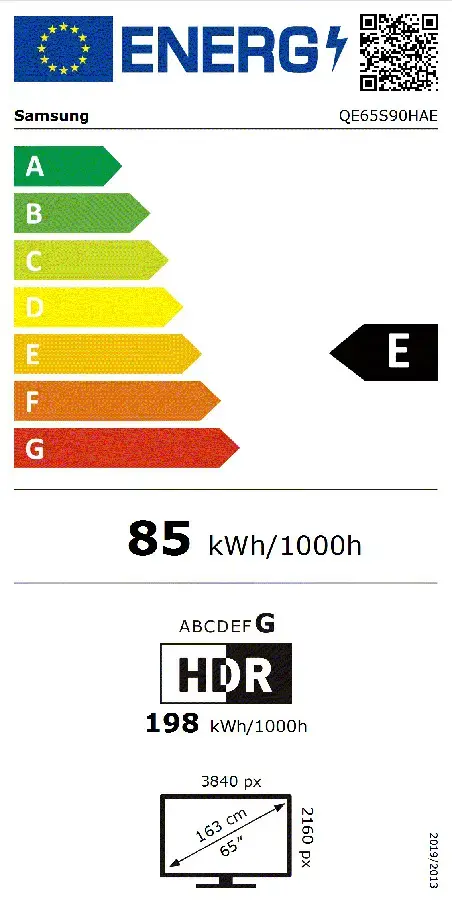
Energy efficiency scale:
Range of energy efficiency levels classifying devices from most to least energy-efficient.
-
A to G
-
Enhanced Audio Return Channel (eARC):
-
Yes
-
Works with Samsung Bixby:
-
Yes
-
Rollable display:
-
No
-
Eco sensor:
-
Yes
-
Sound mirroring:
-
Yes
-
TV key support:
-
Yes
-
AMD FreeSync type:
-
FreeSync Premium Pro
-
SmartThings app support:
-
Yes
-
Bezel type:
-
4 Bezel-less
-
Energy efficiency class (old):
-
E
-
Energy efficiency class (SDR):
Energy efficiency class is a standard classification that is used all over Europe and which is understandable at first sight. Products can be efficiently compared according to classes, starting from A (the most energy efficient class), and ending with G (the most energy-intensive class). The classification of energy efficiency is based on annual energy consumption which is being calculated on the basis of several different parameters.
-
E
-
Energy efficiency class (HDR):
Energy efficiency class is a standard classification that is used all over Europe and which is understandable at first sight. Products can be efficiently compared according to classes, starting from A (the most energy efficient class), and ending with G (the most energy-intensive class). The classification of energy efficiency is based on annual energy consumption which is being calculated on the basis of several different parameters.
-
G
-
Energy consumption (SDR) per 1000 hours:
Power consumption in switched-on state expressed in W.
-
85 kWh
-
Energy consumption (HDR) per 1000 hours:
Power consumption in switched-on state expressed in W.
-
198 kWh
-
Audio pre-selection descriptor:
-
Yes
-
Adaptive sound:
-
Yes
-
Far-field voice interaction:
-
Yes
-
TV initiate mirroring:
-
Yes
-
Digital butler:
-
Yes
-
Active voice amplifier (AVA):
-
Yes
-
Multi View:
-
Yes
-
AI Upscale:
-
Yes
-
Picture processor:
-
NQ4 AI Gen3