This is due to long delivery times and limited product warranties.
Hurry and order now – up to 50% off!
In cart {{totalProductsCount}} item(s)
Your cart is empty
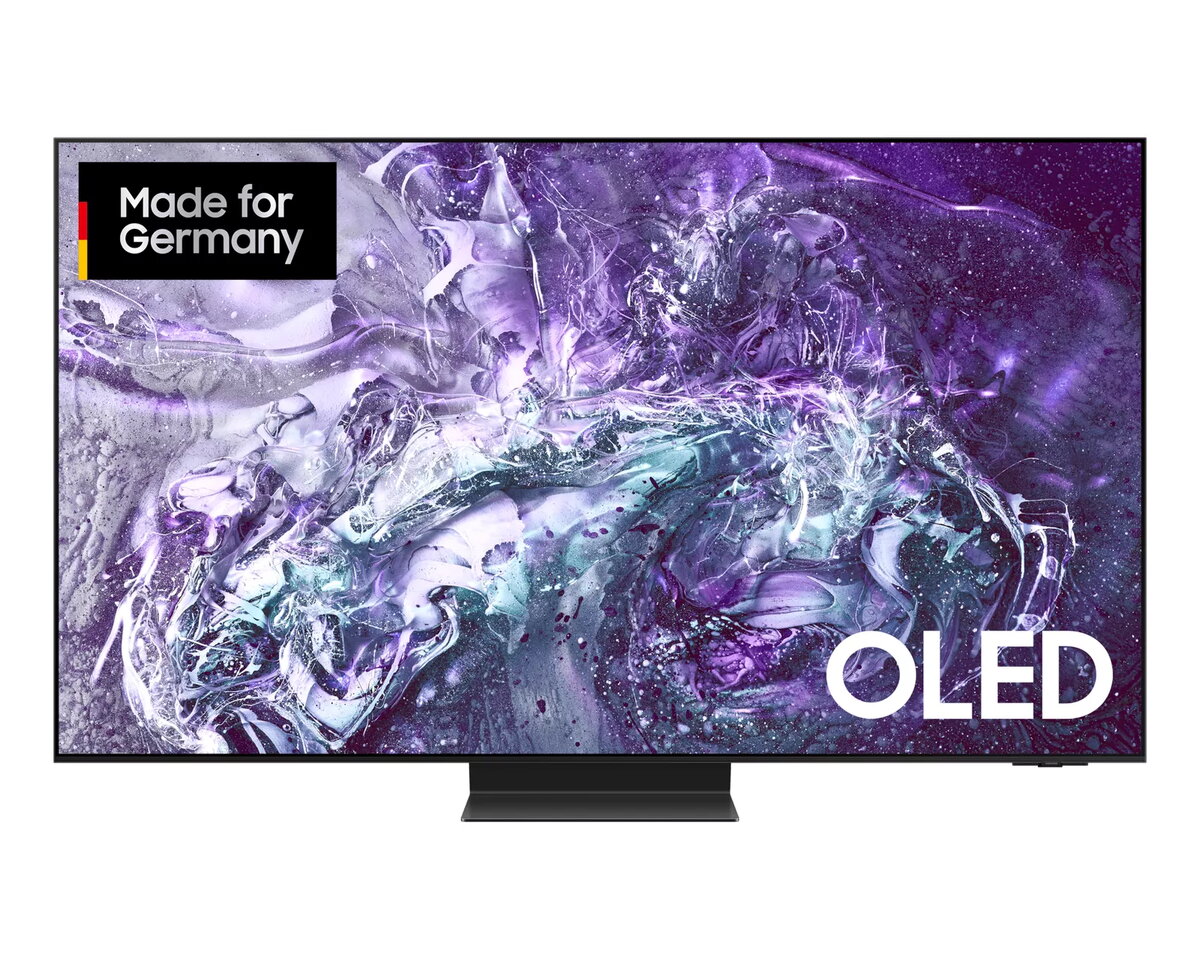
TV Samsung GQ55S95DAT 55" 4K Ultra HD OLED
The Samsung GQ55S95DAT 55" 4K Ultra HD OLED is a smart television designed for clear, high-contrast picture quality and a slim, modern aesthetic. The 55-inch (138 cm) OLED display with 3840 x 2160 resolution delivers deep blacks and vivid colors, while the Tizen operating system provides access to streaming apps and smart features. Motion Xcelerator technology improves motion handling for fast-paced scenes. Connectivity options include Wi‑Fi and Ethernet LAN, and the set supports common digital broadcast formats DVB‑C, DVB‑S2 and DVB‑T2. The TV is finished in black to integrate with a variety of interiors.
OLED display technology ensures high contrast ratio and precise local black levels for detailed shadow and highlight reproduction. The 4K Ultra HD resolution provides sharp image detail for films, sports and games. Motion Xcelerator reduces blur in fast-moving content, and the Tizen platform offers a straightforward smart TV experience with app support and network connectivity. The slim black design fits typical living-room setups while Wi‑Fi and Ethernet LAN give flexible connectivity options.
Place the TV on a stable stand or wall-mount it following the manufacturer’s mounting specifications. Connect your antenna, satellite or cable feed to the appropriate input for DVB‑C/DVB‑S2/DVB‑T2 reception, or use streaming services over Wi‑Fi or Ethernet after connecting to your home network. Use the on-screen setup to complete initial configuration, sign in to your Tizen account or streaming apps, and adjust picture and sound settings to your preference. For best picture quality, enable OLED-specific picture modes for dark-room viewing and ensure firmware is up to date via network settings.
For balanced energy use and image quality, choose a picture mode that matches your viewing environment; reduce peak brightness for extended HDR sessions to limit power consumption. Keep ventilation clear around the TV and avoid prolonged static high-contrast images to reduce the risk of OLED image retention. Regularly update the TV software through the Tizen system menu to maintain performance and app compatibility.
{{highlightedFeature.featureTitle}}:
{{getProductFeatureValueById(product, highlightedFeature.featureId)}}
{{ productComparisonGenerationError }}
Device manufacturer code
Device manufacturer
iagonal of the visible part of the screen expressed in centimeters and inches.
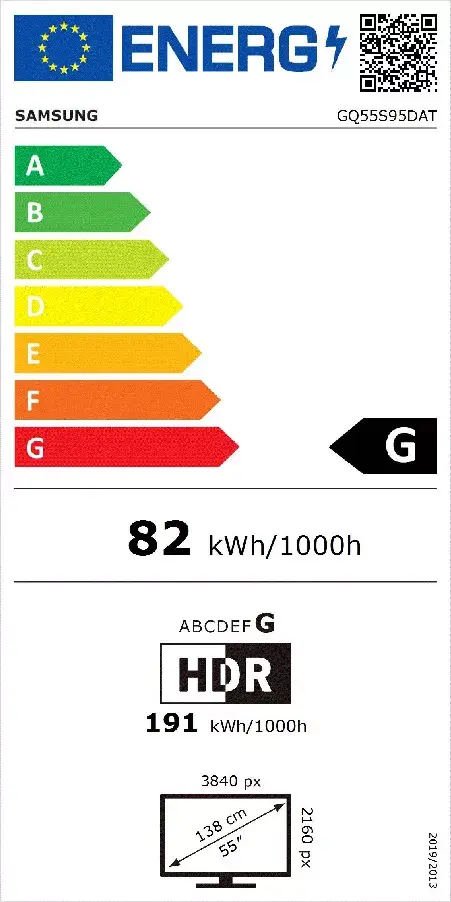
Energy efficiency class is a standard classification that is used all over Europe and which is understandable at first sight. Products can be efficiently compared according to classes, starting from A (the most energy efficient class), and ending with G (the most energy-intensive class). The classification of energy efficiency is based on annual energy consumption which is being calculated on the basis of several different parameters.
Power consumption in switched-on state expressed in W.