{{ totalProductsCount }}

In cart {{totalProductsCount}} item(s)

Total:
{{sum | formatAmount}}

Your cart is empty

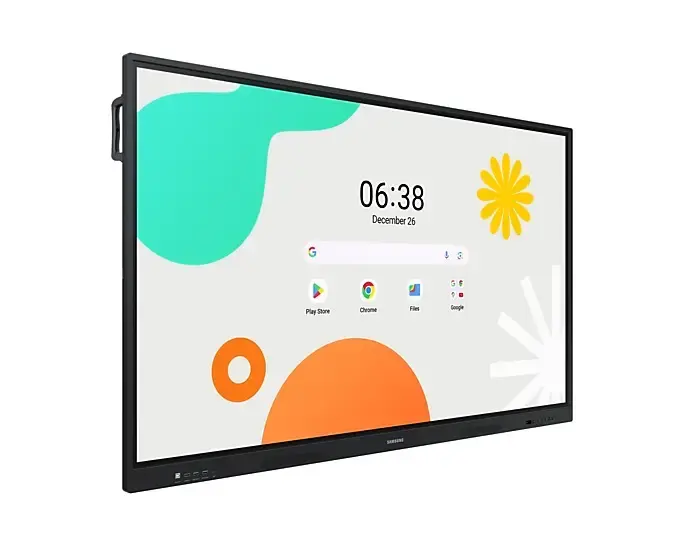
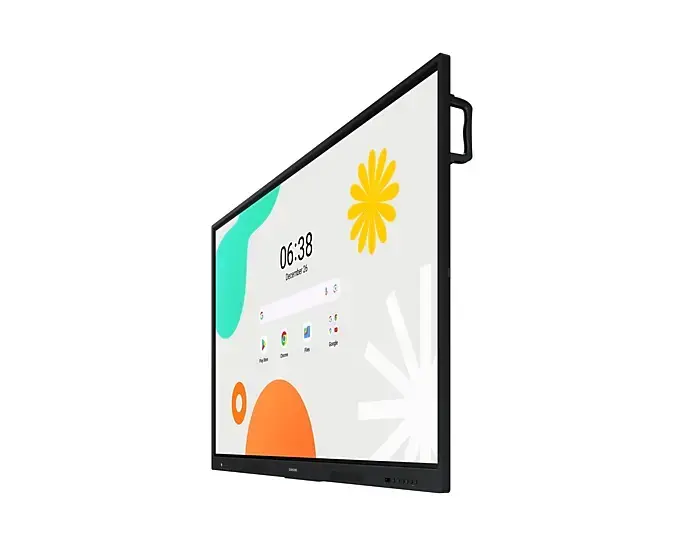
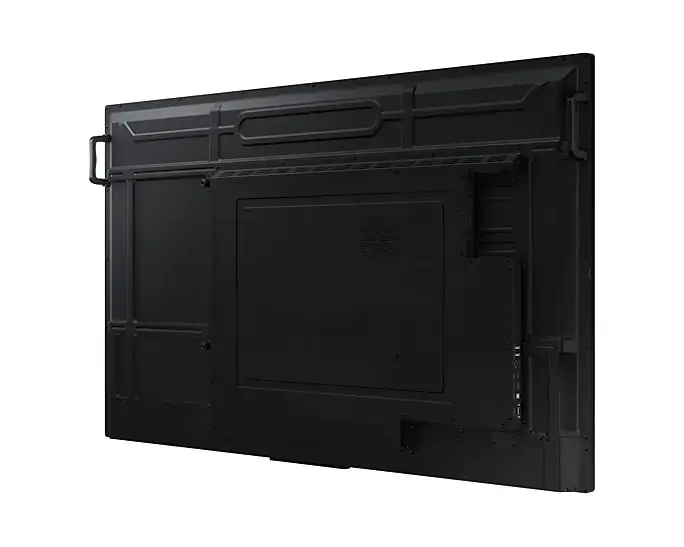
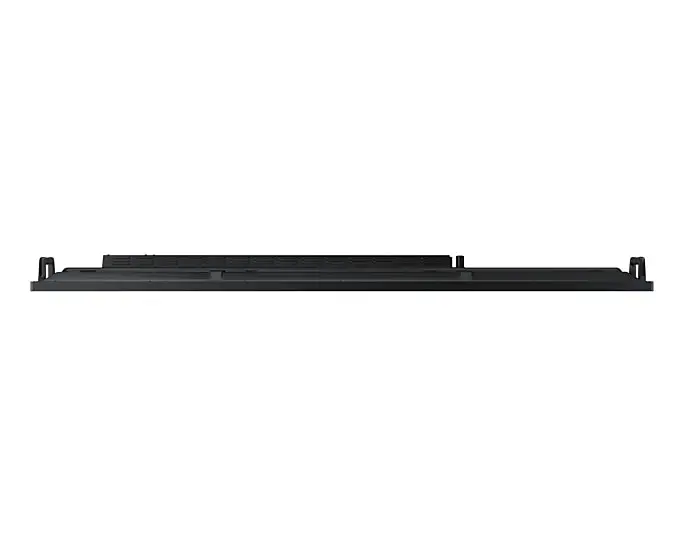
header-product Monitor Samsung LH86WAFWLGCXEN 86" Touchscreen Display 3840 x 2160
1,532.49 €

Monitor Samsung LH86WAFWLGCXEN 86" Touchscreen Display 3840 x 2160

Fast delivery available
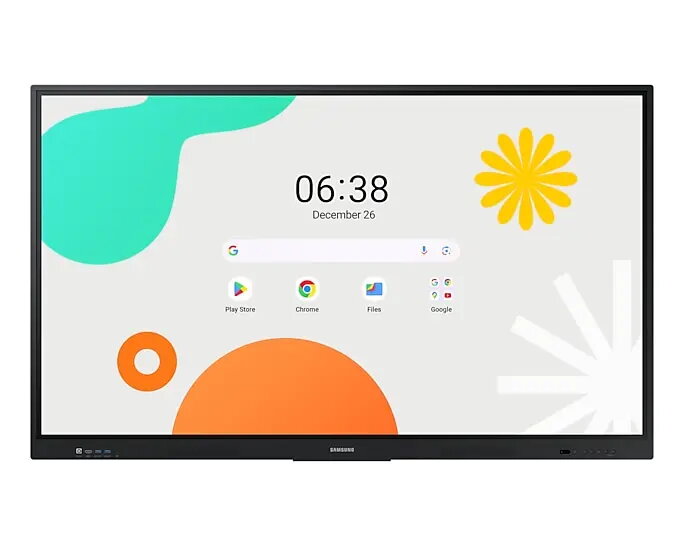
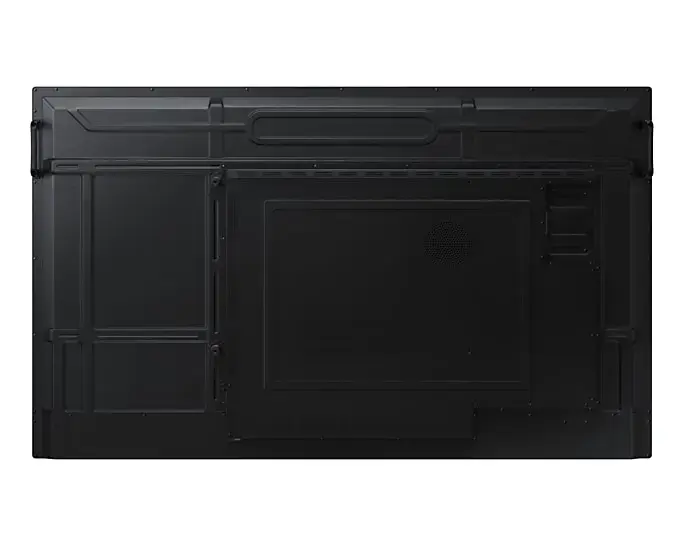
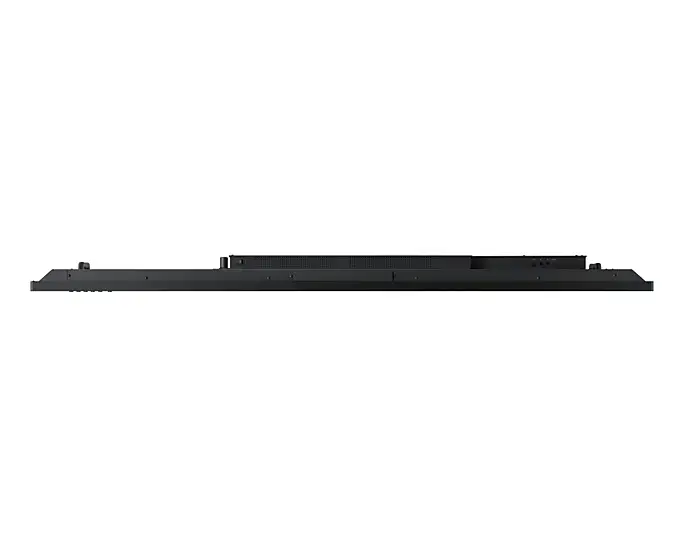
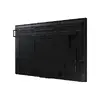
Monitor Samsung LH86WAFWLGCXEN Photo 1
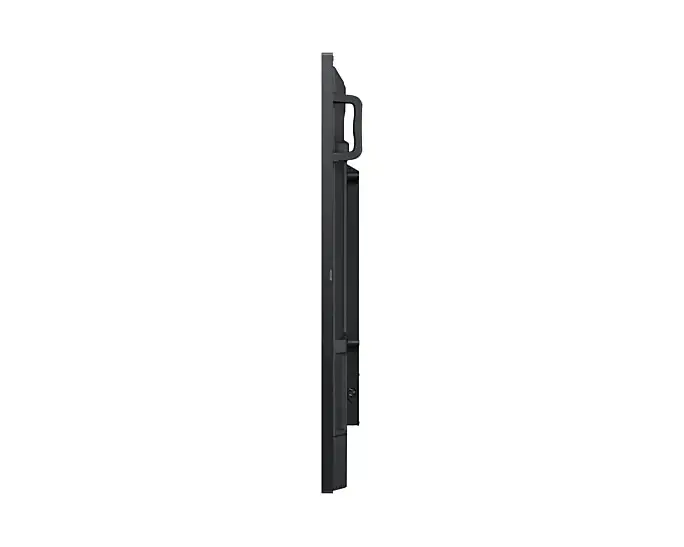
Monitor Samsung LH86WAFWLGCXEN Photo 2
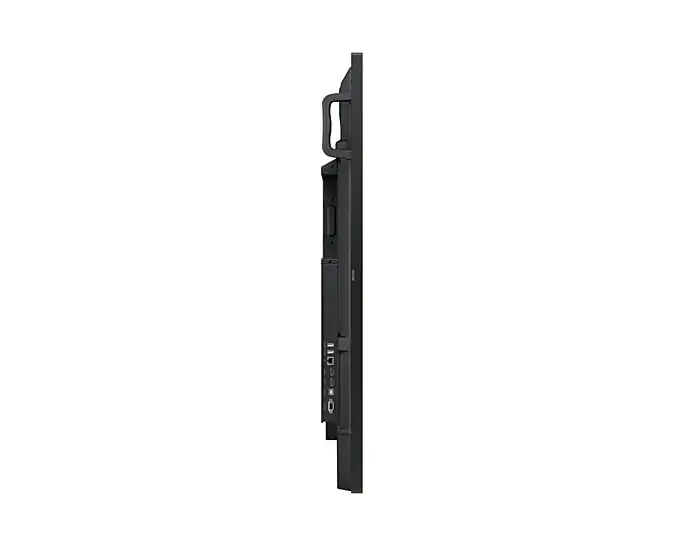
Monitor Samsung LH86WAFWLGCXEN Photo 3
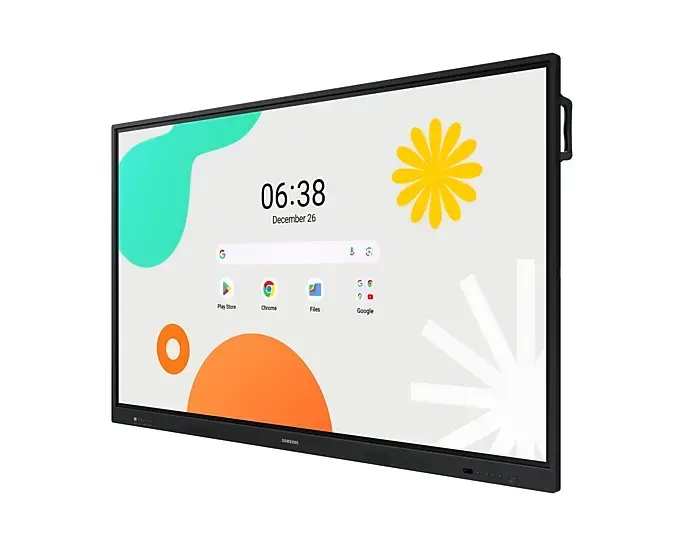
Monitor Samsung LH86WAFWLGCXEN Photo 4
Monitor Samsung LH86WAFWLGCXEN Photo 5
Monitor Samsung LH86WAFWLGCXEN Photo 6
Monitor Samsung LH86WAFWLGCXEN Photo 7
Monitor Samsung LH86WAFWLGCXEN Photo 8
Monitor Samsung LH86WAFWLGCXEN Photo 9
Monitor Samsung LH86WAFWLGCXEN Photo 10
Monitor Samsung LH86WAFWLGCXEN Photo 1
Monitor Samsung LH86WAFWLGCXEN Photo 2
Monitor Samsung LH86WAFWLGCXEN Photo 3
Monitor Samsung LH86WAFWLGCXEN Photo 4
Monitor Samsung LH86WAFWLGCXEN Photo 5
Monitor Samsung LH86WAFWLGCXEN Photo 6
Monitor Samsung LH86WAFWLGCXEN Photo 7
Monitor Samsung LH86WAFWLGCXEN Photo 8
Monitor Samsung LH86WAFWLGCXEN Photo 9
Monitor Samsung LH86WAFWLGCXEN Photo 10
Keep track of price changes You keep track of price changes
Watch the price drop

Leave your address - as soon as the price of the product goes down, you'll know about it right away

You keep track of price changes

Monitor Samsung LH86WAFWLGCXEN 86" Touchscreen Display 3840 x 2160

{{email}}
You keep track of price changes

Monitor Samsung LH86WAFWLGCXEN 86" Touchscreen Display 3840 x 2160

{{email}}
{{selectedOffer && selectedOffer.price | formatAmount}}

Short description

The Samsung LH86WAFWLGCXEN is an 86-inch interactive whiteboard featuring a 3840 x 2160 pixel resolution and a brightness of 400 cd/m². It operates on Android and supports Wi-Fi 5 (802.11ac) for seamless connectivity. With a panel mounting interface of 800 x 600 mm, it is designed for versatile use in various environments. Operating 12 hours a day, 7 days a week, this black touchscreen display is perfect for presentations and collaborative work.

Available at price 1,532.49 €: 3 pcs.
Total available for order: 222 pcs.
Warranty: 2 Years
SKU: 11408284
delivery
to the Customer Service Center at Kengaraga 2b, Riga
23.07.2026 {{selectedOffer.officeDeliveryString}}
free
Customer service center
2b. Kengaraga str., Riga, Latvia, LV-1063
23.07.2026 {{selectedOffer.officeDeliveryString}}
free
Courier Delivery Please note that in case of a large parcel additional delivery costs may apply!
28.07.2026 {{selectedOffer.courierDeliveryString}}
From 53.99 € (Weight: 74.00 kg)
0 credit

pay in 3 equal parts

today

0 €

afterward

3 mth. х 510.83 €

overpayment

0 €

All payment Methods:
Bank transfer, Bank cards on-line, Apple Pay, Google Pay, Installment, Leasing for legal entities
36 months installment: from 42.57 euros per month
Leasing for legal entities: from 53.33 euros per month
Together cheaper
{{product.price | formatAmount}}
{{product.title}}
{{productBundle.reference.specialPrice | formatAmount}}
{{productBundle.title}}
{{productBundlePreviousPrice | formatAmount}}
{{productBundleSpecialPrice | formatAmount}}

You saving {{productBundleYouSave | formatAmount}}

Product information

Description

The WAF series interactive display runs on Android OS and integrates Google services to support modern classroom needs. It features instant annotation, multi-zone note-taking, multi-window display, and wireless screen sharing for up to nine devices. With advanced multi-touch input, dual-pen support, front-facing quick controls, USB-C connectivity, HDMI output, an OPS slot for Windows compatibility, device management tools and messaging capabilities, the WAF series is designed to streamline lesson delivery and collaborative learning.

Advantages

The WAF display provides immediate access to Google Play and YouTube through EDLA certification, a familiar Android user experience with customizable widgets, and a visible Annotation button for instant notes without interrupting content playback. Split Note Mode allows up to four independent note zones on a single page, while Easy Multitasking enables split-screen and multi-window use. Powerful Screen Sharing supports mirroring from iOS, Mac, Windows and Android devices for up to nine sources. The display also offers up to 40 simultaneous touchpoints, dual-pen writing without changing settings, front-panel quick access controls, a 3-in-1 USB-C port (screen mirroring, touch control, charging up to 65W), HDMI Out for sharing to a larger screen, an OPS slot for using Windows, centralized device management, and instant advanced messaging across displays.

Key specifications

  • Operating system: Android
  • EDLA certification: supports Google services (Google Play, YouTube, Google Classroom)
  • Annotation: always-visible Annotation button for instant notes
  • Note zones: Split Note Mode — up to 4 independent zones
  • Multitasking: split-screen and multi-window support
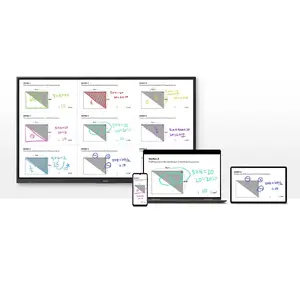
  • Screen sharing: up to 9 devices; compatible with iOS, Mac, Windows, Android
  • Multi-touch: up to 40 simultaneous touchpoints
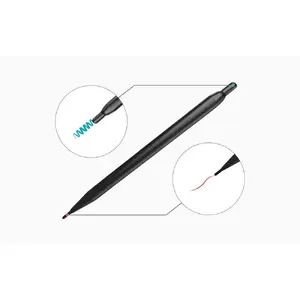
  • Pen: Dual Pen with double-sided nib for two colors without settings change
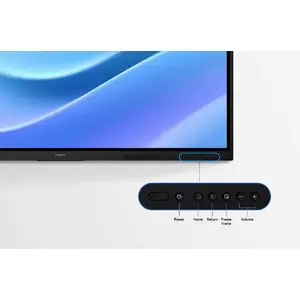
  • Controls: front-facing quick access physical buttons
  • USB-C: 3-in-1 port (screen mirroring, touch control, charging max 65W)
  • HDMI Out: share whiteboard content to an external display
  • OPS slot: supports Windows via Open Pluggable Specification
  • Device management: remote management solution for settings and apps
  • Messaging: advanced messaging to notify multiple displays in real time

How to use

Turn on the interactive display and sign in to your Google account to access Google Play and other certified services. Use the visible Annotation button to write on any screen immediately; open the Note app to create up to four independent zones for group activities. Employ split-screen or multi-window modes to present different materials simultaneously. For wireless sharing, enable screen mirroring on student devices and connect up to nine sources. Use the dual pen to switch colors by flipping the nib, and operate common functions with the front quick-access buttons. Connect laptops or devices via the 3-in-1 USB-C port for mirroring, touch control and charging, or use HDMI Out to broadcast the whiteboard to a larger display. Insert an OPS module if you need a Windows environment and manage multiple displays remotely through the device management solution. Use Advanced Messaging to send urgent notices to all connected interactive boards.

Recommendations

For optimal classroom performance, keep the display firmware and installed apps updated, use the device management solution to apply consistent settings across units, and pair the WAF series with compatible USB-C or OPS modules when specific OS environments or higher charging power are required.

Specifications

Display diagonal: iagonal of the visible part of the screen expressed in centimeters and inches.
86 "
Display resolution:
3840 x 2160
HD type:
4K Ultra HD
Panel type:
IPS
Pixel pitch:
493.5 x 493.5
Response time:
8 ms
Contrast ratio (typical):
1200:1
VESA mounting:
Yes
Weight:
62.5 kg
Product colour:
Black
All features

Display

Display diagonal: iagonal of the visible part of the screen expressed in centimeters and inches.
86 "
HD type:
4K Ultra HD
Panel type:
IPS
Display resolution:
3840 x 2160
Pixel pitch:
493.5 x 493.5
Response time:
8 ms
Contrast ratio (typical):
1200:1
Display brightness:
400 cd/m²
Viewing angle, vertical:
178 °
Viewing angle, horizontal:
178 °
Touchscreen:
Yes
Touchscreen type:
Infrared
Haze rate:
25 %

Design

Product colour:
Black
Panel mounting interface:
800 x 600

Ports & interfaces

HDMI ports quantity:
2
Ethernet LAN (RJ-45) ports:
1
HDMI version:
2.1
HDCP version:
2.1

Ergonomics

VESA mounting:
Yes

Performance

HDCP:
Yes
Operating system installed:
Android
Operating hours (hours/days):
12/7

Network

Ethernet LAN:
Yes
Wi-Fi:
Yes
Wi-Fi standards:
Wi-Fi 5 (802.11ac)

Computer system

Operating system version:
14

Other features

Bluetooth:
Yes

Power

Power consumption (typical): Power consumption in switched-on state expressed in W.
493 W
Power consumption (standby):
0.5 W
AC input frequency:
50/60
AC input voltage:
100-240

Weight & dimensions

Weight:
62.5 kg
Height:
1170 mm
Width:
1961.8 mm
Depth:
87.7 mm

Operational conditions

Operating relative humidity (H-H):
10 - 80
Operating temperature (T-T):
0 - 40

Packaging data

Package weight:
74100 g
Package depth:
185 mm
Package height:
1265 mm
Package width:
2095 mm

Description

Machine translation. Load original

Reasons to buy

Unlimited Learning Possibilities

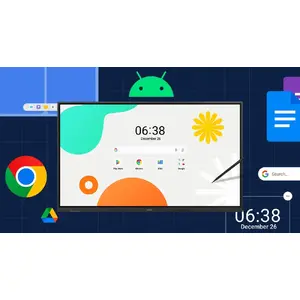
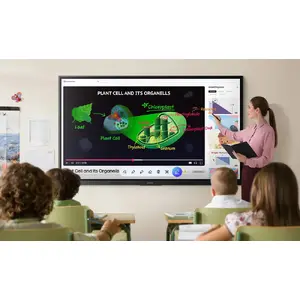
The interactive display WAF series, powered by Android OS, enhances education with Google services and a seamless annotation function. Instantly take notes at any moment and empower students to collaborate independently in separate zones, ushering in a new era of interactive education.
Unlimited Learning Possibilities

An intuitive UX that fits your needs

Powered by Android™
The WAF series offers familiarity to its users. It's compatible with other Android devices and provides a variety of widgets and an easily customizable home screen. These features create more flexibility in building an environment that suits various learning needs.
An intuitive UX that fits your needs

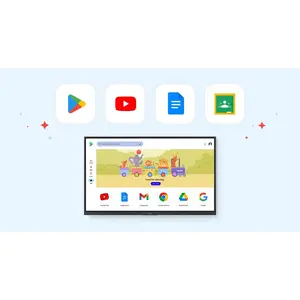
Effortless access to Google services

EDLA Certification
With an EDLA certification, the WAF series supports a variety of Google services like Google Play and YouTube. This access to major educational apps like Google Classroom leads to increased efficiency and enhanced communication with students.
Effortless access to Google services

Take notes instantly, anywhere on the screen

Annotation On
The WAF series lets users take notes anytime with a simple press of the always-visible Annotation button. Whether watching a video or viewing any content, users can seamlessly annotate without interruptions, avoiding the need to capture images first and enhancing productivity.
Take notes instantly, anywhere on the screen

Write independently, learn together

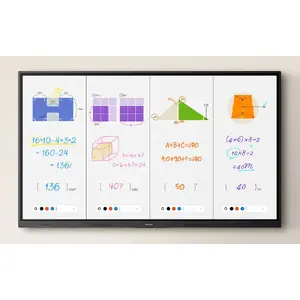
Split Note Mode
The upgraded Note app allows up to four independent note zones on a single page, enabling multiple students to use the whiteboard simultaneously. Students can work in their own zones without affecting others, fostering both collaboration and individual learning.
Write independently, learn together

Display multiple screens simultaneously

Easy Multitasking
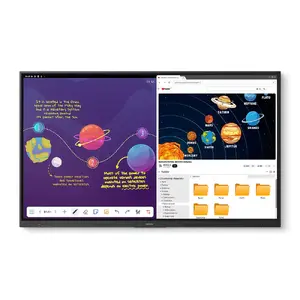
The split screen and multi-window enable teachers to easily display information and multitask at the same time on the WAF series. This flexibility provides convenient access to all the screens required to create engaging learning environments.
Display multiple screens simultaneously

Smart, wireless sharing on multiple devices

Powerful Screen Sharing
The WAF series supports screen mirroring for up to nine devices, increasing student engagement. This feature ensures every student is included and engaged as content can be shared on both the large display and individual devices. It can be used on iOS, Mac, Windows, Android.
Smart, wireless sharing on multiple devices

Better interaction with best-in-class multi-touch

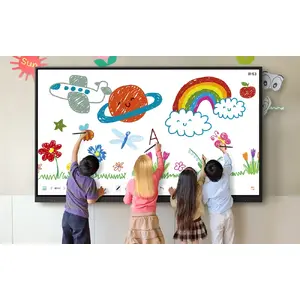
Multi-point touch drawing
Multiple users can write and draw on the whiteboard at the same time with the display's advanced multi-touch capabilities. Up to 40 simultaneous touchpoints are possible, allowing large groups of students and teachers to collaborate and learn together in a natural and engaging way.
Better interaction with best-in-class multi-touch

Switch pens without changing settings

Dual Pen
The dual pen function enables the use of two different writing tools with no downtime. With the double-sided nib applied, users can effortlessly switch between two different colors on the front and back side of the pen — without needing to change the settings or interrupt the flow of the lesson.
Switch pens without changing settings

Front panel controls for intuitive navigation

Quick Access Controls
The WAF includes front-facing physical controls for quick access to frequently used functions. These intuitive controls allow users to operate the interactive display more efficiently, enhancing the overall user experience.
Front panel controls for intuitive navigation

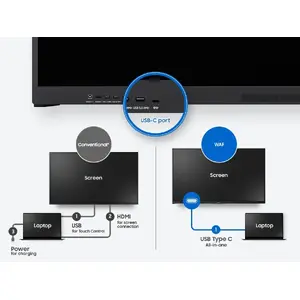
Convenient connectivity with USB-C

3-in-1 USB-C port
Connectivity is enhanced with the 3-in-1 USB-C port, enabling screen mirroring, touch control and external device charging (max. 65W). Teachers can simply connect to the USB Type-C port, allowing them to deliver interactive and engaging lessons without any hassle.
Convenient connectivity with USB-C

Accessible content for any class size

HDMI out
With the HDMI Out function, whiteboard screen content can be shared on a different and larger screen in the classroom. This feature ensures teachers can provide a real-time, interactive experience for students who can easily view the screen content regardless of where they sit in the classroom.
Accessible content for any class size

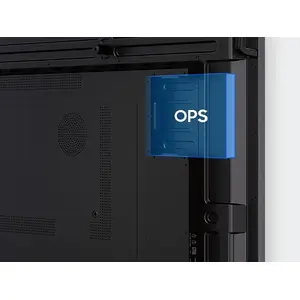
Use your favorite OS for the learning

OPS (Open Pluggable Specification)
The OPS slot in the WAF series can transform the interactive display into a Windows device, eliminating the need for an extra PC or devices. Users will have access to all the features and functionalities they are familiar with from a standard computer, directly on the display.
Use your favorite OS for the learning

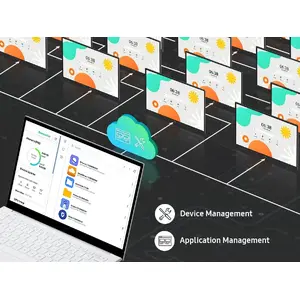
Seamless management, efficient operations

Device Management Solution
The WAF series provides a device management solution[1] essential for advanced educational environments. This solution optimizes the remote management of whiteboard settings and applications, guaranteeing operational efficiency and stability.
Seamless management, efficient operations

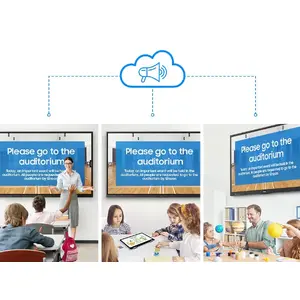
Notify across multiple devices, immediately

Advanced Messaging
Send important messages across campuses, classrooms and public spaces immediately. Urgent communications are displayed on interactive whiteboards so students and other personnel are alerted in real time.
Notify across multiple devices, immediately

Similar products

{{product.title}} Show details Hide details

{{highlightedFeature.featureTitle}}:

{{getProductFeatureValueById(product, highlightedFeature.featureId)}}

{{product.price | formatAmount}}
Might be useful
{{product.manufacturerName}}
{{product.categoryName}}
{{product.title}}
{{product.specialPrice}}
{{product.price}}
Stock data
Warehouse Stock Delivery to the store Store Price
EU57 3 23.07.2026 1,532.49 € Best price
WH354 18 31.07.2026 1,704.49 €
BT10 7 Tuesday Best delivery 1,716.99 €
Show all offers Hide
Available only for legal entities
Warehouse Stock Delivery to the store Store Price
WH109 2 07.08.2026 1,947.49 €
WH332 6 24.07.2026 2,022.49 €
WH345 60 24.07.2026 2,834.49 €
Show all offers Hide
1,532.49 €
Stock: 3
Delivery Date: 23.07.2026
Warehouse: EU57
1,704.49 €
Stock: 18
Delivery Date: 31.07.2026
Warehouse: WH354
1,716.99 €
Stock: 7
Delivery Date: Tuesday Best delivery
Warehouse: BT10
1,842.49 €
Stock: 42
Delivery Date: 24.07.2026
Warehouse: WH174
1,905.49 €
Stock: 17
Delivery Date: 24.07.2026
Warehouse: WH149
2,048.99 €
Stock: 42
Delivery Date: 24.07.2026
Warehouse: WH94
2,434.99 €
Stock: 8
Delivery Date: Tuesday Best delivery
Warehouse: BT23
3,832.49 €
Stock: 8
Delivery Date: 24.07.2026
Warehouse: EU85
Available only for legal entities
1,947.49 €
Stock: 2
Delivery Date: 07.08.2026
Warehouse: WH109
2,022.49 €
Stock: 6
Delivery Date: 24.07.2026
Warehouse: WH332
2,834.49 €
Stock: 60
Delivery Date: 24.07.2026
Warehouse: WH345
2,929.49 €
Stock: 9
Delivery Date: 24.07.2026
Warehouse: WH15

Customer reviews

Customer questions

FAQ

How much does the Monitor Samsung LH86WAFWLGCXEN cost, and is it available for purchase?

The price is 1,532.49 € (valid at the time of publication and already includes all taxes). The item is available for order — 222 pcs. are in stock, and you can place your purchase right now with delivery across Latvia and Europe or choose pickup at the Riga collection point. We offer favorable purchase terms, including the option to split the payment into convenient monthly installments. Availability and price are updated in real time, so we recommend placing your order in advance.

If I order this product today, when will I receive my order?

If you place your order today, delivery will be as fast and convenient as possible. You will be able to pick up your order on 23.07.2026 at the Riga pickup point or choose delivery across Latvia and Europe. We carefully inspect every purchase and pack it securely for safe transportation.

What payment options are available?

AiO.lv offers several payment methods: Bank transfer, Bank cards on-line, Apple Pay, Google Pay, Installment, Leasing for legal entities. All transactions are 100% secure and encrypted.

Can Monitor Samsung LH86WAFWLGCXEN be purchased with a lease?

Yes, the purchase is available both on credit and with an interest-free installment plan. We work with leading banks and leasing companies in Latvia, allowing you to make your purchase on convenient terms — with a minimal down payment and a repayment period from 3 to 36 months. You can apply for credit or installments for the Monitor Samsung LH86WAFWLGCXEN online, and the application process is as simple as possible:
  • Select the product on the website and add it to your cart;
  • When placing your order, choose the payment method “Installments”;
  • Fill in the required details for the lending partner;
  • Receive a decision within a few minutes.
For more information about available payment options, interest-free installment terms, and credit conditions in Latvia, please visit the Payment page.

Can this product be purchased for a company (with VAT)?

Yes. AiO.lv works with legal entities in Latvia and across Europe. The product price already includes VAT. For certain product categories, as well as for companies from other EU countries with a valid VAT number, a 0% VAT rate may apply. We issue the invoice immediately after the order is placed, support electronic BIS invoices, and automatically generate all necessary accounting documents. You can complete the purchase for a company online — simply select the company profile and choose bank transfer as the payment method during checkout.

What is the warranty period?

All Samsung products come with an official 2 Years warranty. It covers all manufacturing defects and malfunctions that may occur during use. The warranty is valid at all authorized Samsung service centers and through AiO.lv

Can the product be returned after purchase?

Yes, you can return the product within 14 days of purchase if you bought it as a consumer (not a legal entity). Returns are possible without giving any reason — the main condition is that the product retains its original appearance and full set of accessories. We will make the process as simple and convenient as possible: just contact our customer support team, and we will help you arrange the return.

Where should I contact for warranty service?

For warranty-related questions you can contact the AiO.lv (SIA VSPRO) customer support team. We will assist with consultation, warranty claim processing, and coordination with certified service centers.

How can I tell if this product suits my needs?

When making a choice, we recommend paying attention to the key features: display diagonal, display resolution, hd type, panel type, pixel pitch, response time, contrast ratio (typical), vesa mounting, weight, product colour, compatibility with your devices or usage conditions, material quality, functionality, and warranty terms. These characteristics will help you determine how well the model meets your needs.
warranty
14-Day Return Policy We are confident in our quality, but if the purchase doesn’t fit — you have 14 days to return the product with peace of mind.
shipping
Fast Delivery Get your orders as quickly as possible — right to your door, parcel lockers, or pickup points across Latvia and the EU.
payment
Secure Payment Pay the way you prefer: cash, VISA, MasterCard, Apple Pay, Google Pay, bank transfer, or 0% installment plan.
warranty
Quality Since 2008 AiO.lv has been on the market for over 18 years and has earned trust — with more than 6000 genuine positive reviews on Google.