JBL speakers and headphones for pure and deep sound!
In cart {{totalProductsCount}} item(s)
Your cart is empty
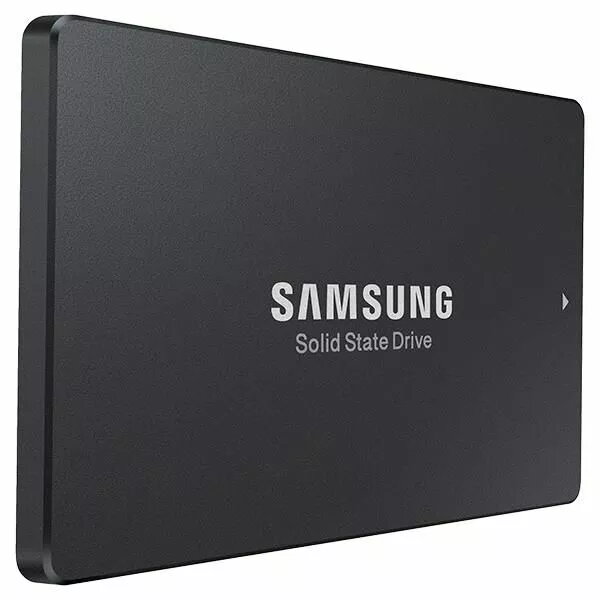
Internal SSD Samsung MZ7LM1T9HMJP 1.92TB 6 Gbit/s SATA 2.5"
Samsung MZ7LM1T9HMJP 1.92TB is a 2.5-inch internal SSD that connects via a SATA interface with up to 6 Gbit/s transfer rate. Designed for storage expansion, system drives and data-intensive applications, this SSD provides 1.92 TB of solid-state capacity in a standard 2.5" form factor suitable for many desktops and laptops with SATA connectors. The drive is intended to improve boot times, application loading and file transfer performance compared with traditional hard drives, while offering a compact, hot-pluggable solution for mainstream storage upgrades.
The internal SSD offers large usable capacity of 1.92 TB in a 2.5" SATA form factor, enabling significant storage growth without changing host hardware. The SATA 6 Gbit/s interface supports widely compatible bandwidth for typical consumer and business systems. As a solid-state device, it delivers lower access latency and higher random read/write responsiveness than spinning disks, contributing to faster system boot and application startup. The standardized physical size and SATA connection simplify installation in many laptops and desktop drive bays.
Shut down the computer and disconnect power before installation. Locate an empty 2.5" drive bay or a compatible adapter, mount the SSD securely in the bay or adapter, and connect the SATA data and power cables to the drive and motherboard/power supply. For laptops, insert the drive into the designated 2.5" bay and fasten any required screws. After powering on, enter the system BIOS/UEFI to confirm the drive is recognized. Initialize, partition and format the new drive from the operating system disk management utility or proceed with cloning an existing system drive using appropriate cloning software if migrating the OS and data.
Use the Samsung MZ7LM1T9HMJP as a primary system drive for faster boot and application performance or as a high-capacity secondary drive for file storage. Ensure your system supports 2.5" SATA drives and SATA III (6 Gbit/s) for optimal throughput. Maintain regular backups and monitor drive health with vendor tools or third-party utilities to track SMART attributes and available firmware updates.
{{highlightedFeature.featureTitle}}:
{{getProductFeatureValueById(product, highlightedFeature.featureId)}}
{{ productComparisonGenerationError }}