Dreame vacuums for fast and efficient cleaning!
In cart {{totalProductsCount}} item(s)
Your cart is empty
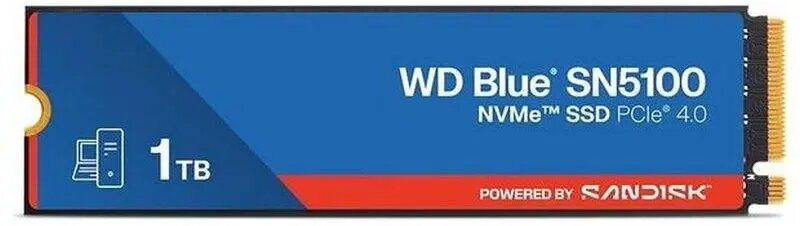
Solid State Drive SANDISK WD Blue SN5100 NVMe 1TB
The SANDISK WD Blue SN5100 NVMe 1TB is an internal M.2 solid state drive designed to deliver faster system responsiveness and reliable storage. With a 1TB capacity and NVMe interface, this SSD is engineered for operating system installation, application loading, and storing large files while reducing latency compared with traditional SATA drives. Its compact M.2 form factor fits laptops and desktops that support M.2 NVMe sockets and provides a balance of performance and endurance for everyday computing tasks.
This NVMe SSD offers low latency and improved random read/write performance compared with SATA-based drives, enabling quicker boot times and faster application launches. The 1TB capacity provides ample space for the OS, programs and user data, while the M.2 form factor allows direct motherboard installation without additional cabling. The drive is built to industry standards for compatibility with systems that support NVMe, delivering consistent transfer rates and efficient power consumption for mobile and desktop use.
Install the drive into a compatible M.2 NVMe slot on the motherboard following the device and system manufacturer instructions. Secure the module with the mounting screw supplied with the computer or motherboard, then enable NVMe support in BIOS/UEFI if required. After physical installation, initialize and format the drive in the operating system, then install or migrate the OS and applications or transfer data to the new storage volume. Ensure system firmware and drivers are up to date for optimal compatibility and performance.
For sustained performance, maintain sufficient free space on the drive and use the latest firmware provided by the manufacturer. Regularly back up important data and avoid exposing the module to extreme temperatures or electrostatic discharge during installation. When upgrading from a SATA drive, consider cloning tools or a fresh OS install depending on your needs.
{{highlightedFeature.featureTitle}}:
{{getProductFeatureValueById(product, highlightedFeature.featureId)}}
{{ productComparisonGenerationError }}