Hurry and order now – up to 50% off!
In cart {{totalProductsCount}} item(s)
Your cart is empty
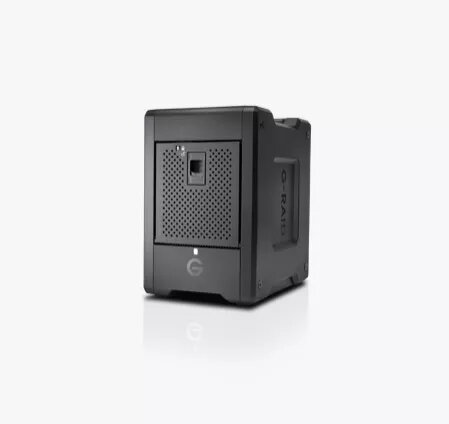
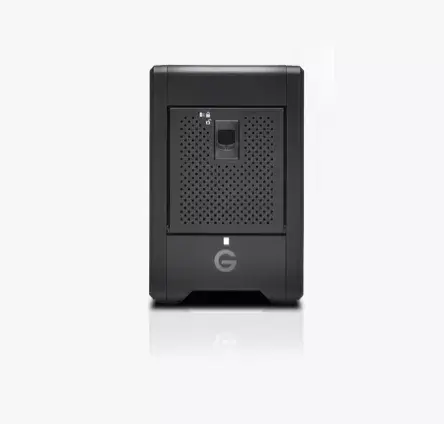
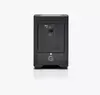
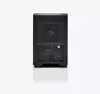
SanDisk G-RAID Shuttle 4 80TB 4-Bay RAID Storage Array, USB Type-C, 10 Gbit/s
The SanDisk G-RAID Shuttle 4 is a high-performance, 4-bay desktop RAID storage array engineered for professional media production environments. With a massive 80TB capacity, it provides a centralized and reliable hub for storing, editing, and managing high-resolution 4K and 8K footage. This transportable storage solution features enterprise-class 7200RPM hard drives, ensuring durability and consistent performance for mission-critical data workflows.
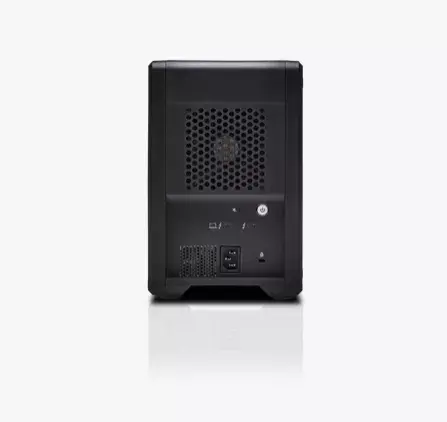
This storage array excels by offering hardware-level RAID support, including RAID 0, 1, 5, 10, and JBOD, allowing users to balance speed and data redundancy based on their specific project requirements. The inclusion of dual Thunderbolt 3 ports enables efficient daisy-chaining of up to five additional devices, simplifying complex studio setups. Furthermore, the unit supports USB Power Delivery of up to 85 watts, allowing users to charge compatible laptops directly through the connection. Its robust, transportable design makes it an ideal choice for professionals who need to move large amounts of data between on-site production locations and post-production studios without compromising on speed or reliability.
This device may not be suitable for users requiring a lightweight or portable storage solution for casual daily use, as its 4-bay design and enterprise-grade components are optimized for heavy-duty professional workloads. It is also not intended for environments where silent operation is the primary requirement, given the active cooling and high-performance mechanical drives.
To begin using the SanDisk G-RAID Shuttle 4, connect the device to your computer using the provided high-speed cable. The unit comes pre-configured in RAID 5 for an optimal balance of performance and data protection. You can manage the RAID configuration and monitor drive health through the compatible software utility provided by the manufacturer. Ensure the device is placed on a stable, flat surface with adequate ventilation to maintain optimal operating temperatures during intensive data transfers.
For the best performance and data integrity, always keep the device firmware updated and monitor the status of the individual drives through the management software. When transporting the unit, ensure it is powered down and disconnected to protect the internal mechanical components.
{{highlightedFeature.featureTitle}}:
{{getProductFeatureValueById(product, highlightedFeature.featureId)}}
{{ productComparisonGenerationError }}