
Save time and money with our discounts!
In cart {{totalProductsCount}} item(s)
Your cart is empty
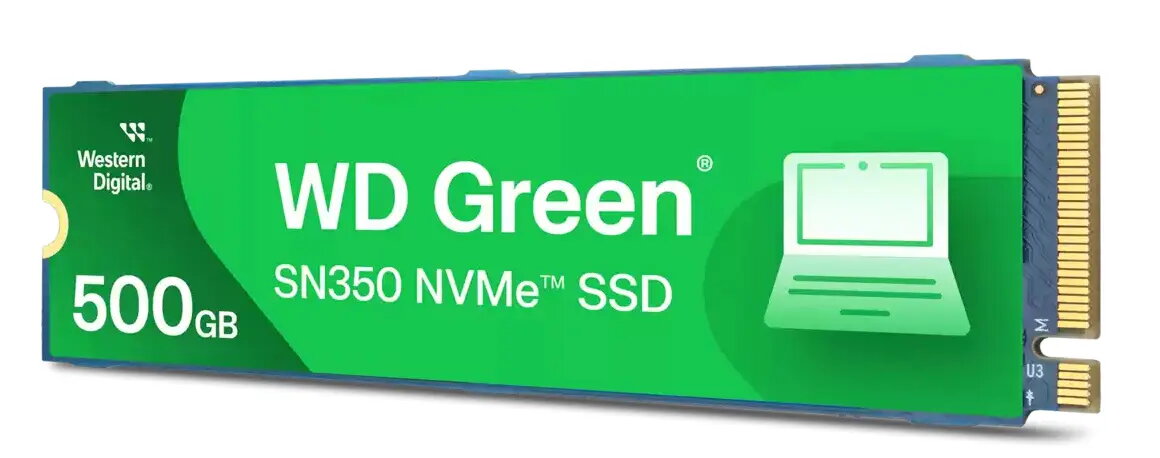
SSD disk Western Digital 500 GB M.2 PCI Express 3.0 NVMe Green SN350
The Western Digital Green SN350 500 GB M.2 PCI Express 3.0 NVMe SSD is a high-performance storage solution designed to revitalize your PC or laptop. By utilizing advanced NVMe technology, this drive delivers significantly faster data transfer rates compared to traditional SATA-based storage, ensuring your operating system boots quickly and applications launch without delay. Its compact M.2 form factor makes it an ideal choice for modern computing devices where space is at a premium.
The primary advantage of the WD Green SN350 is its ability to provide a substantial performance boost to everyday computing tasks. With read speeds reaching up to 2400 MB/s and write speeds up to 1500 MB/s, users will experience smoother multitasking and faster file handling. The drive features a shock-resistant design with no moving parts, which enhances the durability of your data against accidental bumps or drops. Furthermore, the drive is compatible with the Western Digital SSD Dashboard, allowing users to easily monitor drive health, temperature, and available storage capacity.
This SSD may not be suitable for high-end professional workstations, intensive video editing, or heavy gaming rigs that require sustained high-speed performance and higher endurance levels typically found in premium NVMe drives. It is also not compatible with devices that lack an M.2 NVMe-enabled slot.
To install the WD Green SN350, ensure your computer is powered off and disconnected from the power source. Locate the M.2 slot on your motherboard, insert the drive at a slight angle, and secure it with the appropriate screw. Once installed, initialize the drive through your operating system's disk management utility to begin using it for storage.
For optimal performance and longevity, it is recommended to keep at least 10-15% of the drive's capacity free and to regularly check the drive's status using the Western Digital SSD Dashboard software.
{{highlightedFeature.featureTitle}}:
{{getProductFeatureValueById(product, highlightedFeature.featureId)}}
{{ productComparisonGenerationError }}