Dreame vacuums for fast and efficient cleaning!
In cart {{totalProductsCount}} item(s)
Your cart is empty
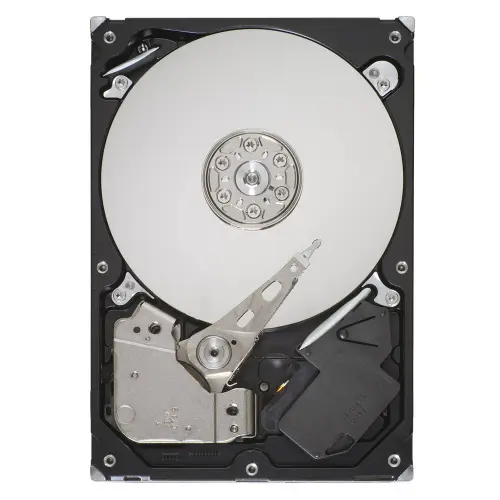
Seagate Desktop HDD 500GB 3.5-inch Internal Hard Drive 7200 RPM 16 MB Serial ATA II
The Seagate Desktop HDD 500GB 3.5-inch Internal Hard Drive is a reliable storage solution designed to enhance everyday system performance and expand your computer storage capacity. Operating at a spindle speed of 7200 RPM and equipped with a 16 MB buffer size, this internal hard drive ensures steady data access speeds for standard desktop computing tasks. Utilizing a 3.5-inch form factor and a Serial ATA II interface, it integrates smoothly into standard desktop computer cases and compatible motherboards.
This internal hard drive delivers dependable data archiving and system responsiveness thanks to its balanced combination of rotational speed and buffer capacity. The 3.5-inch standard form factor ensures broad compatibility with a wide range of desktop computer chassis and mounting configurations. Its established Serial ATA II interface allows for straightforward connection to existing motherboards without requiring specialized adapter hardware. The 7200 RPM speed contributes to efficient file loading and system operation compared to slower drive variants.
This hard drive may not be suitable for high-end gaming systems or professional workstation environments that require rapid data transfer rates achievable only with modern solid-state drives or high-speed SATA III interfaces. It is also not intended for enterprise server deployments, continuous multi-bay network-attached storage arrays, or portable external enclosures due to its 3.5-inch physical dimensions and desktop-specific design parameters.
To install the hard drive, power off your desktop computer, disconnect all cables, and open the computer case. Secure the 3.5-inch drive into an available drive bay using appropriate mounting screws. Connect a Serial ATA II data cable from the drive to an available port on your motherboard, and attach the corresponding power cable from the power supply unit. Close the computer case, reconnect the power and peripheral cables, and boot the system. Follow your operating system instructions to initialize, partition, and format the drive before use.
Handle the hard drive with care while wearing an anti-static wrist strap to prevent electrostatic discharge damage. Ensure proper ventilation within your computer case to maintain optimal operating temperatures for mechanical storage components.
{{highlightedFeature.featureTitle}}:
{{getProductFeatureValueById(product, highlightedFeature.featureId)}}
{{ productComparisonGenerationError }}