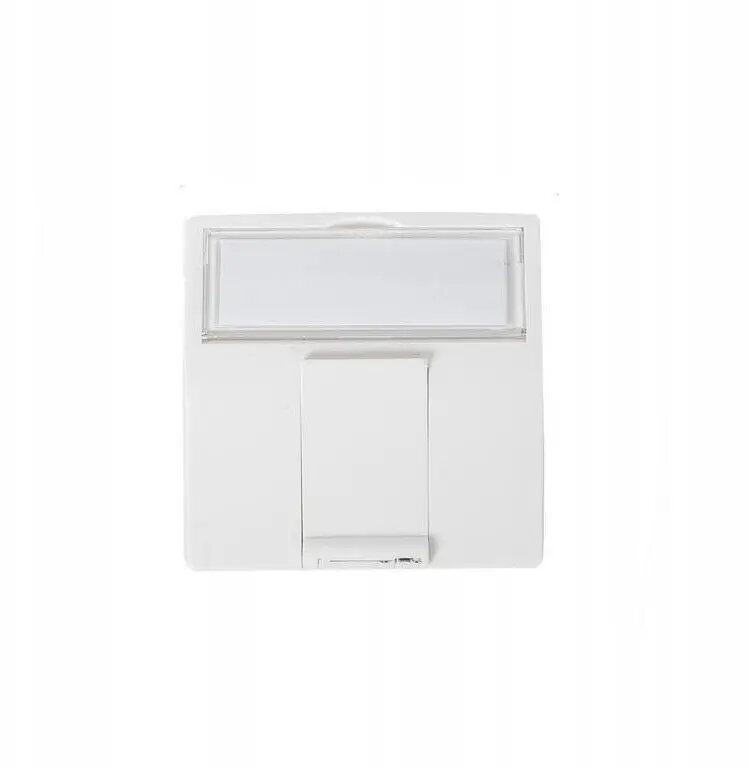
The SecurityNET BC451C is a high-quality 45x45mm MMC adapter specifically engineered to accommodate one RJ45 keystone module. This modular faceplate insert serves as a critical component in structured cabling systems, allowing for the seamless and professional integration of network connectivity into standard electrical trunking, floor boxes, or wall-mounted outlets. Its precise design ensures that network ports are held securely in place, maintaining the integrity of your data and telecommunications infrastructure.
Advantages
This adapter offers a robust and durable construction that stands up to the demands of daily use in both office and residential environments. By utilizing a standardized 45x45mm form factor, it ensures compatibility with a wide range of common electrical installation systems, simplifying the deployment of network points. The design facilitates a clean, flush-mounted appearance that hides cabling while providing easy access to the RJ45 port, contributing to a tidy and organized workspace. Its modular nature allows for quick installation and replacement of keystone jacks without the need for specialized tools.
Suitable for
- Office network installations
- Home office connectivity setups
- Structured cabling in commercial buildings
- Integration into 45x45mm electrical trunking systems
- Wall-mounted data outlet points
When it may not be suitable
This adapter is designed exclusively for standard 45x45mm modular systems and will not fit into non-standard or smaller electrical faceplates. It is intended for indoor use only and does not provide protection against moisture, dust, or extreme environmental conditions.
Key specifications
- Dimensions: 45x45mm
- Capacity: 1x RJ45 keystone module
- Compatibility: Standard 45x45mm modular faceplates and trunking
- Material: Durable high-grade plastic
How to use
To install the adapter, first ensure that your electrical trunking or wall frame is properly prepared. Snap your chosen RJ45 keystone module into the center opening of the adapter until it clicks securely into place. Once the keystone is mounted, insert the entire adapter assembly into the 45x45mm frame or trunking aperture. Ensure that the module is flush with the surface for a professional finish. Connect your network cable to the rear of the keystone before finalizing the installation.
What to consider before purchase
- Verify that your existing trunking or wall frame supports the 45x45mm modular standard.
- Ensure the RJ45 keystone jack you intend to use is compatible with standard modular faceplate dimensions.
- Check the depth of your wall box to ensure there is sufficient space for the cable bend radius behind the adapter.
Usage recommendations
For optimal network performance, ensure that the cable connected to the keystone is properly terminated according to T568A or T568B standards. Avoid sharp bends in the cable behind the adapter to maintain signal integrity.