
Powerful EcoFlow stations for energy anywhere!
In cart {{totalProductsCount}} item(s)
Your cart is empty
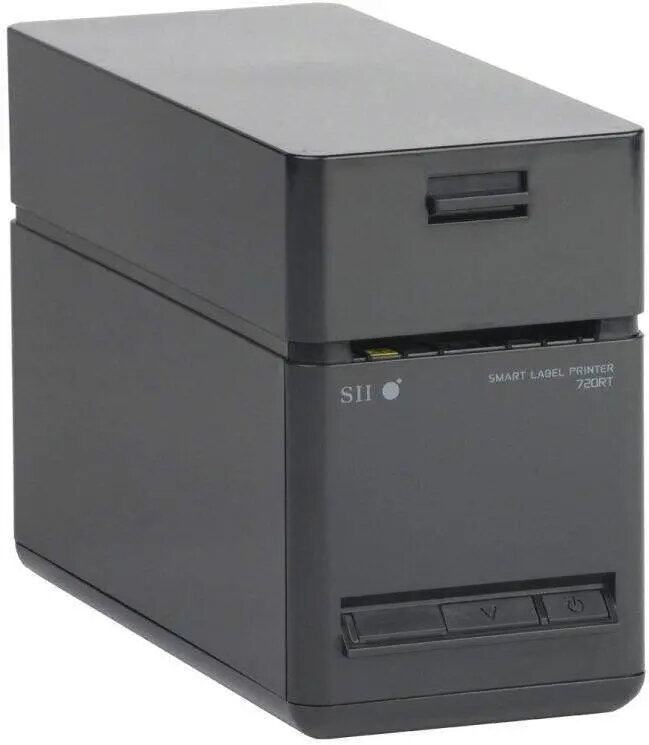
SEIKO SLP720RT-EK2F11-09 receipt printer Ethernet + USB model with UK AC adapter and AC cable included
The SEIKO SLP720RT-EK2F11-09 receipt printer is a compact thermal printer designed for retail, hospitality and point-of-sale environments that require dependable receipt printing and straightforward network integration. This model provides both Ethernet and USB connectivity and is supplied with a UK AC adapter and AC cable to simplify initial setup. The SLP720RT delivers direct thermal printing for receipts and tickets, supports standard paper rolls and fits typical POS counters where space and reliable operation are important.
The printer combines wired network access via Ethernet with a local USB interface for flexible deployment in various POS topologies. Direct thermal technology eliminates the need for ink or toner, reducing running costs and maintenance. The included UK AC adapter and cable mean the unit is ready to install in regions using UK power plugs. Compact dimensions and a simple paper-loading mechanism reduce downtime and make daily operation easier for staff.
Place the SLP720RT on a stable surface near the POS terminal or network switch. Connect the power using the supplied UK AC adapter and cable, then choose a connection method: plug an Ethernet cable for networked printing or connect via USB for a single-terminal setup. Load the thermal paper roll following the printer's paper-loading guide so the paper feeds from the correct side, then configure the printer in the POS software by selecting the corresponding interface and paper size. Perform a test print to confirm proper communication and alignment before beginning regular use.
Use high-quality thermal paper rolls compatible with the printer’s width to ensure clear print output and extend printhead life. Keep the printer in a dry, dust-free area and avoid exposure to direct sunlight or high humidity. Regularly remove paper dust and debris from the paper path and perform occasional test prints to verify settings and connectivity. For network installations, assign a fixed IP or reserve an address in DHCP to maintain reliable communication with POS systems.
{{highlightedFeature.featureTitle}}:
{{getProductFeatureValueById(product, highlightedFeature.featureId)}}