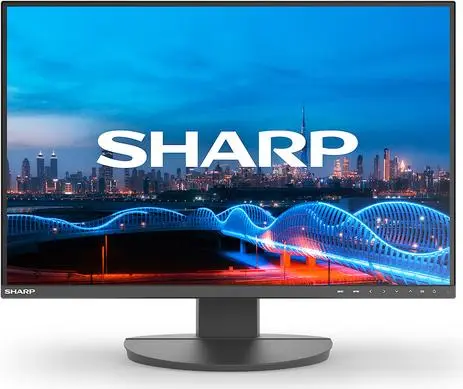
This overview compares the Sharp DD-EA241W monitor with several alternative models intended for office and everyday multitasking: Sharp MultiSync EA242W, NEC Sharp MultiSync EA241W, Sharp MultiSync EA241F, Samsung S30GD Business Monitor, and iiyama Prolite XUB2595WSU-B5. All compared products share a similar display size around 24 to 25 inches and utilize IPS panels for wide viewing angles. The key differences lie in screen resolution (16:10 versus 16:9 aspect ratios), connectivity options, and built-in peripheral features such as USB hubs and speakers.
⚙️ The specifications comparison covers display diagonal, panel type, resolution, aspect ratio, response time, and the presence of built-in speakers and USB hubs to illustrate practical workspace differences.
| Feature | Sharp DD-EA241W | Sharp MultiSync EA242W | NEC Sharp MultiSync EA241W | Sharp MultiSync EA241F | Samsung S30GD | iiyama Prolite XUB2595WSU-B5 | Practical significance |
|---|
| Display diagonal | 24 inches | 24 inches | 24 inches | 24 inches | 24 inches | 25 inches | All monitors fit standard desks, with the iiyama offering slightly more total screen area. |
| Resolution and format | 1920x1200 (16:10) | 1920x1200 (16:10) | 1920x1200 (16:10) | 1920x1080 (16:9) | 1920x1080 (16:9) | 1920x1200 (16:10) | Models with 1920x1200 resolution provide extra vertical workspace for documents and spreadsheets compared to standard Full HD. |
| Panel type | IPS | IPS | IPS | IPS | IPS | IPS | All devices deliver consistent color accuracy and wide viewing angles suitable for collaborative viewing. |
| Built-in peripherals | Not specified | USB hub, speakers, Ethernet | USB hub, speakers | USB hub, speakers | None | USB hub, speakers | Most Sharp and iiyama models feature integrated speakers and USB hubs to help reduce cable clutter on the desk. |
◎ The suitability and use cases analysis helps determine which product best matches specific working environments or user requirements.
| Use case | Recommended product | Why |
|---|
| Document editing and spreadsheets | Sharp DD-EA241W | The 16:10 aspect ratio and 1200-pixel vertical height offer better visibility for text-heavy work with less scrolling. |
| Clean workspace setup with integrated connectivity | Sharp MultiSync EA242W | The inclusion of a built-in USB hub and network port simplifies connecting accessories directly to the display. |
| Standard office tasks with traditional widescreen | Samsung S30GD | A straightforward, reliable Full HD monitor designed for everyday business productivity applications. |
The Sharp DD-EA241W monitor is well-suited for users who benefit from the extra vertical workspace provided by the 16:10 aspect ratio when handling office documents. While alternative models offer expanded networking features, built-in speakers, or standard 16:9 resolutions, this monitor focuses on reliable productivity, making it a strong choice when you need a dependable display for everyday office tasks without unnecessary extras.