
Save time and money with our discounts!
In cart {{totalProductsCount}} item(s)
Your cart is empty
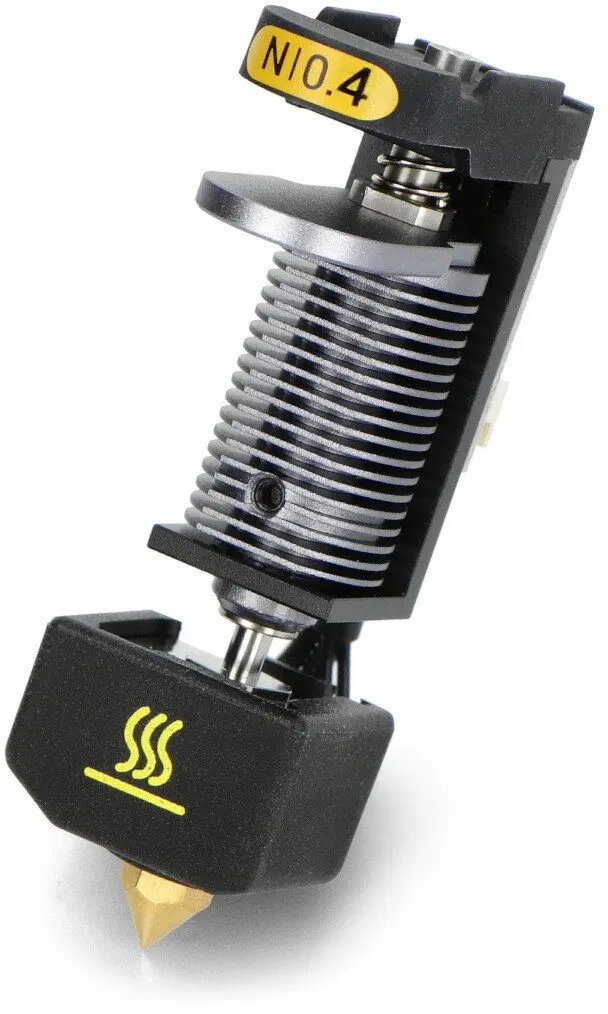
Hotend Head for Dual Extrusion Module Snapmaker 0.4 mm nozzle
This replacement hotend head is designed for the Snapmaker dual extrusion module and comes with a 0.4 mm nozzle. It defines the extrusion diameter for dual-material or multi-color 3D printing and plays a direct role in print detail, line width and layer resolution. The component is intended as a service part to swap defective or worn hotend heads and to restore consistent filament flow and dimensional accuracy in dual-extrusion setups.
The 0.4 mm nozzle size provides a balance between print speed and fine detail, enabling reliable strand deposition for a wide range of filaments. As a direct-fit replacement for the Snapmaker dual extrusion module, this hotend head preserves original alignment and mounting geometry, minimizing setup time after replacement. Restoring a worn or damaged hotend head helps maintain repeatable extrusion rates, reduce under- or over-extrusion artifacts, and extend the service life of the dual extrusion system.
Power off the printer and allow the hotend to cool before handling. Remove the dual extrusion module from the carriage per the Snapmaker service instructions, then detach the worn hotend head following the manufacturer's guidance to avoid damaging wires or connectors. Install the replacement hotend head by aligning it to the original mounting points and securing fasteners to the recommended torque. After mechanical installation, perform filament loading and a calibration or test print to verify correct extrusion, alignment and retraction settings for dual-material printing.
Use appropriate filament types and temperatures recommended for the Snapmaker system and inspect the nozzle periodically for signs of wear or partial blockage. When switching filament types or colors, purge and purge towers or wipe routines as part of dual-extrusion workflows to prevent cross-contamination and maintain clean transitions. If layer lines or under-extrusion persist after replacement, review extrusion multiplier and retraction settings before considering further hardware changes.
{{highlightedFeature.featureTitle}}:
{{getProductFeatureValueById(product, highlightedFeature.featureId)}}
{{ productComparisonGenerationError }}