
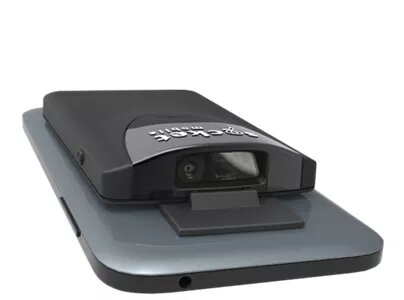
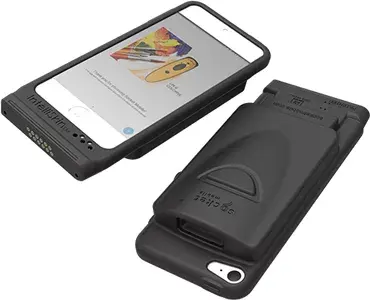
Barcode module Socket Mobile SOCKETSCAN S840
334.99 €
{{selectedOffer && selectedOffer.price | formatAmount}}
Offer for legal entity, cashless payment.
Why is an item available only for a legal entity?
This is due to long delivery times and limited product warranties.
This is due to long delivery times and limited product warranties.
Short description
The Socket Mobile SOCKETSCAN S840 is a versatile 2D barcode module that supports various linear and 2D barcodes. With wireless Bluetooth connectivity and a range of up to 10 meters, it offers flexibility in usage. The compact design (53.9 x 13.4 x 86.9 mm) and lightweight build make it easy to handle. Powered by a rechargeable Lithium-Ion battery, it provides up to 10 hours of operation. Ideal for retail and inventory management.
Cheapest delivery:
Unisend LV
Pick-up points
Unisend LV
Cost
1.79 €
Deliver
{{selectedOffer.parcelStationDeliveryString}}
Customer service center
2b. Kengaraga str., Riga, Latvia, LV-1063
03.08.2026
{{selectedOffer.officeDeliveryString}}
free
Courier Delivery
Please note that in case of a large parcel additional delivery costs may apply!
From 4.99 €
Parcel couriers
Unisend LV / Venipak Pickup LV / Venipak Locker LV / Latvijas Pasts pakomāts / DPD Paku skapis / Omniva LV / Latvijas Pasts nodaļa
06.08.2026
{{selectedOffer.parcelStationDeliveryString}}
From 1.79 €

Payment Methods:
Bank transfer


