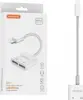
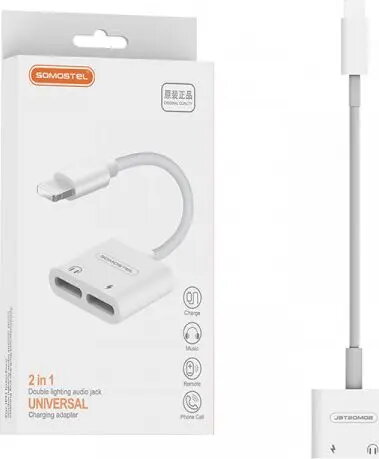
The Somostel SMS-BZ05 Lightning to Dual Lightning Adapter is a practical accessory designed to expand the connectivity of your Apple devices. Featuring a single Lightning input and two Lightning outputs, this adapter allows you to connect multiple peripherals simultaneously. Its compact and lightweight white design ensures it fits easily into your pocket or bag, making it an ideal companion for daily use. The plug-and-play functionality ensures that you can start using your audio accessories and charging cables immediately without the need for additional software or complex configurations.
Advantages
This adapter offers a reliable way to overcome the limitations of devices with a single port. By providing two Lightning outputs, it enables users to charge their phone while simultaneously listening to music or taking calls through wired audio accessories. The build quality focuses on durability and stable signal transmission, ensuring that your audio quality remains clear and your charging process stays consistent. Its minimalist aesthetic complements the design of modern smartphones, while the simple interface makes it accessible for all users regardless of technical expertise.
Suitable for
- Simultaneous charging and audio playback
- Connecting wired headphones to devices without a 3.5mm jack
- Users who need to maintain power while using audio peripherals
- Travelers and commuters looking for a compact connectivity solution
When it may not be suitable
This adapter may not be suitable for users who require high-speed data synchronization, as it is primarily designed for charging and audio output. Additionally, it may not be compatible with certain specialized third-party accessories that require specific data protocols not supported by this dual-port configuration.
Key specifications
- Input: Lightning connector
- Outputs: Dual Lightning ports
- Color: White
- Compatibility: Apple devices with Lightning port
- Functionality: Simultaneous charging and audio support
How to use
To use the Somostel SMS-BZ05, simply insert the Lightning connector of the adapter into the charging port of your Apple device. Once connected, you can plug your charging cable into one of the Lightning output ports and your audio accessory into the other. The device will automatically recognize the connection, allowing you to charge and listen to audio at the same time without further setup.
What to consider before purchase
- Verify that your Apple device is equipped with a Lightning port
- Check if your audio accessories are compatible with Lightning connectivity
- Ensure your charging cable is fully functional before use
Usage recommendations
For optimal performance, always ensure that the adapter is fully inserted into your device port. Avoid bending the cable at sharp angles to maintain the longevity of the internal wiring.