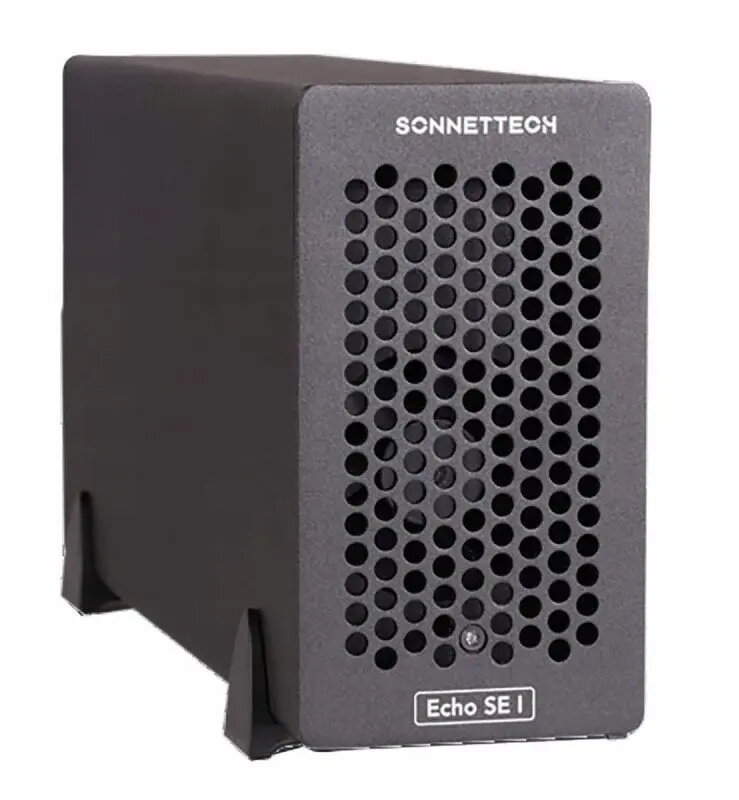
The Sonnet Echo Express SE I Thunderbolt 5 one-slot PCIe card expansion system connects a single full-height PCIe card to a host computer via Thunderbolt 5, providing external PCIe connectivity where internal expansion slots are unavailable. Designed for professional workflows, this enclosure supports low-latency PCIe data transfer and hot-plugging, enabling the use of GPUs, capture cards, storage adapters, or specialized I/O cards with compatible Thunderbolt 5 systems. The compact, single-slot design is intended for users who need one full-length, full-height PCIe card to extend system capabilities without opening the host machine.
Advantages
The Thunderbolt 5 interface delivers high bandwidth and low latency for demanding audio/video, graphics, and compute workflows while preserving a simple external connection. The unit's one-slot form factor minimizes desktop footprint and simplifies setup for single-card expansion needs. Hot-plug support allows users to connect or swap supported PCIe cards without shutting down the host, and the external enclosure enables use of cards that would otherwise be restricted by laptops or small form-factor desktops.
Suitable for
- Adding a single GPU for accelerated rendering or machine learning inference on systems without internal PCIe slots
- Connecting capture cards for professional video acquisition and live streaming
- Attaching high-performance NVMe or SAS storage adapters for media editing and large-file workflows
- Using specialized I/O cards (audio interfaces, network adapters, or industrial I/O) with Thunderbolt 5 hosts
Key specifications
- Interface: Thunderbolt 5 host connection for external PCIe card access
- Supported card size: single full-height, full-length PCIe card
- PCIe connectivity: low-latency external PCIe over Thunderbolt protocol
- Hot-plug capability: supported for compatible cards and host systems
- Target use: external expansion for GPUs, capture cards, storage adapters, and specialized I/O
How to use
Install a compatible full-height PCIe card into the enclosure following the manufacturer’s installation instructions, secure the card and close the chassis, then connect the unit to a Thunderbolt 5 port on the host computer using an appropriate Thunderbolt cable. Power on the enclosure if separate power is required, and allow the host operating system to recognize the attached PCIe card; install any drivers or vendor software required for the card to function. For hot-plug operations, ensure the host and card drivers support safe removal and insertion procedures before connecting or disconnecting the enclosure while the system is running.
Usage recommendations
Use certified Thunderbolt 5 cables and confirmed-compatible host systems for optimal bandwidth and stability. Verify card compatibility with external enclosures and consult card vendors for firmware or driver guidance when running GPUs, capture cards, or storage controllers in external configurations.