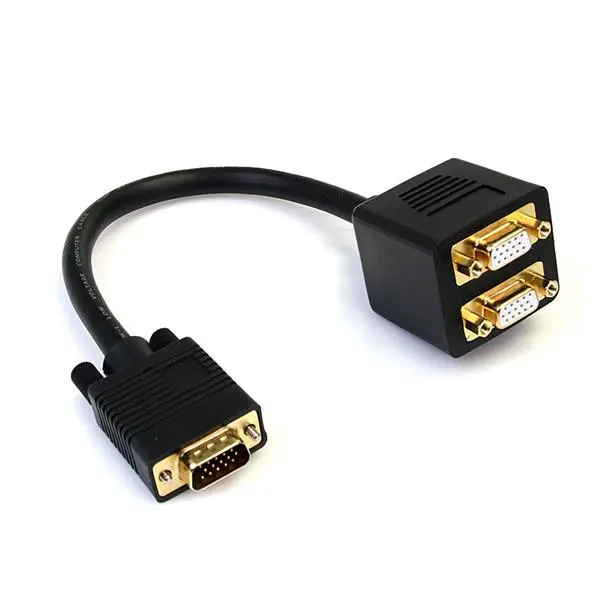
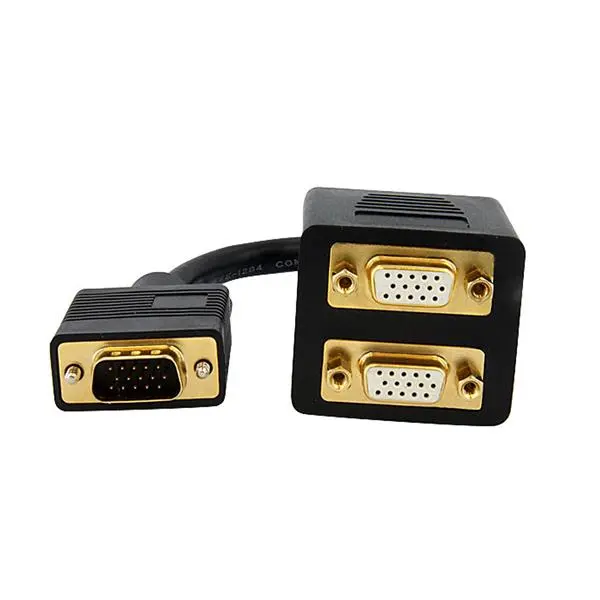
-
Weight:
Weight of the product without packaging (net weight). If possible, the net weight is given including standard accessories and supplies. Please note that sometimes the manufacturer leaves out the weight of accessories and/or supplies.
-
0.159 kg
-
Certification:
-
CE, REACH
-
Package weight:
Weight of the packaged product.
-
164 g
-
Plug and Play:
Indicates whether this product supports is "plug and play". Plug and play is hardware or software that, after being installed ("plugged in"), can immediately be used ("played with"), as opposed to hardware or software which requires configuration.
-
Yes
-
Cable length:
How long the cable is.
-
0.3 m
-
Product colour:
The colour e.g. red, blue, green, black, white.
-
Black
-
Package depth:
The distance from the front to the back of the packaging.
-
160 mm
-
Package height:
The distance from the top to the bottom of the packaging.
-
44 mm
-
Package width:
The distance from one side of the packaging to the other.
-
126 mm
-
Master (outer) case height:
-
272 mm
-
Master (outer) case width:
-
370 mm
-
Supported graphics resolutions:
The graphic resolutions that can be displayed by the device. The graphic resolution describes the width and height dimensions of a display, such as a computer monitor, measured in pixels.
-
2048 x 1536 (QXGA)
-
Connector 1:
This is the first connector in the device.
-
VGA (D-Sub)
-
Connector 2:
This is the second connector in the device.
-
2 x VGA (D-Sub)
-
Cable diameter:
The distance from one side of the cable to the other, with a straight line going through the middle of the cable.
-
9 mm
-
Connector contacts plating:
What the connector contacts are covered with (layer on top).
-
Gold
-
Connector 1 form factor:
-
Straight
-
Connector 2 form factor:
-
Straight
-
AWG wire size:
-
28
-
Cable shielding:
The protective layer for the cable, typically made of plastic.
-
Aluminum mylar foil
-
Connector 1 gender:
The gender of the first connector of the product. Each half of a pair of mating connectors is assigned the designation male or female, the part bearing one or which fits into another being called male.
-
Male
-
Connector 2 gender:
The gender of the second connector of the product. Each half of a pair of mating connectors is assigned the designation male or female, the indented one or the one fitting around the other being called female.
-
Female
-
Cable rating:
-
CMG (CM)
-
Number of conductors:
-
15
-
Cable jacket material:
-
Polyvinyl chloride (PVC)
-
Quantity per pack:
-
1 pc(s)
-
Master (outer) case length:
-
422 mm
-
Products per master (outer) case:
-
100 pc(s)
-
Harmonized System (HS) code:
-
84733080
-
Compliance certificates:
Indicates which regulatory, safety, and environmental standards the product complies with, as verified by recognized authorities or certification bodies.
-
RoHS