Powerful EcoFlow stations for energy anywhere!
In cart {{totalProductsCount}} item(s)
Your cart is empty
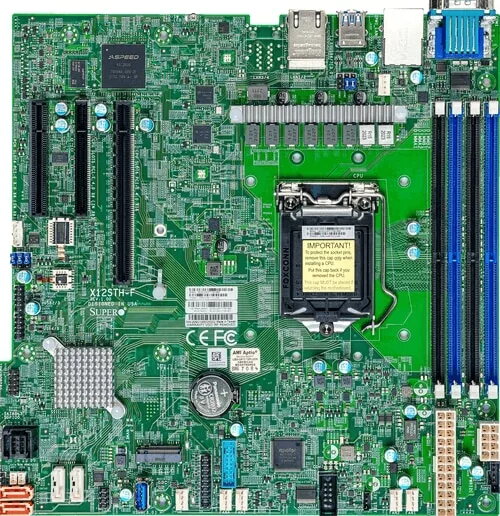
Motherboard Supermicro MBD-X12STH-F-O Intel C256 LGA 1200 micro ATX
The Supermicro MBD-X12STH-F-O is a high-performance micro ATX motherboard designed for professional computing environments. Built on the Intel C256 chipset, this board provides a stable and reliable foundation for systems utilizing LGA 1200 processors, including Intel Xeon and Pentium series. With its compact form factor and robust feature set, it is engineered to deliver consistent performance for demanding server and workstation tasks.
This motherboard offers significant advantages for system builders looking for reliability and scalability. The inclusion of four DIMM slots allows for a maximum memory capacity of 128 GB of DDR4-SDRAM, ensuring smooth multitasking and efficient handling of data-intensive applications. The integration of the Intel I210 LAN controller provides dependable network connectivity, while the support for various SATA storage interfaces ensures flexible configuration options for hard disk drives and solid-state drives. Its micro ATX design makes it a versatile choice for chassis with limited space without compromising on essential server-grade features.
This motherboard may not be suitable for high-end gaming builds that require multiple graphics cards or specialized overclocking features. Additionally, users looking for the latest consumer-grade features like PCIe 5.0 or advanced RGB lighting controls may find this board too specialized for their needs, as it is primarily optimized for stability and server-oriented workloads.
To use this motherboard, install a compatible LGA 1200 processor into the socket, ensuring the locking mechanism is securely engaged. Insert your DDR4 memory modules into the designated DIMM slots, following the dual-channel configuration guidelines provided in the manual. Connect your power supply unit to the appropriate headers, attach your storage drives via SATA cables, and connect your peripherals to the rear I/O panel. Once all hardware is installed, connect the system to a display and power it on to access the BIOS for initial configuration.
For optimal system stability, always ensure that the motherboard BIOS is updated to the latest version provided by the manufacturer and that all drivers for the Intel C256 chipset and I210 LAN controller are correctly installed within your operating system.
{{highlightedFeature.featureTitle}}:
{{getProductFeatureValueById(product, highlightedFeature.featureId)}}
{{ productComparisonGenerationError }}