Save time and money with our discounts!
In cart {{totalProductsCount}} item(s)
Your cart is empty
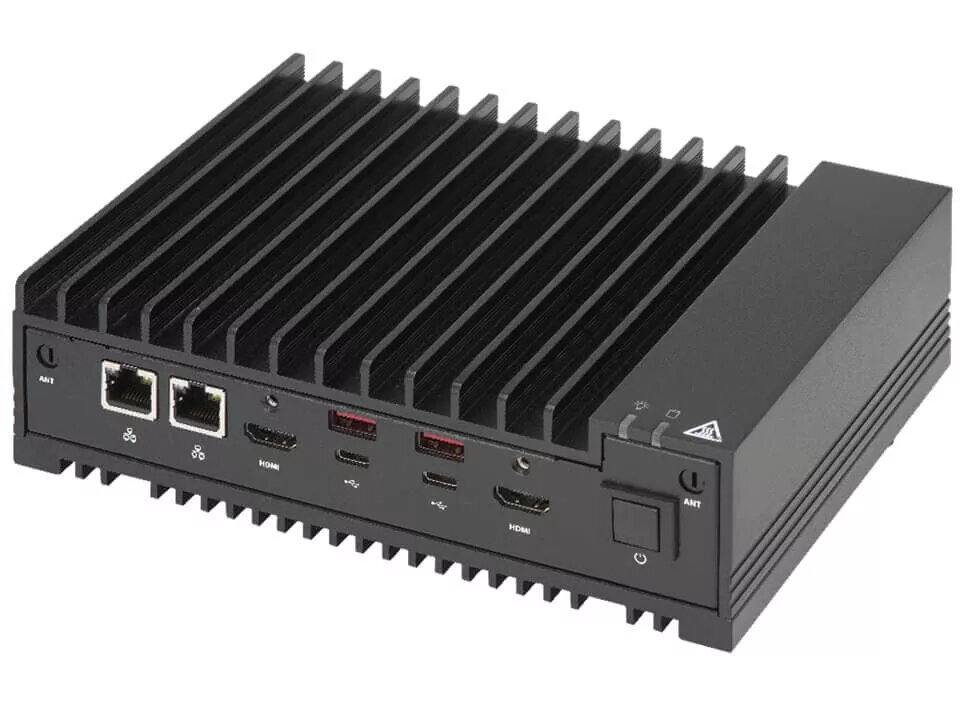
Computer case Supermicro SYS-E100-13AD-L Mini ITX Black
The Supermicro SYS-E100-13AD-L Mini ITX Black is an embedded computer case designed to house systems based on Intel® Core™ i3 processors. It accommodates a compact Mini ITX motherboard layout and supports up to 64 GB of internal memory across two SO‑DIMM slots with a maximum memory clock of 4800 MHz. Integrated Intel® UHD Graphics support basic to moderate visual workloads, while a 2.5 Gbit/s Ethernet interface provides higher-throughput wired network connectivity. The case is finished in black, has a small footprint suitable for space-constrained installations and weighs approximately 0.98 kg.
The chassis offers a compact Mini ITX form factor that simplifies deployment in environments where space is limited. Support for up to 64 GB of RAM across two SO‑DIMM modules and a 4800 MHz memory clock enables improved multitasking and responsiveness compared with lower-capacity embedded solutions. Built-in Intel® UHD Graphics provides integrated video output without the need for a discrete GPU, and the 2.5 Gbit/s Ethernet connection allows faster LAN transfers for data- intensive applications. A selection of front and rear USB ports, including two USB 3.2 Gen 1 Type‑A ports and four USB 2.0 ports, supports a wide range of peripherals and accessories.
Install a compatible Mini ITX motherboard and an Intel® Core™ i3 class processor into the chassis following the motherboard and CPU manufacturer instructions. Populate the two SO‑DIMM slots with compatible memory modules to reach the desired capacity and clock speed, observing anti‑static precautions. Connect storage devices and power according to the system design, and attach peripherals to the USB 3.2 Gen 1 and USB 2.0 ports. Configure network settings to use the built‑in 2.5 Gbit/s Ethernet interface. Ensure the assembled system has adequate cooling and is secured in the intended installation location.
For reliable operation, use memory modules and a motherboard validated for the target memory clock and capacity. Place the unit in a well‑ventilated area and verify airflow paths are not obstructed. Use quality power supplies and compatible storage devices to match intended workloads, and update firmware and drivers for network and graphics components to maintain performance and security.
{{highlightedFeature.featureTitle}}:
{{getProductFeatureValueById(product, highlightedFeature.featureId)}}
{{ productComparisonGenerationError }}