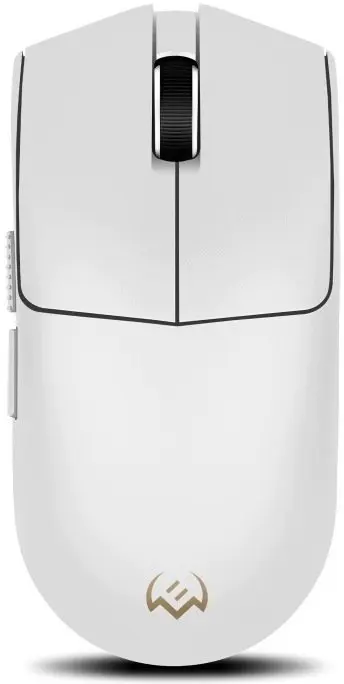
The SVEN RX-G970W Wireless Gaming Mouse in white is a high-performance peripheral engineered for gamers who prioritize precision, comfort, and a clean workspace. This mouse utilizes a reliable wireless connection to eliminate cable clutter, ensuring freedom of movement during intense gaming sessions. Its ergonomic shape is designed to fit naturally in the hand, reducing fatigue over extended periods of use. Equipped with an optimized optical sensor, the device delivers consistent tracking accuracy, making it a dependable tool for both competitive play and casual gaming.
Advantages
The primary benefit of the SVEN RX-G970W is its seamless wireless connectivity, which provides a lag-free experience essential for fast-paced gaming environments. The ergonomic design supports various grip styles, promoting comfort during long hours of activity. Furthermore, the high-precision sensor ensures that every movement is registered with accuracy, while the modern white aesthetic adds a clean, professional look to any gaming setup. The lightweight construction further enhances maneuverability, allowing for quick reactions and precise aiming.
Suitable for
- Competitive gaming and fast-paced shooters
- Casual gaming sessions and daily computer tasks
- Users who prefer a clutter-free desk environment
- Gamers looking for an ergonomic mouse for long-term comfort
When it may not be suitable
This mouse may not be the ideal choice for professional esports athletes who strictly require ultra-high polling rates or specialized wired connections for absolute latency minimization. Additionally, users with very large hands might find the specific ergonomic profile less comfortable compared to larger, specialized gaming mice.
Key specifications
- Wireless connectivity
- High-precision optical sensor
- Ergonomic design for comfort
- Modern white finish
- Optimized for gaming responsiveness
How to use
To begin using the SVEN RX-G970W, insert the required batteries into the compartment and connect the wireless receiver to an available USB port on your computer. Once the receiver is plugged in, turn on the mouse using the power switch located on the underside. The system should automatically detect the device and install the necessary drivers. For optimal performance, ensure the mouse is used on a flat, clean surface or a dedicated gaming mouse pad.
What to consider before purchase
- Check compatibility with your operating system
- Ensure you have the required batteries available
- Consider the size of the mouse relative to your hand grip style
- Verify that your desk surface is suitable for optical sensors
Usage recommendations
For the best tracking performance, keep the optical sensor lens clean from dust and debris. If you experience any connectivity issues, ensure the wireless receiver is placed in a clear line of sight to the mouse and away from other potential sources of wireless interference.