
Leave your address - as soon as the price of the product goes down, you'll know about it right away
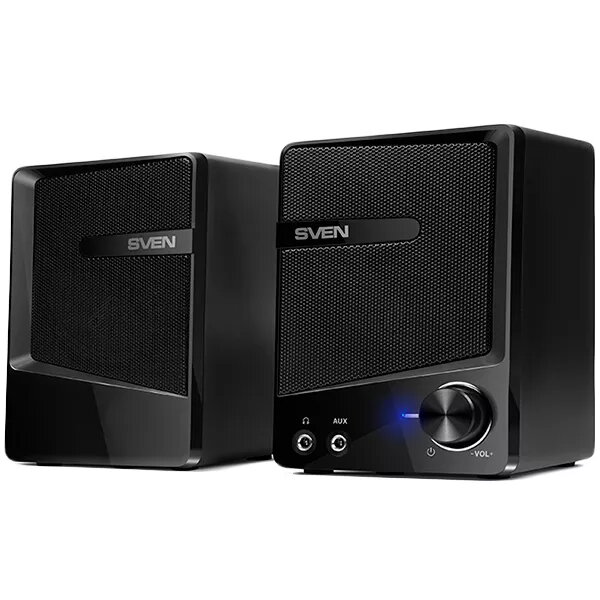
Speakers SVEN 248 — SVEN model 248 computer speaker set
In cart {{totalProductsCount}} item(s)
Your cart is empty
Speakers SVEN 248 — SVEN model 248 computer speaker set
Leave your address - as soon as the price of the product goes down, you'll know about it right away
Speakers SVEN 248 — SVEN model 248 computer speaker set
SVEN 248 is a compact computer speaker set designed for desktop audio playback. The two-piece system delivers stereo sound through two 2 W channels (total output 4 W), covering a frequency range from 90 Hz to 20 kHz. The speakers are housed in a black plastic enclosure with a small footprint (85 × 120 × 80 mm each) and weigh about 0.55 kg nominal, offering a simple plug-and-play upgrade for PCs and laptops via a 3.5 mm audio line-in and USB power supply (DC 5 V).
The SVEN 248 set provides straightforward stereo sound with clear mid and high frequency response for everyday multimedia tasks. Its USB power source avoids the need for an external power adapter and the 3.5 mm microphone-in and line-in connectors allow connection to a variety of devices. The compact dimensions and lightweight construction make the speakers easy to position on most desks without occupying much space.
Place both speakers on a stable desk surface at a comfortable listening distance from the user. Connect the audio source to the speakers using the 3.5 mm audio line-in jack. If your computer has a built-in microphone jack and you need to use an external microphone, plug it into the microphone-in connector. Power the speakers by connecting the USB cable to a computer USB port or any compatible 5 V USB power supply. Adjust system volume on your computer and, if available, fine-tune audio settings in your operating system or media application.
For best sound balance, position the speakers at equal distance from the listening position and avoid placing them directly against walls or inside enclosed cabinets. Use a dedicated USB port on your computer to ensure stable power delivery. Regularly check cable connections and keep the speaker surfaces free from dust to maintain consistent audio performance.
{{highlightedFeature.featureTitle}}:
{{getProductFeatureValueById(product, highlightedFeature.featureId)}}