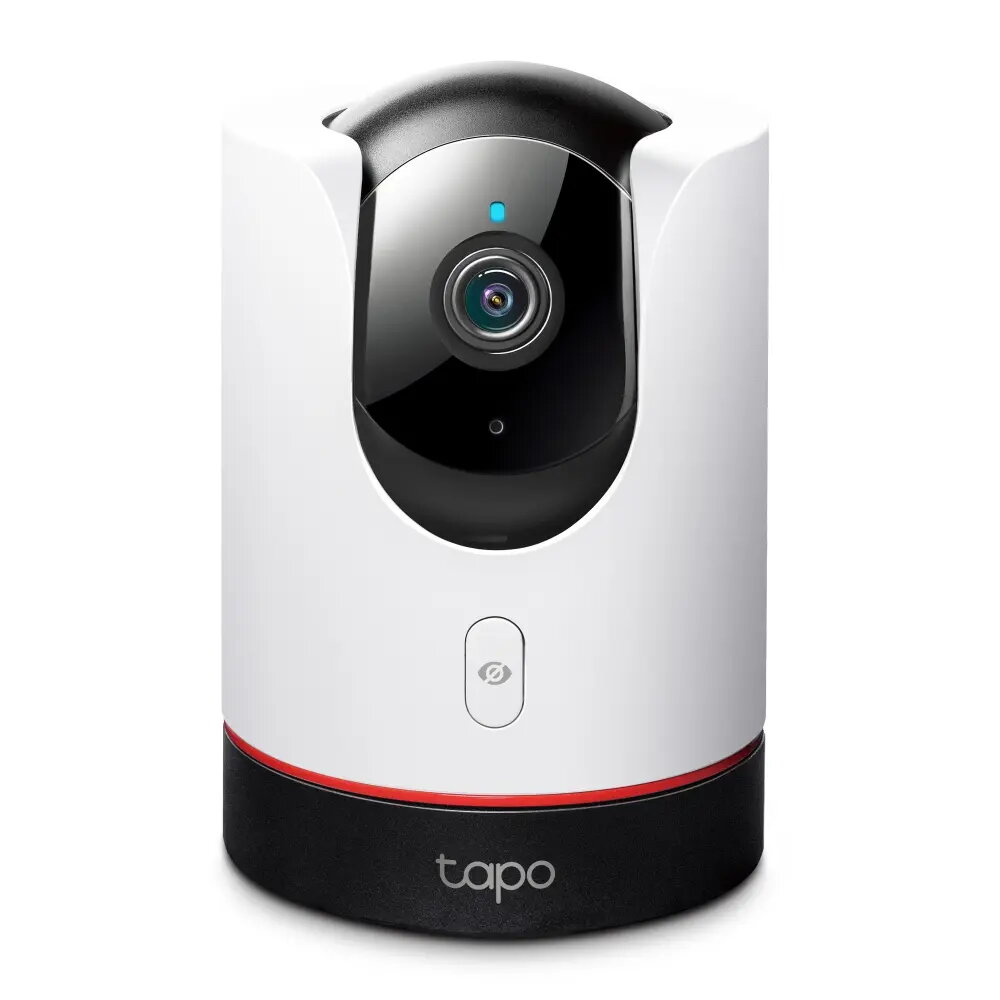
The Tapo C225 is a high-performance indoor Wi-Fi security camera designed to provide comprehensive monitoring for your home. With its 2K QHD resolution and advanced Pan/Tilt functionality, it captures clear, detailed footage across a 360-degree horizontal range. The device is equipped with a Starlight sensor for superior low-light performance and offers a physical privacy shutter, ensuring you have complete control over when the camera is active. Its smart AI detection capabilities allow it to distinguish between people, pets, and vehicles, providing relevant alerts directly to your smartphone.
Advantages
This camera stands out due to its versatile integration options, including full support for Apple HomeKit, Amazon Alexa, and Google Assistant, making it a seamless addition to any smart home ecosystem. The inclusion of a physical privacy mode provides peace of mind by mechanically blocking the lens when privacy is required. Furthermore, the Starlight sensor and invisible IR mode allow for discreet, high-quality night vision without the distraction of visible red lights. The device also supports flexible storage solutions, allowing users to choose between local recording on a microSD card up to 512 GB or secure cloud storage via Tapo Care.
Suitable for
- Monitoring living rooms, bedrooms, or nurseries.
- Keeping an eye on pets while away from home.
- Enhancing home security with smart motion tracking.
- Integrating into existing Apple HomeKit, Google, or Alexa smart home setups.
This camera is designed specifically for indoor use and is not weather-resistant, meaning it should not be installed in outdoor environments or areas with high moisture levels. Additionally, it requires a stable 2.4 GHz Wi-Fi connection to function, so it may not be suitable for locations with poor wireless network coverage.
Key specifications
- Resolution: 2K QHD 4MP (2688 × 1520 px)
- Field of View: 360° Pan, 149° Tilt
- Night Vision: Up to 9 meters with invisible 940 nm IR
- Storage: MicroSD card slot (up to 512 GB)
- Connectivity: 2.4 GHz Wi-Fi
- Smart Integration: Apple HomeKit, Google Assistant, Amazon Alexa
- Audio: Two-way audio with noise cancellation
To begin using the Tapo C225, download the Tapo app on your smartphone and follow the in-app instructions to connect the camera to your 2.4 GHz Wi-Fi network. Once configured, you can mount the camera on a flat surface or use the included mounting hardware to attach it to the ceiling. Use the app to customize activity zones, set up motion detection alerts, and manage your privacy settings. The camera can be controlled remotely to pan and tilt, allowing you to view different areas of the room in real-time.
What to consider before purchase
- Ensure your home has a stable 2.4 GHz Wi-Fi network.
- Verify that the installation location is indoors and within the operating temperature range of 0 °C to 40 °C.
- Consider whether you prefer local storage via microSD or cloud storage via a subscription.
- Check if your preferred smart home platform is compatible with the device features you intend to use.
For optimal performance, place the camera in a central location to maximize the field of view and ensure the firmware is kept up to date through the Tapo app to receive the latest security and feature improvements.