
Microphone Hercules Stream Starter Kit
{{selectedOffer && selectedOffer.price | formatAmount}}
{{selectedOffer && selectedOffer.price | formatAmount}}
Offer for legal entity, cashless payment.
Why is an item available only for a legal entity?
This is due to long delivery times and limited product warranties.
This is due to long delivery times and limited product warranties.
Short description
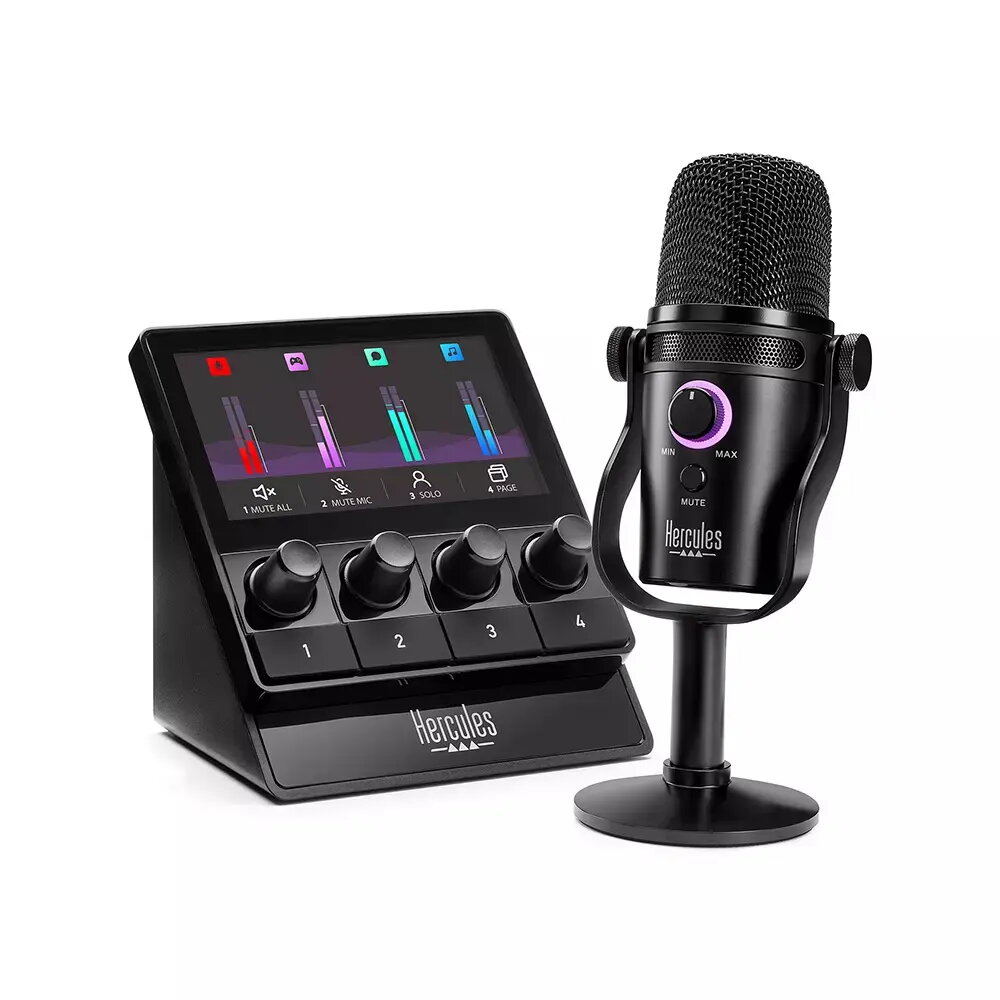
The Hercules Stream Starter Kit includes a USB Type-C table microphone with unidirectional/cardioid directionality. It features a rotary volume control and a TFT display measuring 10.9 cm with a resolution of 480 x 272 pixels. The kit contains two products: the HERCULES STREAM 100 HUD-600 microphone and two Type A to C USB power cables, along with a metal stand with a 5/8’’ thread.
Available for order:
2 pcs.
Warranty:
2 Years
SKU:
11410024


Cheapest delivery:
Unisend LV
Pick-up points
Unisend LV
Cost
1.99 €
Deliver
{{selectedOffer.parcelStationDeliveryString}}
Customer service center
2b. Kengaraga str., Riga, Latvia, LV-1063
20.10.2026
{{selectedOffer.officeDeliveryString}}
free
Courier Delivery
Please note that in case of a large parcel additional delivery costs may apply!
From 4.99 € (Weight: 1.00 kg)
Parcel couriers
Unisend LV / Venipak Pickup LV / Venipak Locker LV / DPD Paku skapis / Omniva LV / Latvijas Pasts pakomāts / Latvijas Pasts nodaļa
23.10.2026
{{selectedOffer.parcelStationDeliveryString}}
From 1.99 €

Payment Methods:
Bank transfer


