
Powerful EcoFlow stations for energy anywhere!
In cart {{totalProductsCount}} item(s)
Your cart is empty
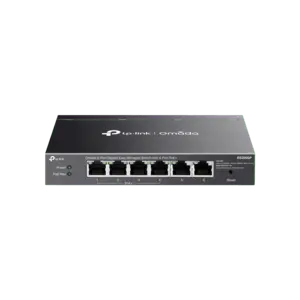
TP-LINK Omada 16-Port Gigabit Easy Managed Switch with 16 Gigabit RJ45 Ports, Rack-mountable Steel Case, VLAN, QoS, and Centralized Management
The TP-LINK Omada 16-Port Gigabit Easy Managed Switch is a reliable networking solution designed to enhance business connectivity and performance. Equipped with 16 gigabit RJ45 ports and housed in a durable 1U 13-inch rack-mountable steel case, this switch delivers fast data transfer speeds and dependable operation for modern office environments. It integrates seamlessly into the Omada SDN platform, allowing administrators to manage the network efficiently through centralized cloud control and the dedicated Omada App.
This managed switch offers advanced networking features that ensure stable and secure traffic flow across connected devices. Centralized management simplifies network maintenance, reducing downtime and administrative effort. Built with a robust steel enclosure, the device is built for longevity and secure rack installation in server rooms or network closets. Comprehensive traffic optimization tools allow businesses to prioritize critical data, manage bandwidth effectively, and maintain a secure network environment without complex configuration steps.
This switch may not be suitable for large enterprise networks requiring high-density fiber connections or advanced Layer 3 routing capabilities. Additionally, home users or very small offices with minimal networking demands might find the advanced management features unnecessary for their daily use.
Begin by mounting the steel case securely into a standard 1U 13-inch rack or placing it on a stable flat surface. Connect your network devices using standard Ethernet cables to the gigabit RJ45 ports. Power on the device using the appropriate power supply. To utilize advanced features and centralized management, adopt the switch into your existing Omada SDN Controller network or configure it locally using the management interface.
Always ensure proper ventilation around the rack-mountable steel case and keep the firmware updated through the Omada SDN Controller to maintain optimal security and performance.
{{highlightedFeature.featureTitle}}:
{{getProductFeatureValueById(product, highlightedFeature.featureId)}}
{{ productComparisonGenerationError }}
