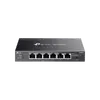
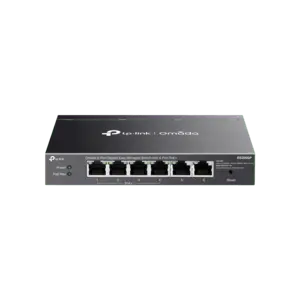
The TP-LINK Omada 8-Port Gigabit Easy Managed Switch with 8-Port PoE+ 802.3at/af 64W Desktop Steel Case Fanless is a reliable and efficient networking solution designed for small businesses, IP surveillance systems, and modern workspaces. This easy managed switch combines high-speed gigabit connectivity with Power over Ethernet capabilities, delivering both data and power over a single network cable to compatible powered devices. Housed in a sturdy desktop steel case, the device ensures long-lasting durability while maintaining a silent operating environment thanks to its fanless design. It integrates seamlessly into the Omada Software Defined Networking platform, allowing network administrators to manage the device centrally through the Omada SDN Controller or the convenient mobile app.
Advantages
This managed network switch provides exceptional deployment flexibility through its eight gigabit PoE+ ports that support the IEEE 802.3at and 802.3af standards, supplying up to 64 watts of total power budget for connected devices such as IP cameras, wireless access points, and VoIP phones. The fanless desktop steel construction guarantees silent operation, making it ideal for quiet office environments where noise reduction is essential. Advanced software features such as VLAN, Quality of Service, IGMP Snooping, and Link Aggregation allow for optimized traffic flow, enhanced security, and improved overall network reliability. Furthermore, centralized cloud management via the Omada ecosystem simplifies provisioning, monitoring, and troubleshooting across the entire network infrastructure.
Suitable for
- Connecting and powering IP security cameras in small business or retail surveillance setups
- Deploying wireless access points in offices, cafes, and hospitality venues
- Powering IP phones for business communication systems
- Small office and home office networks requiring managed features and VLAN segmentation
When it may not be suitable
This switch may not be suitable for large-scale enterprise deployments that require more than eight downlink ports or a higher total PoE power budget exceeding 64 watts. Additionally, environments that require rack-mounted hardware rather than a desktop footprint may need a different form factor.
Key specifications
- 8 Gigabit RJ45 ports
- 8 PoE+ ports supporting 802.3at/af standards
- 64 W total PoE power budget
- Desktop steel case
- Fanless silent design
- Centralized management via Omada SDN Controller and Omada App
- Advanced features including VLAN, QoS, IGMP Snooping, Port Isolation, Loopback Detection, Link Aggregation, Port Mirroring, Storm Control, and Flow Control
How to use
To set up the switch, place the desktop steel case on a flat, stable surface or position it in a well-ventilated area. Connect the included power adapter to the switch and plug it into a standard electrical outlet. Use standard Ethernet cables to connect your router or primary network source to one of the ports, and connect your PoE-enabled devices, such as access points or surveillance cameras, to the remaining gigabit ports. For advanced configuration and centralized monitoring, adopt the switch into your Omada SDN Controller or use the Omada mobile application to configure VLANs, monitor traffic, and manage power allocation.
What to consider before purchase
- Verify that the total power consumption of your connected PoE devices does not exceed the 64-watt power budget
- Confirm whether an 8-port switch capacity is sufficient for your current and near-future network device connections
- Check if your network management preferences align with the Omada SDN ecosystem
For optimal performance and safety, ensure that connected powered devices strictly comply with IEEE 802.3at or 802.3af standards, and avoid exceeding the 64-watt total PoE power limit to prevent power shutoff or device instability.