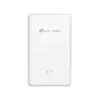
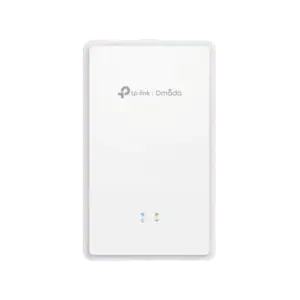
The TP-LINK Omada AX3000 Ceiling Mount Dual-Band Wi-Fi 6 Access Point is a high-performance networking device designed to deliver reliable and fast wireless connectivity in environments with high client density. Operating on the modern Wi-Fi 6 standard, this access point provides combined speeds of up to 574 Mbps on the 2.4 GHz band and 2402 Mbps on the 5 GHz band, ensuring smooth data transmission for multiple connected users simultaneously. Its ceiling-mount design allows for optimal signal distribution across commercial spaces, offices, and educational institutions.
Advantages
This access point incorporates advanced Wi-Fi 6 technologies such as 160MHz channel support, MU-MIMO, and beamforming to maximize network throughput and reduce latency in crowded spaces. Features like seamless roaming, band steering, and load balance ensure that clients experience uninterrupted connections as they move throughout the coverage area. Centralized management through the Omada SDN Controller and the Omada App simplifies network administration, monitoring, and provisioning from a single platform.
Suitable for
- Providing high-speed wireless coverage in medium to large offices
- Deploying stable enterprise Wi-Fi in educational facilities and campuses
- Creating seamless multi-access point roaming networks in hospitality environments
- Managing high-density client connections in commercial retail spaces
When it may not be suitable
This access point is not intended for outdoor deployment, as it lacks weatherproof housing. It may also be unnecessary for small residential setups where basic router coverage is already sufficient and advanced centralized management features are not required.
Key specifications
- Dual-band Wi-Fi 6 technology with speeds up to 574 Mbps at 2.4 GHz and 2402 Mbps at 5 GHz
- One Gigabit RJ45 port with support for 802.3at PoE and 12V DC power
- Two internal antennas with beamforming technology
- 160MHz channel bandwidth support
- MU-MIMO, seamless roaming, band steering, load balance, and airtime fairness
- Centralized management via Omada SDN Controller and Omada App
How to use
Mount the access point securely to a ceiling or wall using the provided mounting hardware. Connect a network cable to the Gigabit RJ45 port and power the device using either an 802.3at PoE switch or a compatible 12V DC power adapter, which is sold separately. Once powered, integrate the access point into your existing network infrastructure and use the Omada SDN Controller or the Omada App to configure SSIDs, security settings, and advanced management parameters.
What to consider before purchase
- Verify that your network switch supports 802.3at PoE, or purchase a separate 12V DC power adapter
- Ensure compatibility with the Omada SDN management platform for centralized control
- Evaluate the physical layout of your space to determine the optimal number of access points needed for full coverage
Usage recommendations
For optimal performance and network security, ensure the access point is connected to a Gigabit network infrastructure and keep the firmware updated through the Omada SDN Controller. Position the device centrally on the ceiling away from large metallic obstructions to maximize wireless signal propagation and coverage efficiency.