
Dreame vacuums for fast and efficient cleaning!
In cart {{totalProductsCount}} item(s)
Your cart is empty
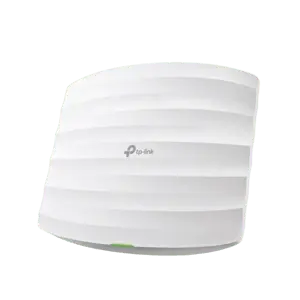
TP-LINK Omada AC1750 Ceiling Mount Dual-Band Wi-Fi Access Point with Gigabit Ports, 802.3af PoE, Seamless Roaming, and Centralized Management
The TP-LINK Omada AC1750 Ceiling Mount Dual-Band Wi-Fi Access Point delivers reliable wireless connectivity for modern business environments. It provides combined dual-band speeds of up to 450 Mbps on the 2.4 GHz frequency and 1300 Mbps on the 5 GHz frequency. Designed for discreet ceiling installation, this access point integrates advanced networking technologies to ensure stable connections, efficient traffic management, and broad coverage across office spaces, hotels, or educational institutions.
This access point features centralized management through the Omada SDN Controller and the dedicated Omada app, allowing network administrators to monitor and configure multiple devices from a single interface. Advanced wireless features such as MU-MIMO, band steering, beamforming, load balancing, and airtime fairness work together to optimize network performance, reduce congestion, and maintain high throughput even in high-density device environments. Seamless roaming ensures uninterrupted audio and video streaming as users move between access point coverage areas.
This device is not designed for outdoor environments without proper protective weather housings. It may also exceed the requirements of standard residential home networks where advanced centralized management and enterprise-grade multi-device coordination are unnecessary.
Mount the access point securely to a ceiling or wall using the provided mounting hardware. Connect the device to a compatible PoE switch or router using an Ethernet cable plugged into one of the Gigabit RJ45 ports to supply both network data and electrical power. Access the Omada SDN Controller or the Omada mobile application to adopt the device, configure wireless network settings, and manage security parameters according to your network requirements.
For optimal network performance and security, regularly update the firmware of your TP-LINK Omada AC1750 access point through the Omada SDN Controller and position the device centrally in the area requiring wireless coverage.
{{highlightedFeature.featureTitle}}:
{{getProductFeatureValueById(product, highlightedFeature.featureId)}}
{{ productComparisonGenerationError }}
