
Save time and money with our discounts!
In cart {{totalProductsCount}} item(s)
Your cart is empty
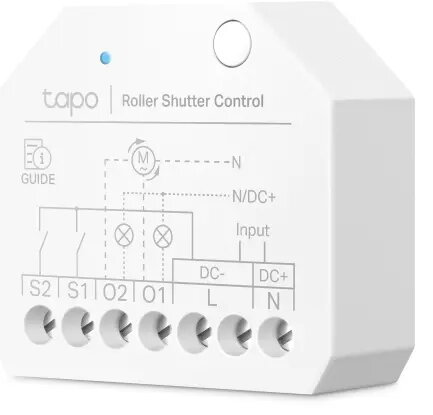
TP-Link Tapo S112 Blind and Shutter Actuator White Wi-Fi 2.4 GHz AC 100-250V 150W
The TP-Link Tapo S112 Blind and Shutter Actuator White Wi-Fi 2.4 GHz AC 100-250V 150W is an advanced smart switch module designed to automate roller blinds, shutters, and connected electrical loads. It operates on a 2.4 GHz Wi-Fi frequency and connects directly to your wireless home network without requiring an external hardware hub. Featuring a compact white enclosure, this device is engineered to fit discreetly inside standard wall boxes behind traditional switches or outlets. By combining dual relay support, energy monitoring capabilities, and zero-crossing protection, the module delivers reliable performance and helps integrate motorized window coverings into modern smart home ecosystems.
The actuator features built-in dual smart relays that enable independent automation of connected channels. Zero-crossing protection helps prevent relay contact welding, extending the operational lifespan of the internal components significantly. The module supports Matter compatibility, allowing seamless integration with major platforms such as Apple Home, Amazon Alexa, Google Home, Samsung SmartThings, and IFTTT. Users can track electricity consumption through energy monitoring functions and receive alerts via the mobile application in case of relay failures or detected obstacles. The compact physical dimensions ensure straightforward installation inside standard European wall boxes without requiring complex wiring modifications.
This actuator is not designed to control heavy-duty motors or appliances exceeding the maximum switching capacity of 150 W. It may also be unsuitable for installations lacking a neutral wire or standard wall boxes with insufficient physical depth to accommodate the module alongside existing wiring.
Installation must be performed by a qualified electrician in accordance with local electrical codes and wiring regulations, ensuring the power supply is completely switched off before handling internal wires. Once installed inside the wall box, download the mobile application to connect the device to your 2.4 GHz Wi-Fi network or utilize offline Bluetooth configuration. Follow the guided setup steps in the application to calibrate the roller blind limits or configure dual relay channels. You can then set automated schedules, link voice assistants, or create smart routines for hands-free control.
Always disconnect the main power supply at the circuit breaker before attempting any physical installation or maintenance. Regularly check the mobile application for firmware updates to maintain optimal security, platform compatibility, and device performance.
{{highlightedFeature.featureTitle}}:
{{getProductFeatureValueById(product, highlightedFeature.featureId)}}
{{ productComparisonGenerationError }}
