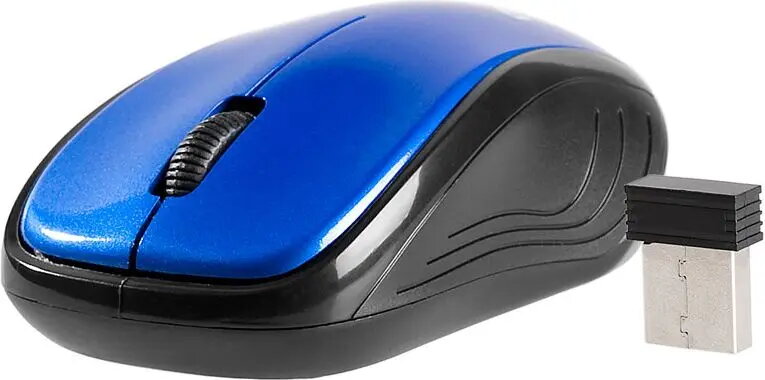
The Tracer Alien Wired Optical Mouse in blue is a dependable peripheral engineered for consistent performance in daily computing environments. Combining a high-precision optical sensor with a contoured ergonomic design, this mouse facilitates smooth cursor tracking and reliable responsiveness across various surfaces. Its striking blue aesthetic adds a modern touch to any desktop setup, while the robust wired connection ensures a stable link to your computer without the need for batteries or charging.
Advantages
This optical mouse offers significant benefits for users seeking a straightforward and efficient input device. The ergonomic shape is designed to minimize hand fatigue during extended periods of use, promoting a more comfortable working posture. With its plug-and-play functionality, the device is ready to use immediately upon connection to a USB port, eliminating the need for complex driver installations. The optical sensor provides accurate movement detection, ensuring that every click and scroll is registered with precision for both professional and casual applications.
Suitable for
- General office tasks and document management
- Web browsing and research
- Home computing and educational activities
- Users who prefer a reliable wired connection over wireless alternatives
When it may not be suitable
This mouse may not be the optimal choice for professional competitive gaming, as it lacks programmable buttons, adjustable DPI settings, and advanced sensor features found in specialized gaming peripherals. Additionally, users who require a wireless workspace or travel frequently may find the fixed cable restrictive compared to portable wireless models.
Key specifications
- Connection type: Wired USB
- Sensor technology: Optical
- Color: Blue
- Compatibility: Standard operating systems
- Design: Ergonomic
How to use
To begin using the Tracer Alien mouse, simply insert the USB connector into an available port on your computer or laptop. The operating system will automatically detect the device and install the necessary generic drivers, allowing you to start using the mouse immediately. No additional software configuration is required for standard navigation and clicking functions.
What to consider before purchase
- Ensure your computer has an available USB-A port for connection.
- Consider the cable length to ensure it reaches your computer comfortably from your mouse pad area.
- Verify that the ergonomic size fits your hand preference for long-term comfort.
Usage recommendations
For optimal performance, use the mouse on a flat, non-reflective surface or a dedicated mouse pad to ensure the optical sensor maintains consistent tracking accuracy. Keep the sensor area clean from dust and debris to prevent cursor jitter.