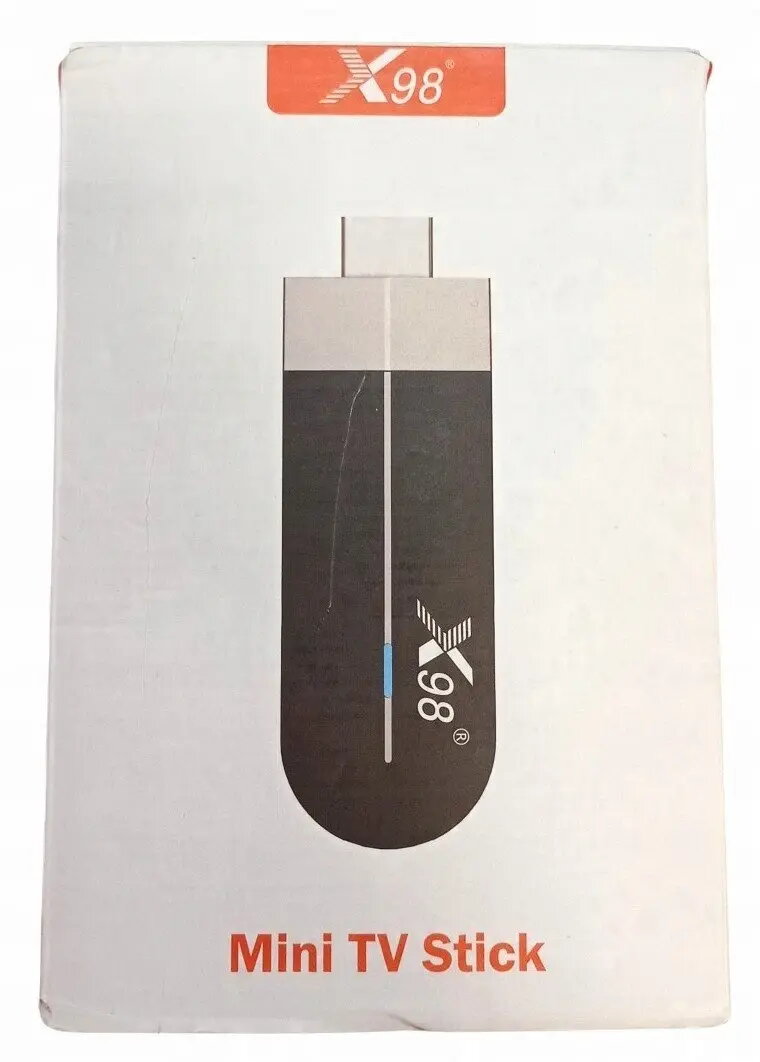
TRANSCEND X98 S500 Mini TV Stick (4GB RAM, 32GB storage) is a compact HDMI media player that converts an HDTV or monitor into a smart display. The stick is designed to plug directly into an HDMI port and provide Android-like streaming, app use and local multimedia playback. With 4 GB of system memory and 32 GB of internal storage, it supports multiple apps, on-device media files and smoother multitasking compared with very low-memory dongles.
Advantages
The mini form factor occupies minimal space behind the TV while providing full-size app compatibility and local file storage. Built-in memory allows installation of streaming applications and playback of downloaded video, music and photo libraries without relying solely on cloud services. The device is suited for simple plug-and-play setup and standard HDMI displays, offering a practical way to add smart functionality to TVs, conference room screens or portable monitors.
Suitable for
- Streaming films and TV shows on an HDTV
- Installing and running apps for media, news and light gaming
- Converting a monitor or projector into a smart display for presentations
- Playing locally stored videos, music and viewing photos
When it may not be suitable
This mini TV stick is intended for streaming, app use and local media playback rather than high-performance computing. It may not be suitable for users who require intensive gaming, heavy multitasking with many simultaneous high-memory apps, or professional video editing. Performance can also depend on the HDMI display, network speed and specific app requirements.
Key specifications
- System memory: 4 GB RAM
- Internal storage: 32 GB flash
- Video output: HDMI connection for HDTVs and monitors
- Form factor: compact stick designed to plug into HDMI port
- Primary functions: media streaming, app execution, local multimedia playback
How to use
Plug the TRANSCEND X98 S500 into an available HDMI port on the TV or monitor and supply power according to the manufacturer's instructions. Select the corresponding HDMI input on the display, complete the initial setup flow and connect the stick to a Wi‑Fi network to enable streaming and app downloads. Use a paired remote control, wireless keyboard or mouse to navigate the interface, install desired streaming apps, and access locally stored files from internal storage or connected USB/OTG media if supported.
What to consider before purchase
- Confirm the TV or monitor has an available HDMI input and required power source for the stick
- Check network speed and Wi‑Fi stability for reliable streaming quality
- Consider storage needs: 32 GB internal storage may fill if storing many large media files
- Ensure the apps you intend to use are compatible with the device software
Usage recommendations
For consistent streaming performance, place the Wi‑Fi router near the display or use a dual‑band network. Keep installed apps up to date and periodically remove unused files to maintain available storage and responsive operation.