
Dreame vacuums for fast and efficient cleaning!
In cart {{totalProductsCount}} item(s)
Your cart is empty
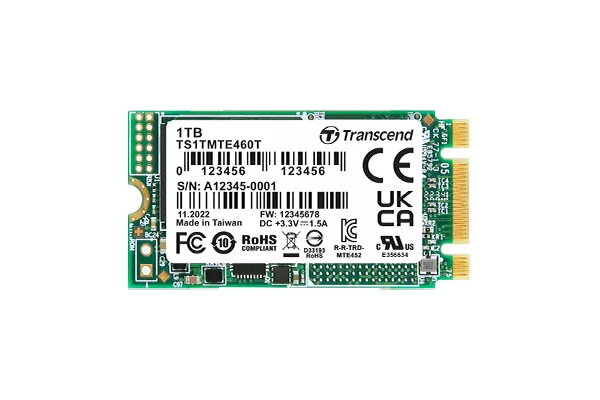
SSD disk Transcend 256 GB M.2 PCI Express 3.1 NVMe 3D NAND model MTE460T
The Transcend MTE460T is a 256 GB M.2 PCIe NVMe SSD using PCIe Gen 3x2 interface and 112-layer 3D NAND flash to increase storage density and efficiency. The drive is built with a 30µ" gold finger PCB, Corner Bond technology and anti-sulfur resistors for enhanced reliability. It is 100% chamber tested in-house for extended operating temperatures of -20℃ to 75℃, with an option for wide-temperature support (-40℃ to 85℃) upon request.
The MTE460T offers a compact M.2 form factor combined with NVMe performance for faster boot times and file access compared with conventional SATA drives. High-density 112-layer 3D NAND improves endurance and storage efficiency. Hardware features such as gold-plated PCB contacts, Corner Bonding and sulfur-resistant components increase long-term reliability in challenging environments. Factory chamber testing for extended temperatures ensures consistent operation across a wide thermal range.
Power down your computer and unplug it before installing the M.2 SSD. Locate the M.2 slot on the motherboard, align the drive with the slot edge connector and insert it at a slight angle until it seats. Press the drive down and secure it with the appropriate mounting screw. Reconnect power, boot the system and initialize, partition and format the new drive in your operating system if required. Follow the motherboard manual for specific M.2 slot configuration and BIOS/UEFI settings.
Install the SSD on a motherboard that supports PCIe NVMe M.2 drives and ensure proper cooling and clearance. For deployments in extreme-temperature environments, request the wide-temperature variant. Regularly update firmware when available and perform backups to protect data integrity.
{{highlightedFeature.featureTitle}}:
{{getProductFeatureValueById(product, highlightedFeature.featureId)}}
{{ productComparisonGenerationError }}
