Powerful EcoFlow stations for energy anywhere!
In cart {{totalProductsCount}} item(s)
Your cart is empty
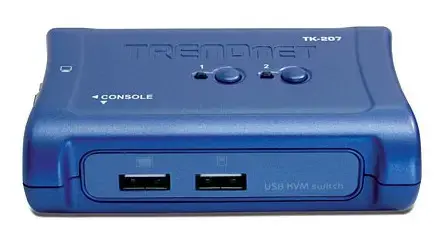
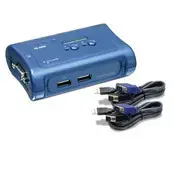
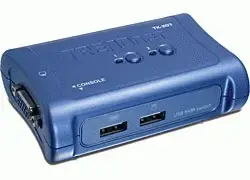
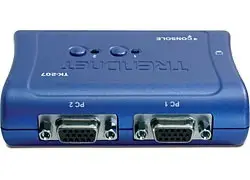
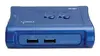
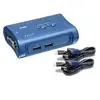
TRENDnet TK-207K 2-Port USB KVM Switch with VGA and Audio Support
The TRENDnet TK-207K 2-Port USB KVM Switch is a compact and efficient hardware solution designed to streamline your workspace by allowing you to control two computers using a single keyboard, mouse, and VGA monitor. This device eliminates the need for redundant peripherals, saving valuable desk space and simplifying the management of multiple workstations. With its plug-and-play functionality and included cabling, it provides a seamless transition between systems, making it an ideal tool for home offices, small businesses, or server management tasks.
One of the primary benefits of this KVM switch is its ability to operate without an external power adapter, as it draws power directly from the USB connection of the connected computers. The device supports high-resolution video output up to 2048 x 1536 pixels, ensuring clear and sharp image quality on your monitor. Furthermore, the inclusion of hot-key support and a physical push-button allows for quick and convenient switching between computers. The unit also features auto-scan functionality with audible feedback, which helps in monitoring connected systems effortlessly. Its hot-plugging capability ensures that you can add or remove computers for maintenance without the need to power down the switch or the connected PCs.
This device is designed specifically for VGA video output and USB-based peripherals. It is not suitable for systems requiring HDMI, DisplayPort, or DVI video connections without the use of additional adapters. Additionally, it is not intended for high-speed data transfer or docking station functionality.
To set up the TRENDnet TK-207K, connect your VGA monitor, USB keyboard, and USB mouse to the console ports on the switch. Use the provided KVM cable sets to connect each computer to the corresponding ports on the switch. Once connected, the device will be powered automatically via the USB interface. You can switch between the two computers by pressing the button on the top of the unit or by using the designated hot-key commands on your keyboard. The LED indicators will show which computer is currently active.
For optimal performance, ensure that all cable connections are secure. If you are using specialized gaming mice or keyboards with advanced drivers, basic functionality is typically supported, but advanced programmable features may require direct connection to the PC.
{{highlightedFeature.featureTitle}}:
{{getProductFeatureValueById(product, highlightedFeature.featureId)}}
{{ productComparisonGenerationError }}