Dreame vacuums for fast and efficient cleaning!
In cart {{totalProductsCount}} item(s)
Your cart is empty
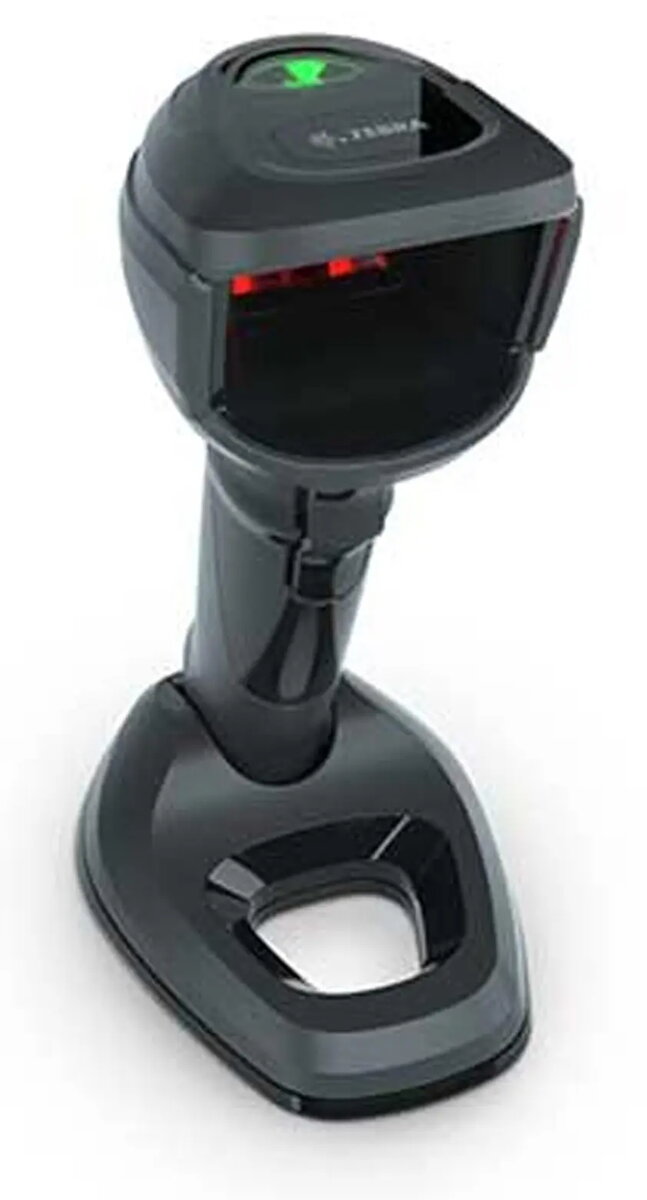
Handheld barcode scanner Triton Zebra DS9908-SR — 1D/2D imager, black
Triton Zebra DS9908-SR is a handheld 1D/2D imager in black designed for fast omnidirectional scanning of printed and digital barcodes. The device is built to capture both linear and matrix codes across retail, point-of-sale, inventory and laboratory workflows where dense, curved or small barcodes are common. The hybrid presentation design supports handheld and hands-free operation and the built-in processor and megapixel sensor deliver rapid decode performance for routine scanning tasks.
The DS9908-SR offers first-pass capture of high-density and curved barcodes, aided by targeted white illumination and a high-resolution sensor. Its hybrid design enables seamless switching between handheld scanning and hands-free presentation without the compromises of retrofit bases. An 800 MHz processor and PRZM Intelligent Imaging technology speed decoding of difficult codes, while standard wired interfaces and preconfigured settings simplify deployment and management in mixed environments.
The DS9908-SR is optimized for environments that require frequent reads of printed or on-screen 1D and 2D codes; it is not intended as an intrinsically safe or explosion-proof device for hazardous locations. For applications that require wireless cordless operation or long-range scanning beyond typical POS and lab distances, a purpose-built cordless or long-range imager may be more appropriate.
Connect the scanner to the host system using the supplied cable and allow the scanner to auto-detect the host interface. For handheld operation, point the imager toward the barcode and press the trigger; for hands-free use, place the scanner in the presentation position and present barcodes to the active window. The DS9908-SR reads barcodes from printed labels and displays as well as high-density and curved labels common in laboratory and retail settings. Use the manufacturer’s configuration tools to adjust decode behavior, format output and apply firmware updates as required.
For consistent first-pass reads, ensure barcode labels are clean and well-printed, present the code within the scanner’s field of view at typical POS or lab distances, and use the provided configuration utilities to tune the device for high-density or curved label decoding scenarios.
{{highlightedFeature.featureTitle}}:
{{getProductFeatureValueById(product, highlightedFeature.featureId)}}
{{ productComparisonGenerationError }}