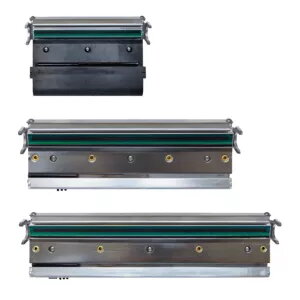
The TSC MX241P print head is a high-quality replacement component specifically engineered for the TSC MX241P series thermal printers. Featuring a resolution of 203 dpi, this print head ensures sharp, accurate, and reliable printing for various industrial applications. It is designed to maintain the high performance standards of your printer, facilitating consistent output for labels, barcodes, and tags in demanding environments.
Advantages
This original-quality print head provides excellent print clarity, which is essential for the readability of barcodes and text. By replacing a worn or damaged print head, you can effectively restore the printer's operational efficiency and minimize downtime. The component is built for durability, supporting the high-volume printing requirements typical of the MX241P series. Its precise engineering ensures seamless integration with your existing hardware, maintaining the integrity of your printing processes.
Suitable for
- Retail label printing
- Logistics and shipping label production
- Manufacturing and inventory tracking
- Asset management labeling
When it may not be suitable
This print head is exclusively designed for the TSC MX241P printer model with a 203 dpi configuration. It is not compatible with printers requiring a different resolution, such as 300 dpi or 600 dpi models, nor is it suitable for other printer brands or series.
Key specifications
- Resolution: 203 dpi (8 dots/mm)
- Compatibility: TSC MX241P series
- Printing method: Direct thermal and thermal transfer
How to use
Installation should be performed by a qualified technician or an individual familiar with thermal printer maintenance. Before beginning, ensure the printer is powered off and disconnected from the power source. Open the printer housing to access the print mechanism. Carefully release the existing print head by following the manufacturer's service manual instructions, disconnect the cables, and remove the unit. Install the new print head by connecting the cables securely and locking it into the designated position. Once installed, perform a test print to verify alignment and print quality.
What to consider before purchase
- Verify your printer model and current resolution requirements
- Ensure the printer is powered down before installation
- Check for any additional maintenance needs, such as cleaning the platen roller
Usage recommendations: To maximize the lifespan of your new print head, use high-quality thermal media and perform regular cleaning of the print element using approved cleaning pens or isopropyl alcohol wipes. Avoid touching the print head surface with bare fingers to prevent oil buildup and potential damage.